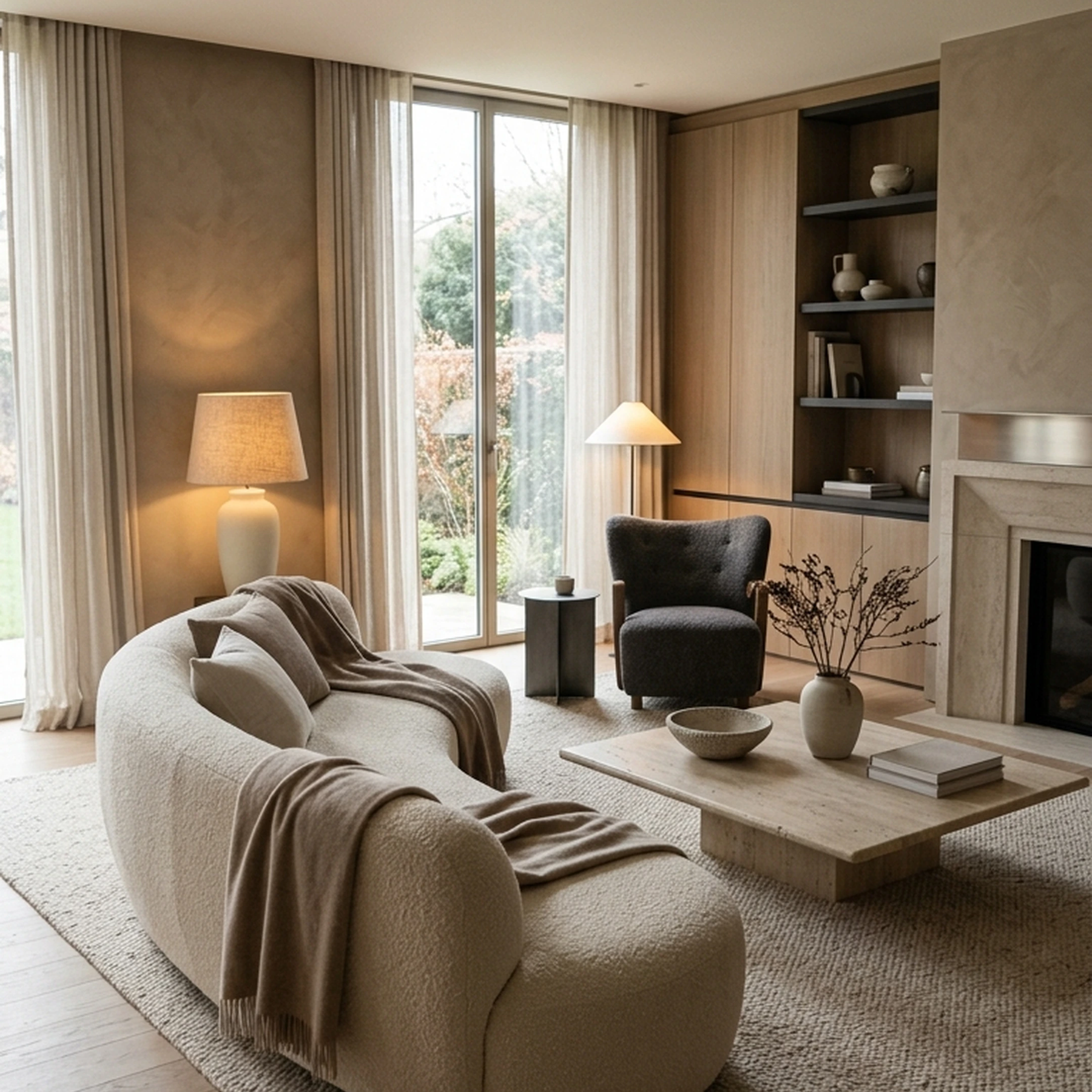
You signed the lease on a one-bedroom in Chicago's Logan Square three weeks ago, and the living room still looks like moving day. The tape measure on the floor says the space runs 11 by 14 feet, there's a loveseat wedged sideways in the doorway that hasn't made it past the entry, and a saved render from an AI redesign app that doesn't match a single piece you could actually buy.
That distance between a pretty picture and a room you can furnish is exactly why people start searching for Decoratly alternatives. Decoratly redesigns a photo of your room into a new style, which is genuinely useful for inspiration. First Chair takes the next step: it reads your room and your taste, then builds a design out of pieces you can actually order from real brands, with member pricing shown next to retail price.
Key Takeaways
- The best Decoratly alternatives depend on your design goals. Some help you explore new styles, while others offer detailed room planning, furniture visualization, or shopping support.
- Quick room redesigns work best for inspiration. Photo-based tools let you experiment with colors, furniture arrangements, and aesthetics without committing to a full redesign.
- 3D planning tools offer more control. Floor plans, furniture placement, and room layouts are useful when you need to understand how a design will work in your actual space.
- Shoppable designs make decorating more practical. First Chair takes a furnishing-focused approach, connecting room designs to real furniture from multiple retailers, with pricing visible before you buy.
- Look beyond realistic renders when comparing alternatives. Consider ease of use, pricing, room accuracy, and whether the final design helps you take the next step toward furnishing your space.
Why People Look for an Alternative to Decoratly

Decoratly lets you upload a photo, pick a style or describe your own, and get a photorealistic redesign in about 30 seconds, whether the photo comes from your phone or a listing site. That speed is the appeal, and it's also the limit. The primary output is a styled image of your room; its official site also lists a Shop the Look feature, though independent reviewers have flagged that the results can feel less polished than expected, per reviewer feedback. A separate review found the app genuinely useful for visualizing room changes without physical samples, which is fair. But "useful to look at" and "useful to furnish from" are two different jobs.
It also helps to know what category you're actually shopping in. Tools like Decoratly and RoomGPT are AI room renderers: they apply a style to an existing photo. Houzz and Planner 5D are a different animal entirely, closer to 3D room planners with basic rendering built in. First Chair sits in a third lane: it skips the "pretty image" step and goes straight to a room built from pieces that exist and ship.
1. First Chair
First Chair starts the same way Decoratly does: upload a photo of your own room, or an inspiration photo you've been saving. From there, it works differently. Instead of handing back a single styled image, First Chair builds a complete furnishing concept out of real pieces pulled across multiple retailers, including West Elm, CB2, Crate & Barrel, Pottery Barn, Lulu & Georgia, Article, and Rejuvenation. Every piece carries an estimated price and a suggested vendor, so the design is something you can price out and buy, not just admire.
That multi-retailer sourcing is the core differentiator. First Chair isn't tied to one catalog the way a retailer-locked render tool is. It can match a sofa from one brand with a rug from another, rather than forcing you into whatever a single store stocks. Member pricing shows up next to the standard retail price right in the app, so the savings are visible before you decide on anything, and a Design Concierge can hunt for that pricing and place the order for you.
Key Features
- Upload a room photo or an inspiration image and get a full furnishing concept, not just a redesigned photo
- Every piece is real and comes with an estimated price and suggested vendor
- Six ways to view a design: Details, Before & After, Video Tour, Material Board, Top Down, and Lifestyle
- Member pricing shown next to retail price on most pieces
- A Design Concierge that hunts for savings and places the order
- Sourcing spans West Elm, CB2, Crate & Barrel, Pottery Barn, Lulu & Georgia, Article, Rejuvenation, and more
- A 60-second style quiz to set the aesthetic direction before you upload a photo
Pricing
First Chair membership runs $59.99 for 3 months or $99.99 for 6 months, renews automatically, and can be canceled anytime before the next renewal.
Why people choose First Chair
Most AI room tools stop at the picture. They'll show you a living room that looks finished, then leave you to figure out where the sofa actually came from. First Chair treats the photo as a starting point, not the finish line: it builds the room out of pieces you can price, compare, and order, with member pricing already factored in.
2. RoomGPT
Use RoomGPT when you want a quick visual sense of a new style on a room you already photographed, and you don't need the result to connect to anything purchasable. RoomGPT transforms a single room photo into a new theme so you can see what a space might look like before committing to a renovation. The tradeoff: it runs on a straightforward reimagining model, returning a restyled photo without a purchasing workflow.
Key Features
- Transform a room with a single uploaded photo
- Preview multiple themes before renovating
- Credit-based system rather than a flat subscription
How it differs from First Chair: RoomGPT gives you a styled photo of your room; First Chair gives you the same room built from pieces you can actually order, with member pricing attached.
3. Interior AI
Use Interior AI when you want to redesign not just a room but an exterior or a garden, and you're comfortable uploading sketches or SketchUp files alongside photos. Interior AI redesigns, furnishes, and reimagines interiors, exteriors, and gardens from a photo, a screenshot, or a design sketch. The tradeoff is cost at the top tier and an experimental prompt feature that the company itself notes may cause random or inconsistent results.
Key Features
- Redesigns rooms, houses, and gardens from a single photo
- Accepts sketches and SketchUp files for photorealistic renders
- Virtual staging for empty spaces
- 3D walkthroughs of finished designs
How it differs from First Chair: Interior AI covers more surface types (interiors, exteriors, gardens) and also supports 3D walkthroughs and flythroughs alongside rendered images. First Chair narrows to interiors and turns that image into a furnishing plan built from pieces you can buy.
4. Homestyler
Use Homestyler when the project is really a floor plan, not just a photo, and you want to place branded furniture models inside a 2D or 3D layout. If you're planning a living room remodel from a DWG file, for example, Homestyler lets you place a sofa to scale before buying anything. Homestyler converts an uploaded or sketched floor plan into an editable 3D house model, then lets you drag and drop furniture into it with cloud-based rendering. The tradeoff is that it's built for planning and visualization, not for pricing out and ordering the furniture you place.
Key Features
- Converts a 2D floor plan or sketch into an editable 3D model
- Drag-and-drop furniture library with cloud rendering
- Multiple AI tools for planning, staging, modeling, and rendering
- Video renders and 360-degree virtual tours
- DWG import and multi-floor design support
How it differs from First Chair: Homestyler is strongest at full 3D floor-plan editing; First Chair is strongest at turning a single room photo directly into a buyable furnishing plan without a CAD-style learning curve.
5. RemodelAI
Use RemodelAI when you want a fast redesign across more surface types than just the interior, including exteriors and landscaping, and a free tier is enough to test it. RemodelAI covers interiors, exteriors, and gardens in more than 30 styles, with virtual staging and object removal available alongside the core redesign. The tradeoff: it doesn't output a floor plan, room dimensions, or a 3D model, so it stays firmly in the "quick visual" category.
Key Features
- Interior, exterior, and landscape redesign from one photo
- Virtual staging and furniture swap
- Floor replacement, wall paint changes, and object removal
- Available on iOS, Android, and web
How it differs from First Chair: RemodelAI covers more surface types faster; First Chair stays focused on interiors but closes the loop by sourcing real, priced furniture for the room it shows you.
6. ArchitectGPT
Use ArchitectGPT when the project leans professional, meaning you're working from CAD files, DWG/DXF drawings, or a floorplan rather than a casual room photo. ArchitectGPT turns rooms, facades, floorplans, and CAD renders into photorealistic results, aimed at architects, designers, and realtors. The tradeoff is cost and complexity for a casual apartment refresh; the tool is built for a more technical workflow than most individual renters need.
Key Features
- Reads floorplans and renders them furnished (PlanVision)
- Converts DWG files into 3D models (CADGPT)
- Exterior and interior redesign that preserves the original structure
- Finish Studio for swapping floors, walls, and finishes from real material photos
- Cinematic Walkthrough video from a single listing photo
How it differs from First Chair: ArchitectGPT accepts a broad range of technical file types including DWG, DXF, CAD renders, and SketchUp files; First Chair skips the technical learning curve and starts from a phone photo, ending at a buyable room instead of a rendered concept.
7. KitchenGPT
Use KitchenGPT when the project is specifically a kitchen and you want to test paint, cabinet fronts, flooring, or an island change without touching the rest of the room. KitchenGPT is a kitchen-focused design studio that works from a photo, a floor plan, a sketch, a moodboard, or a written description, and keeps the room's structure, walls, and windows in place while it changes finishes. The tradeoff: it's narrow by design, and the studio needs a larger screen, so it's not built for a quick phone session.
Key Features
- Preview more than 200 kitchen styles
- Room-aware redesigns that keep structure in place
- Focused changes for paint, fronts, floor, backsplash, hardware, or island
- Design from scratch using real cabinet sizes
- Video walkthrough of the finished kitchen
How it differs from First Chair: KitchenGPT goes deep on one room type; First Chair covers the whole home and connects the result to real, shoppable pieces rather than just kitchen finishes.
8. RoomCalm
Use RoomCalm when you want one free, full redesign of your actual room, including a running shopping list and specific paint matches, without committing to a subscription first. RoomCalm redesigns your real room from one photo, organizes what's already in it, and lists exactly what to change, down to a lighting plan in real lumens and price bands for pinned products. The tradeoff, by the company's own account, is that buying extra redesigns is currently paused, which limits how far you can push the tool beyond the first free pass.
Key Features
- One full free AI redesign of your real room
- Four intensity settings, from Light refresh to Blank Slate
- Fit Check, which previews a specific piece in your room before you buy it
- A running shopping list with real paint matches and price bands
- A lighting plan measured in real lumens
How it differs from First Chair: RoomCalm's strength is the detailed "what to change" breakdown of your current room; First Chair's strength is the multi-retailer furniture it sources to actually fill that room, with member pricing attached and an option to have the order placed for you.
Decoratly Alternatives by Room Type
Most of the tools above work on any room photo, living room, bedroom, home office, or studio apartment, because the underlying flow is the same: upload a photo, pick a direction, get a result. Kitchens are the exception. KitchenGPT is built specifically for kitchen finishes (cabinet fronts, backsplash, islands) and keeps the room structure fixed while it swaps those elements, which is more targeted than a general room renderer would manage. For a full-room furnishing job, living rooms benefit most from First Chair's multi-retailer sourcing: a living room typically requires the highest number of coordinated pieces (sofa, rug, lighting, side tables) from different categories, and pulling those from a single branded catalog rarely produces a room that feels collected rather than purchased all at once.
Side-by-Side Comparison Matrix
Pricing and Realism: What to Check Before You Switch
Pricing across this category splits into two camps: a free-to-try render (RemodelAI's 3 free designs, RoomCalm's one free redesign, Decoratly's single free design, Homestyler's free Basic tier) and a paid tier that expands volume. None of that tells you whether the room will look right once you commit.
Before trusting any AI redesign, check five things in the result:
- Does the seating have a clear anchor piece instead of several small chairs competing for attention?
- Is the rug sized to sit under the front legs of the furniture rather than floating in the middle of the floor?
- Is there more than one light source (overhead plus a lamp or sconce) instead of flat, single-source lighting?
- Do the wall and floor tones actually balance against the furniture color?
- Is there a clear walkway left through the room?
A render that skips all five can still look pretty in a thumbnail and fall apart the moment you try to live in the space.
What not to buy off any AI-generated design: a matched five-piece living room set (it reads as a showroom, not a room you collected over time), a rolled-arm sofa in a room under roughly 12 feet wide (the arms eat width you need for walking space), and "small space" branded pieces from mass retailers that are built to a price point rather than to last. A render can suggest the shape of a room. It can't tell you whether the particular sofa it drew is one you'd want to own in two years.
Why First Chair Stands Out
Every tool on this list can show you a styled version of a room. Only First Chair connects that version to real pieces you can price, compare, and buy, with member pricing already visible and a Design Concierge able to place the order. Because it sources across brands like West Elm, CB2, Crate & Barrel, Pottery Barn, and Lulu & Georgia, the room it builds can mix a sofa from one brand with lighting from another, the way a room actually comes together.
If the goal is a styled photo to post or save, several tools on this list will get you there quickly and for less money. If the goal is an actual finished room, furniture ordered, member pricing applied, First Chair is the one built for that job. It starts the same way Decoratly does, a photo and a style direction, but it ends somewhere different: a complete furnishing concept built from real, priced pieces across more than 100 brands, with six ways to review the design and a Design Concierge who can place the order. For anyone tired of saving renders they can't shop, First Chair is the alternative worth starting with.
Frequently asked questions
What is the best alternative to Decoratly?
Among the tools covered here, First Chair stands apart because it goes beyond a styled image: it builds a complete room out of real, priced pieces across more than 100 brands, with member pricing shown next to retail price. Tools like RoomGPT, RemodelAI, and Interior AI produce a styled render but stop there.
Which AI interior design tool is the most realistic?
Realism varies by how closely the tool reads your existing walls, windows, and light before applying a style. The Verge, testing Decoratly directly, found it produced a result that felt closer to a real room with a distinct style than some other apps tested, though some choices were described as "weird." The more useful test for any tool is whether the furniture it shows you is something you could actually buy and place in the room, which is where First Chair's real, shoppable pieces differ from a purely cosmetic render.
Is Homestyler better than Decoratly?
They solve different problems. Homestyler is a full 3D floor-plan editor; Decoratly is a fast, single-photo restyle tool. Neither connects its output to member pricing or a shopping cart the way First Chair does, which matters if the end goal is an actual furnished room rather than a plan or a picture.
What is the difference between an AI room renderer and a furnishing-focused AI design tool?
An AI room renderer applies a style to an existing photo and returns a redesigned image. Tools like Decoratly, RoomGPT, and RemodelAI work this way. A furnishing-focused tool goes further, sourcing real furniture, generating multiple views, and connecting the design to a shopping workflow. First Chair falls into the second category.