You’ve just moved into your first solo apartment in Boston, and for the first time, every design decision is yours. No roommates to compromise with, no mismatched furniture to work around. You want a space that feels personal, but your Pinterest board is pulling you in five different directions. You're drawn to warm minimalism and natural wood. The next, it's colorful rugs, vintage furniture, and bold statement pieces. Figuring out what actually feels like your style is harder than you expected.
Finding inspiration is easy, but turning a collection of saved photos into a cohesive room takes more than knowing which colors and furniture you like. You need to see how different styles work in your actual space, what pieces complement each other, and whether the furniture you love is something you can realistically buy.
The best interior design apps for finding your style help you experiment before committing. Some let you test layouts, explore design aesthetics, or visualize room makeovers, while others, like First Chair, turn your inspiration into furnished concepts using real products from multiple retailers. Here are 12 apps worth exploring in 2026 to help you discover your style and bring it into your home.
Key Takeaways
- Real, buyable furniture beats fantasy renders. The most useful interior design apps connect a room concept to furniture you can actually check out with, not pieces an algorithm invented that don't exist anywhere.
- Expect a tradeoff between speed and human guidance. Services like Decorilla and Spaces by Dee put a designer on your project for days or weeks; self-serve apps hand you a concept in minutes.
- Free tiers are real, but capped. Most "free" apps limit you to one active project, lower render resolution, or watermarked exports, and the paid tiers are where the full catalog or 4K renders live.
- Floor-plan tools and style-matching tools solve different jobs. Measuring a room (RoomSketcher, IKEA Kreativ, PlaDomus) is not the same task as finding furniture that matches your aesthetic.
- Insider pricing on furniture is rare. Of the apps covered here, First Chair is the one that includes member pricing in the app itself.
- Furnishing decisions take longer than people plan for, which is exactly why an app that shortens the path from concept to checkout matters more than one that just generates another pretty picture.
Top Interior Design Apps for Every Kind of Project
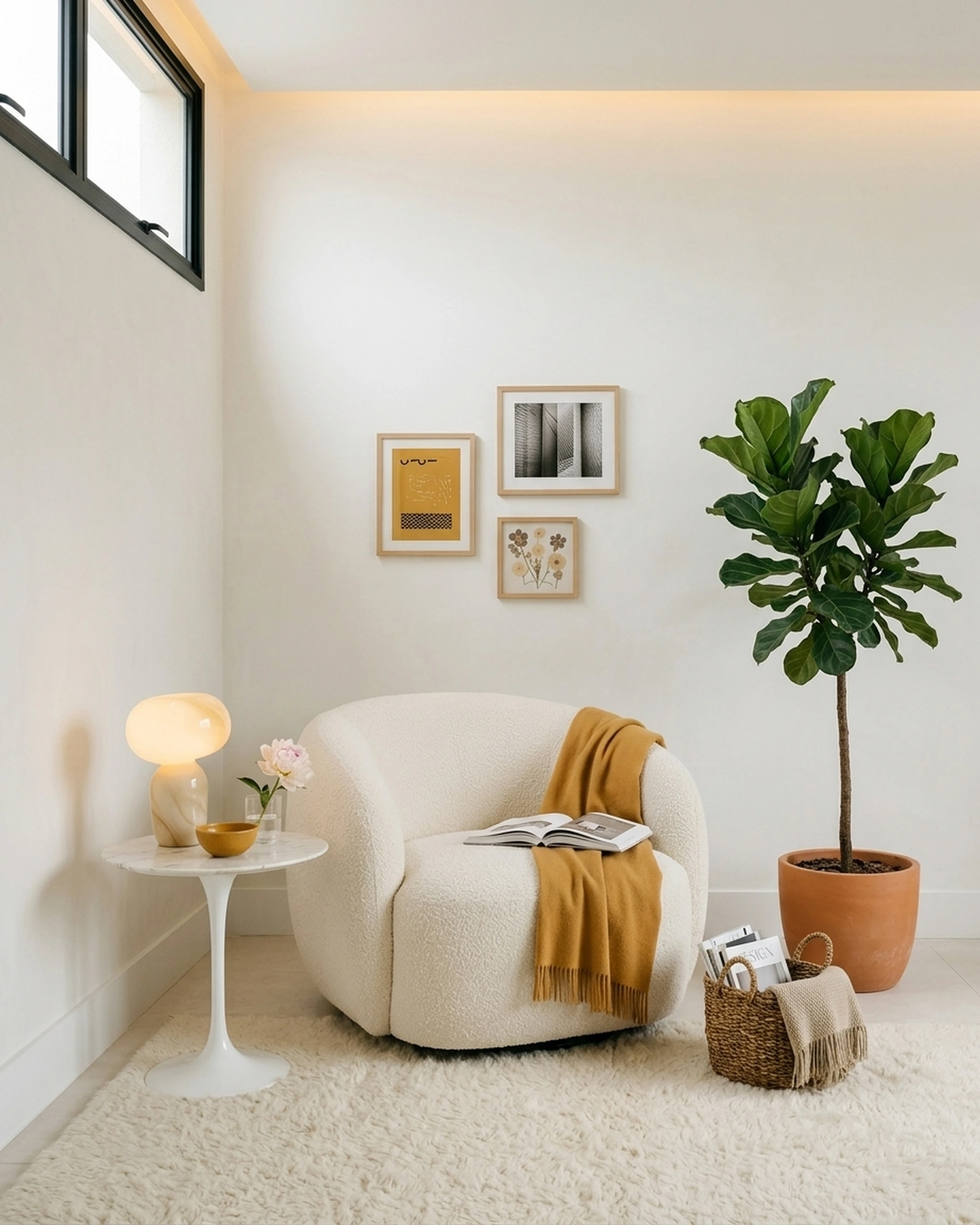
The apps below do different jobs. Some translate a style description into a finished room. Some measure a room with your phone. Some put a human designer on your project. The order below reflects how directly each one gets you from "I like this look" to a room you can actually furnish.
1. First Chair
First Chair starts with your actual room or an inspiration photo and a style description written in your own words, not a dropdown menu of preset categories. You can describe a direction like "warm minimalism with walnut tones" or "botanical, not tropical," and First Chair builds a curated room concept from real pieces pulled across retailers like West Elm, CB2, Crate & Barrel, Pottery Barn, and Lulu & Georgia, rather than from one brand's limited catalog. Every piece shown ties to a real listing with an estimated price, which separates it from render tools that generate furniture that doesn't exist anywhere you could buy it.
Given that shoppers typically take days to weeks to decide on furniture, a tool that narrows the field to pieces that already work together, instead of adding more tabs to compare, shortens the whole process.
What Sets First Chair Apart
- Real pieces from multiple brands and retailers, not AI-generated furniture that doesn't exist.
- A catalog spanning products across multiple brands and retailers, so recommendations aren't limited to one retailer's inventory.
- Insider pricing on most pieces, right inside the app.
- Concierge help to bring your room to life.
- A partnership with Architectural Designs that produces a custom furnishing plan for $49.99, delivered in three days, built for more than 500 AD home plans, with a 100% money-back guarantee.
- Unlimited concepts and product searches, so you can try a direction, swap the rug, and try again until it clicks.
For buyers who've already picked a house plan, that $49.99, three-day furnishing plan is worth noting against the alternative. First Chair's plan-stage option is built for people who want direction without a traditional design engagement's scope or cost.
How to Start With First Chair
First Chair is currently in early access. Joining now includes a $50 furniture credit toward your first room. Start with your room.
2. Decorilla
Choose Decorilla when you want an actual human design team assigned to your room, not just software generating a render. Decorilla's packages run Bronze, Silver, Gold, and Platinum, and each one includes concepts from multiple designers so you're choosing between a few directions rather than one algorithm's guess.
What It Does Well
Decorilla pairs you with design professionals who produce a realistic 3D model of the finished room and pass along furniture savings on the pieces in the plan, with no markups added on top.
The tradeoff is time and cost. You're paying for a human team's labor on a project timeline measured in days or weeks, not the instant concept you'd get from describing your room to an app yourself.
Key Features
- Unlimited communication with your assigned design team
- A realistic 3D model of the finished room
- Initial concepts from multiple designers to choose between
- An interactive online platform for revisions
- Furniture savings applied to the pieces in your plan
How it differs from First Chair: Decorilla sells design labor and renders from a human team on a project timeline. First Chair generates buyable room concepts from your own photos, with insider pricing built into the app.
3. Homestyler
Pick Homestyler when you need a photorealistic render of an entire house, not just one room. You can upload or sketch a 2D floor plan and Homestyler converts it into an editable 3D model, which is a heavier lift than most single-room apps attempt.
What It Does Well
Per Architectural Digest, users photograph a room, import existing photos, or use a template, then add furniture, lighting, rugs, and finishes to see how choices look in the space; saved ideas can be shared with local design professionals. Homestyler's library includes more than 10 million branded 3D furniture models and built-in cloud rendering.
The tradeoff: the free Basic tier charges a coin for each render and requires purchasing a 4K render every time you want one, and the furniture models in the library aren't tied to a single checkout flow the way a shoppable list would be.
Key Features
- Upload or sketch a 2D floor plan and convert it into an editable 3D model
- Drag-and-drop interface with more than 10 million branded 3D furniture models
- Built-in cloud rendering
- More than 500 room and home templates
- A 720-degree virtual tour and VR viewing mode
How it differs from First Chair: Homestyler's library is built for rendering and whole-home visualization. First Chair's recommendations tie to real vendors you can check out with directly, with member pricing attached.
4. Planner 5D
Start with Planner 5D if you want to sketch a floor plan before worrying about furniture. It takes a floor plan, photo, sketch, or PDF and uses floor-plan recognition to turn it into an editable 2D or 3D project.
What It Does Well
The free plan lets you create and share an unlimited number of projects (one active at a time) and access half of the roughly 8,000-item furniture library. Paid tiers include full 4K rendering, 360-degree walkthroughs, and CAD export.
The tradeoff is that photorealistic results and the full catalog sit behind Premium or Professional, and most of the furniture in the library is generic rather than tied to a specific retailer you'd check out with.
Key Features
- Create and share an unlimited number of projects
- AI floor-plan recognition from an uploaded photo or sketch
- A shared furniture library of roughly 8,000 pieces
- 4K renders on paid tiers
- 360-degree walkthrough and panorama views
How it differs from First Chair: Planner 5D starts with a floor plan and a generic catalog. First Chair starts with your style and surfaces specific, purchasable pieces from named brands.
5. IKEA Kreativ
Use IKEA Kreativ when you specifically want to see IKEA furniture in your own space before buying it. On LiDAR-enabled devices, the app can scan a full room to build a 3D model; on the web, you enter dimensions manually instead.
What It Does Well
You can photograph or upload a room, erase the existing furniture, and swap in pieces straight from IKEA's catalog, all at no cost and with no subscription required.
The tradeoff is scope: Kreativ answers "will this fit in my room," not "what should I buy," because the catalog is limited to one retailer's inventory.
Key Features
- Free virtual room designer with no subscription
- Full-room LiDAR scanning in the mobile app
- Manual dimension entry on the web version
- Erase existing furniture from a photographed or uploaded room
- Swap in and preview IKEA catalog pieces in your space
How it differs from First Chair: Kreativ shows IKEA's own catalog only. First Chair sources across multiple retailers, so the room isn't built around a single brand's inventory.
6. HomeByMe
Choose HomeByMe for a free, browser-based way to draw an accurate floor plan and furnish it in 3D. You draw walls, windows, and doors with real measurements, then furnish the space from an online catalog.
What It Does Well
HomeByMe's catalog includes 10,000 products, and the free tier lets you create 2D and 3D floor plans, generate realistic 3D rendered images, and produce 360-degree views of the finished room.
The tradeoff shows up in daily use. The app can run slow, unresponsive, or laggy at times, and the furnishing catalog tops out at 10,000 generic products rather than pieces tied to a retailer you'd actually check out with.
Key Features
- Draw 2D and 3D floor plans with measurements
- Furnish from a catalog of 10,000 products
- Customize generic catalog products
- Create realistic 3D rendered images
- Generate 360-degree views of a finished room
How it differs from First Chair: HomeByMe's catalog is generic placeholder furniture for floor planning. First Chair's recommendations are specific, real products with member pricing attached.
7. Floorplanner
Stop at Floorplanner if you mainly need a clean floor plan and don't mind paying per render for higher resolution. You draw rooms, move walls, and add doors and windows in the editor, then switch to a real-time 3D view.
What It Does Well
Free projects are usable for basic planning without any cost.
The tradeoff is the free tier's limits: exports are capped at five free projects, three floors with three designs total, and SD-quality images carrying a Floorplanner watermark.
Key Features
- Draw rooms, move walls, and add doors and windows
- Real-time 3D view while editing
- Export renders up to 8K resolution (credits required)
- Room Wizard and Magic Layout tools for faster setup
How it differs from First Chair: Floorplanner charges credits for higher-resolution floor-plan renders. First Chair's output is a shoppable room, not a rendered export you pay to upgrade.
8. Houzz (Houzz Pro)
Use Houzz Pro if you're running design or contracting projects and need estimates, invoicing, and 3D floor plans in one place.
What It Does Well
Houzz Pro brings 3D floor plans, a product clipper and library, bid management, and automated estimates and proposals into a single workflow, with integrations including QuickBooks and Google Drive.
The tradeoff is scale and cost. This is a professional operations suite for running a design or contracting business, not a lightweight app for someone furnishing their own living room, and it starts at $99 a month for a single user.
Key Features
- 3D floor plans
- A product clipper and library for sourcing materials
- Bid management and takeoffs
- Estimates, proposals, and invoicing in one system
- AI note-taking during client meetings
How it differs from First Chair: Houzz Pro is a paid operations platform for running design and contracting projects. First Chair is built for someone furnishing their own room, not managing clients.
9. RoomSketcher
Pick RoomSketcher when you have a blueprint, PDF, or LiDAR scan you want turned into an editable floor plan quickly. Its AI Convert feature maps walls, doors, and windows from an uploaded image into a fully editable project.
What It Does Well
FloorCapture, available on LiDAR-equipped iPhones and iPads, can build a RoomSketcher project directly from a room scan, and paid tiers add Live 3D walkthroughs, AI-rendered photorealistic images, and 360-degree views.
The tradeoff is how much sits behind the free tier. Free gives two credits to start and one free AI floor plan conversion; most of the useful rendering tools require the Pro plan.
Key Features
- AI Convert maps walls, doors, and windows from an uploaded image
- FloorCapture builds a project automatically from a LiDAR scan
- 2D floor plans with measurements and layout details
- AI Render for photorealistic images from any angle
- 360-degree panoramic views
How it differs from First Chair: RoomSketcher converts scans and blueprints into floor plans. First Chair converts a style description and room photo directly into a list of real furniture to buy.
10. Remodel AI
Use Remodel AI when you want a fast photorealistic preview of a room in a new style from a single photo. Upload a photo of any room, pick from more than 30 styles, and get a redesign back in about 10 seconds.
What It Does Well
Beyond interior redesign, Remodel AI includes tools for exterior design, virtual staging, floor replacement, wall paint visualization, landscape design, object removal, and furniture swap, all from the same uploaded photo.
The tradeoff is volume and follow-through. The free plan gives three designs total, and meaningful monthly volume starts at $29 a month. The output is a styled image, not a shoppable list of the furniture shown in it.
Key Features
- Interior redesign in more than 30 styles
- Exterior design in 11 architectural styles
- Virtual staging and floor replacement
- Wall paint visualization
- Object removal and furniture swap
How it differs from First Chair: Remodel AI's output is a styled image of your room. First Chair's output is a list of the specific, purchasable pieces shown in the concept, with insider pricing.
11. PlaDomus
Choose PlaDomus if you want a LiDAR scan of your room turned into a shopping list with real prices. You scan the room, PlaDomus builds the layout automatically, and it generates a shopping list with live prices and direct links to retailers.
What It Does Well
The scanning process is built to take about 60 seconds per room, and the app includes a community gallery where you can browse other homeowners' projects, including their budgets and product lists.
Key Features
- Room scanning via LiDAR in about 60 seconds
- Places products at real scale within the scanned layout
- Automatically generated shopping lists with live retailer prices and direct links
- Tracks what you've bought against what's left
- A community gallery of other homeowners' projects
How it differs from First Chair: PlaDomus builds its plan around a LiDAR scan and a retailer shopping list. First Chair builds its plan around your described aesthetic, with member pricing built into the recommendations.
12. Spaces by Dee
Choose Spaces by Dee when you want a boutique virtual designer on a specific room from start to finish; each project is handled by one dedicated designer working remotely.
What It Does Well
Packages range from a single consultation up to a full-room e-design, with delivery times stated upfront so you know roughly when to expect the finished plan.
The tradeoff is that pricing scales with scope and you're on a single designer's calendar rather than getting an instant concept the moment you describe your room.
Key Features
- Designer On Call sessions
- Renovation Plan Review
- E-Design Full Room Service
- Remote design work with clients worldwide
- Expert guidance throughout the project
How it differs from First Chair: Spaces by Dee pairs you with one human designer on a project calendar. First Chair gives you unlimited concepts to try in the app, instantly.
AI Design Generators vs. Traditional Room Planners: Which Should You Use?
Use an AI design generator when you want a styled image fast, and use a traditional room planner when you need an accurate, measured floor plan first. Tools like Remodel AI and Homestyler take a photo or sketch and return a rendered look in seconds to minutes. Floor-plan tools like RoomSketcher, Floorplanner, and HomeByMe start from measurements and build outward, which matters if you're actually moving walls or ordering furniture sized to a specific room.
The two aren't interchangeable. A photorealistic render tells you what a style could look like; it doesn't tell you whether a sectional with those dimensions will clear your doorway. A floor plan tells you what fits; it doesn't tell you what style works for the room. First Chair sits closer to the style-translation side of this divide, but ties the output to real, purchasable pieces with member pricing rather than a render you then have to go shopping to replicate.
Free vs. Paid Interior Design Apps: What Do You Actually Get?
Free tiers typically cap your project count, lock you out of high-resolution exports, or add a watermark; paid tiers remove those limits and open the full furniture catalog.
Floorplanner's free projects cap at five, limited to three floors and three designs, with SD-quality watermarked images. Planner 5D's free plan keeps you to one active project and half of the roughly 8,000-item catalog. Homestyler's free Basic tier charges a coin for most renders and requires purchasing a 4K render each time. RoomSketcher's free plan gives two credits and a single AI floor plan conversion before Pro's credit system kicks in.
None of that is unusual. It's how these businesses fund rendering infrastructure. What's worth checking before you commit is whether the paid tier buys you better furniture recommendations or just a higher-resolution picture of the same generic pieces. First Chair's main product pricing is not published, but the one published price point, the $49.99 Architectural Designs furnishing plan delivered in three days, sits well under what a traditional design engagement costs once you factor in the $20,000-plus a full designer relationship can run.
Tips for Getting Realistic Results From Interior Design Apps
A few habits separate a useful room concept from a frustrating one:
- Measure before you upload. Apps that work from a photo alone can misjudge scale; a quick tape measure of width and ceiling height makes any output more trustworthy.
- Describe style with specifics, not categories. "Warm minimalism: pale oak, linen, rounded silhouettes" gives an app more to work with than "modern." Naming materials and tones (walnut, boucle, brass) beats a one-word label every time.
- Watch for matched sets. A matched five-piece living room set from a single collection photographs well but rarely holds up once it's in a real room with your other pieces; mixing in one anchor piece from somewhere like Article or Rejuvenation against more affordable basics usually reads as more intentional.
- Skip rolled-arm sofas in tight rooms. Track-arm or slim-arm silhouettes preserve more usable width in a tight room, which matters in a rental living room.
- Check what a free export actually gives you. A watermarked SD image or a low-resolution render isn't useful for comparing against real furniture dimensions; know the export limits before you build a whole plan around one.
- Be mindful of what you upload. Any photo of your own home is personal; check how a given app handles stored images before uploading a full walkthrough of your space.
Taste was never the hard part for most people furnishing a room. Getting from that taste to a sofa that fits, in a color that's actually in stock, at a price that doesn't feel like a gamble, is. The apps above split that job up differently. Pick the one that matches the piece of it you're actually stuck on.
Frequently Asked Questions
What is the best free interior design app?
For a free tool, start with HomeByMe or IKEA Kreativ. First Chair's main product price is not published; its Architectural Designs furnishing plan costs $49.99.
Is there an app where I can take a picture of a room and remodel it?
Yes. Remodel AI, IKEA Kreativ, and First Chair all start from a photo of your actual room. Remodel AI returns a styled image in about 10 seconds, IKEA Kreativ lets you swap in its own catalog pieces, and First Chair turns the photo into a concept built from real, purchasable furniture.
Is Planner 5D actually free?
Yes, with limits. The free plan allows an unlimited number of projects but only one active at a time, with access to about half of the roughly 8,000-item furniture catalog; full 4K rendering and the complete catalog require the Premium or Professional tier.
Which app can measure a room with a phone camera?
IKEA Kreativ, RoomSketcher's FloorCapture feature, and PlaDomus all use a phone's LiDAR sensor to scan a room and build a floor plan or 3D model from it, provided the device supports LiDAR.
Can interior design apps use real furniture and products?
Some do and some don't. Render-focused apps often generate furniture that doesn't correspond to anything for sale, while apps like PlaDomus and First Chair tie recommendations directly to real retail products, with First Chair also showing insider pricing alongside standard retail on most pieces.