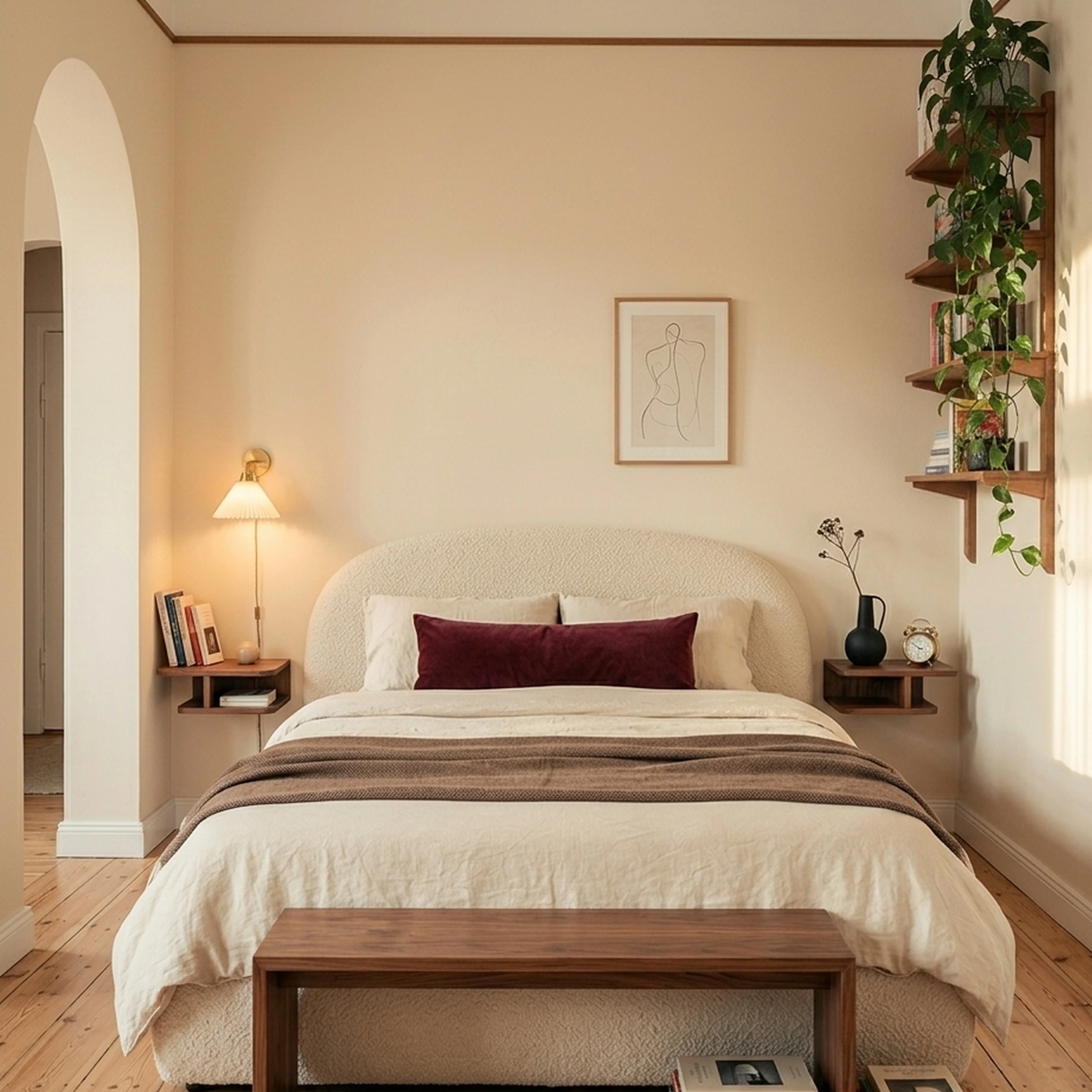

You just accepted a new job in Seattle and found a Capitol Hill apartment. The photos looked airy and bright, but standing in the empty living room, the 11x14 footprint feels smaller than expected. The bay window is beautiful. The radiator placement is not. You've got a Pinterest board with 200 saved rooms and zero idea how to translate any of them into furniture that actually fits this space, works with your budget, and arrives before your parents visit in six weeks. So you open InteriorAI, upload a photo of the empty room, and watch it generate a stunning mid-century modern living room in about 25 seconds. The problem: none of those pieces are real.
This is the core tension with AI visualization tools in 2026. They're remarkably good at showing you what a room could look like. They're remarkably bad at helping you actually furnish it. If you're trying to stop overwhelming yourself and make real purchasing decisions, knowing exactly what InteriorAI does and doesn't do becomes essential before you commit to a subscription.
Key Takeaways
- InteriorAI excels at fast AI visualization with 50+ style presets and professional features like Sketch2Image, making it a strong choice for real estate agents and designers needing high-volume virtual staging
- InteriorAI offers a limited free tier for trying the platform, with paid subscriptions starting at approximately $39/month for higher usage limits and additional features, positioning it as a mid-to-premium visualization tool
- AI-generated room concepts look beautiful but contain furniture that doesn't exist, creating a gap between what you see and what you can actually purchase for your space
- The AI interior design market is growing rapidly, valued at $1.39 billion in 2025 and projected to reach $1.76 billion in 2026
- Homeowners furnishing real spaces need tools that bridge visualization and shopping, not just pretty renders that require hours of manual product hunting afterward
- Professional rendering quality varies by subscription tier, with InteriorAI's highest-quality "Hyper Realism" mode requiring higher-tier plans
What Is InteriorAI and How Does It Work

InteriorAI is an AI-powered room visualization tool that transforms photos of existing spaces into redesigned interiors. You upload a room photo, select from over 50 style presets, and the system generates a new version of your space in roughly 25 seconds. The output is a photorealistic render showing your room redesigned in whichever aesthetic you've selected.
The core workflow is straightforward:
- Upload a photo of any room, whether empty or furnished
- Choose a style from presets like mid-century modern, minimalist, Japandi, industrial, or bohemian
- Select quality settings based on your subscription tier
- Receive a redesigned room render within seconds
The technology works by analyzing your room's architecture, then generating furniture and decor that fits the space while matching your selected aesthetic. InteriorAI also offers a Sketch2Image feature that converts hand-drawn sketches into photorealistic renders, which appeals to professional designers working through early concepts.
What InteriorAI generates:
- Photorealistic room renders based on your uploaded photos
- Multiple design variations you can compare side by side
- Exterior design concepts across 11 different styles
- Virtual staging for empty rooms, particularly useful for real estate listings
The important distinction here is that InteriorAI creates AI-generated imagery. The sofas, rugs, coffee tables, and lighting fixtures in your redesigned room are visual concepts created by the AI, not real products you can browse, compare, or purchase. They look like furniture. They're composed like furniture. But they don't correspond to actual pieces from CB2, West Elm, Article, or any other retailer.
For someone browsing design inspiration or staging a property listing, this works perfectly well. For someone who needs to actually buy a sofa that fits a 32-inch doorway and arrives in three weeks, the workflow hits a wall the moment you finish admiring the render.
Comparing InteriorAI to the Best AI Interior Design Software
The AI interior design space has fragmented into distinct categories, each serving different needs. Understanding where InteriorAI fits helps determine whether it's the right choice for your specific situation.
InteriorAI's position in the market:
InteriorAI occupies the mid-to-premium visualization segment, competing primarily with tools like Spacely AI, Reimagine Home, and RoomGPT. Its strengths center on rendering quality, style variety, and professional features like Sketch2Image. The platform is particularly well-suited for real estate virtual staging and design professionals who need quick concept visualization.
Key comparison points across major platforms
Rendering Quality
InteriorAI offers tiered quality levels, with "Hyper Realism" available only on higher subscription plans. Spacely AI provides professional-grade rendering with SketchUp integration for detailed architectural work. RoomGPT focuses on speed and simplicity over photorealistic output.
Style Flexibility
InteriorAI's 50+ style presets cover everything from Scandinavian to brutalist to coastal. This breadth works well for exploring different directions quickly. However, preset-based systems struggle with nuanced requests like "mid-century modern with warmer walnut tones and softer textiles" because they're limited to predefined categories.
Professional Features
InteriorAI's Sketch2Image capability distinguishes it from consumer-focused tools. Design professionals sketching concepts by hand can convert those sketches into presentable renders. Spacely AI goes further with SketchUp integration, CAD compatibility, and priority rendering queues for agencies.
Shopping Integration
This is where the category splits sharply. Visualization tools like InteriorAI, RoomGPT, and Spacely AI generate concepts without product connections. The furniture in your render doesn't exist in any catalog. Platforms like First Chair and Havenly take the opposite approach, showing real products you can actually purchase.
For InteriorAI alternatives focused on actually furnishing a room rather than just visualizing possibilities, the shopping integration question becomes the deciding factor.
The Limitations of AI Render Tools Like InteriorAI
AI visualization tools have become remarkably good at generating beautiful room concepts. The gap isn't in the quality of renders anymore. It's in what happens after you see the render and want to make it real.
The inspiration-to-purchase gap creates real problems
When InteriorAI shows you a perfect deep-seat sofa in performance velvet, you can't click on it to see the dimensions, check materials, or add it to a cart. That sofa is a visual concept generated by the AI, not a real product from Crate & Barrel or Lulu & Georgia. Finding something similar requires opening multiple retailer tabs, searching by style descriptors, comparing dimensions, and hoping you land on something that captures the same feel.
This process is where most furnishing projects stall. Understanding how furniture purchasing decisions get derailed by the gap between visualization and shopping is critical for anyone serious about actually furnishing their space.
Why "buyable" matters in home design:
- Dimensions vary wildly between similar-looking pieces. A sofa that looks right in an AI render might be 6 inches deeper than your space can handle. Without product-specific measurements, you're guessing.
- Material and construction affect livability. The AI can show you bouclé fabric, but it can't tell you whether that specific bouclé pills after six months or holds up to daily use.
- Budget alignment requires real information. Renders don't indicate whether the style you're seeing exists at various price points or requires significant investment.
- Delivery timelines affect project planning. An AI concept has no lead time. A custom West Elm sectional takes 8-12 weeks.
The workflow disconnect looks like this:
- Upload room photo to InteriorAI
- Generate beautiful mid-century modern concept
- Fall in love with the walnut-toned credenza in the render
- Open Article, CB2, and West Elm in separate tabs
- Search "mid-century credenza walnut"
- Compare 47 results that all look somewhat similar
- Realize none match the proportions in your render
- Repeat for sofa, coffee table, rug, and lighting
- Give up or settle for pieces that don't quite work together
First Chair takes a different approach. Instead of generating concepts with nonexistent furniture, it builds room designs using real pieces from retailers like West Elm, CB2, Pottery Barn, and Lulu & Georgia. Every piece in the concept includes live information and links directly to purchase. The room you see is the room you can actually buy.
How Practical Room Planners Enhance AI Designs
Visualization tools excel at showing aesthetic possibilities but typically skip the spatial planning that makes furniture actually fit. Knowing a sofa looks beautiful means nothing if it blocks your only walkway or leaves 18 inches between the coffee table and the couch instead of the 14-16 inches that feels comfortable.
Where AI visualization falls short on planning:
- No floor plan integration. InteriorAI works from photos, not measurements. It can't tell you whether the sectional it generated will fit through your apartment's 28-inch hallway.
- No traffic flow analysis. A room can look perfect in a render while being impossible to navigate in real life.
- No scale verification. Without your room's actual dimensions, AI-generated furniture might be proportionally off.
Planning tools that address these gaps:
- Planner5D provides floor plan creation with drag-and-drop furniture placement
- HomeByMe offers 2D/3D planning with measurement tools
- Floorplanner specializes in architectural-scale room layouts
The best approach often combines multiple tools: use a planner for spatial verification, then use visualization or shopping tools for aesthetic direction and product sourcing. This hybrid workflow catches the mistakes that pure visualization misses, like the Pottery Barn sectional that looked perfect online but measured 4 inches wider than the wall it was supposed to fit against.
For apartment dwellers in cities like Chicago, Austin, or San Francisco, where doorways are narrow and elevator dimensions matter, spatial planning isn't optional. It's the difference between furniture that arrives and furniture that arrives, doesn't fit, and requires expensive returns.
Is InteriorAI a Fit?
Professional interior designers have different requirements than homeowners furnishing a single space. Volume, client presentation quality, CAD integration, and workflow efficiency all factor into tool selection.
Where InteriorAI serves professional needs:
- Sketch2Image conversion lets designers move from hand-sketched concepts to presentable renders quickly
- Virtual staging at scale works well for real estate agents preparing multiple listings
- 50+ style presets enable rapid concept exploration across different aesthetics
- Batch processing on higher tiers supports high-volume workflows
Where professional workflows may need more:
- No SketchUp integration. Designers working in CAD environments may find Spacely AI's direct SketchUp compatibility more efficient than uploading photos.
- No material specification tools. InteriorAI generates visual concepts, not detailed specs for FF&E (furniture, fixtures, and equipment) schedules.
- No collaboration features. Client sharing and feedback collection require workarounds outside the platform.
- No product sourcing. Designers still need to manually source every piece shown in renders, adding hours to project timelines.
For designers who primarily need concept visualization and client presentations, InteriorAI's rendering quality supports those goals. For those managing full-service design projects including procurement, the manual product sourcing step adds significant unbilled time to every project.
The Future of Home Design: AI, Practicality, and Confidence
The AI interior design market is growing at 27.1% annually, reaching $1.76 billion in 2026. This growth reflects genuine consumer demand for help with furnishing decisions. But the market is splitting between tools that generate inspiration and tools that enable execution.
What's shifting in the market:
- From visualization-only to commerce-integrated tools. Users increasingly want to move directly from seeing a room concept to purchasing the pieces in it.
- From subscription fatigue to usage-based models. Multiple recurring subscriptions add up, pushing users toward tools that don't require ongoing commitments.
- From generic AI outputs to personalized recommendations. Preset style categories give way to nuanced understanding of individual preferences and constraints.
- The residential market dominates, representing 54.6% of interior design software users. These homeowners need consumer-friendly tools, not professional-grade complexity. They need pieces from CB2 and Article that fit their apartments, not architectural specifications.
What this means for choosing tools:
If you need virtual staging for real estate listings at volume, InteriorAI's rendering quality and speed make it a strong fit. The furniture doesn't need to be real because you're not buying it.
If you're actually furnishing a room and plan to purchase furniture, the visualization-to-shopping gap matters. Every piece that exists only as an AI concept requires manual sourcing afterward.
First Chair addresses this gap directly. Upload a room photo, describe your style direction, and receive concepts built entirely from real, purchasable furniture across retailers like West Elm, CB2, Pottery Barn, Crate & Barrel, and Lulu & Georgia. The pieces include live information, actual dimensions, and direct purchase links. Special offers show up at checkout. The room you see is the room you can buy.
Why First Chair for Furnishing Real Spaces
First Chair works differently than visualization tools because it starts from a different premise: most people who upload a room photo want to actually furnish that room, not just admire a concept.
Every piece First Chair recommends is real and available from brands you can trust. The concepts pull across West Elm, CB2, Crate & Barrel, Pottery Barn, Lulu & Georgia, plus brands you haven't met yet. You see what the room looks like. You see what each piece offers. You click and purchase without hunting through 30 browser tabs.
For the Seattle apartment with the bay window and the awkward radiator placement, that's the difference between staring at a beautiful render and having a furnished living room before your parents arrive.
Frequently Asked Questions
Can InteriorAI redesign outdoor spaces like patios and balconies?
InteriorAI includes exterior design capabilities with 11 different style options. You can upload photos of outdoor spaces and receive AI-generated concepts for patios, yards, and building exteriors. The same limitation applies: the outdoor furniture, planters, and landscaping elements shown are AI-generated concepts, not purchasable products from retailers like Rejuvenation or Serena & Lily.
How does InteriorAI handle rooms with unusual architectural features?
The AI processes whatever appears in your uploaded photo, including bay windows, sloped ceilings, exposed brick, and built-in elements. Results vary based on how well the AI interprets these features. Complex architectural elements sometimes appear altered or simplified in renders because the AI prioritizes aesthetic output over architectural accuracy. For rooms with significant structural quirks, 3D planning tools that work from measurements rather than photos may provide more reliable results.
Does InteriorAI work for commercial spaces like restaurants or offices?
InteriorAI is designed primarily for residential interiors, though users have applied it to commercial spaces with mixed results. The style presets focus on home environments rather than hospitality or corporate aesthetics. Commercial designers typically need tools with more robust specification features, material libraries, and compliance considerations that visualization-only tools don't address.
What happens to photos uploaded to InteriorAI?
Check InteriorAI's current privacy policy for specific data handling practices. Generally, AI visualization tools process uploaded images to generate outputs and may retain data for model training or quality improvement. If you're uploading photos of client spaces as a professional designer, review the platform's terms regarding image ownership and usage rights.
Can I use InteriorAI renders in real estate listings?
Yes, virtual staging is one of InteriorAI's primary use cases. Real estate agents frequently use the platform to show furnished versions of empty properties. The important disclosure consideration: staged photos generated by AI should be clearly labeled as virtual staging, not actual photographs of furnished spaces. Check local real estate regulations regarding virtual staging disclosure requirements in your market.
Is InteriorAI suitable for small apartments and tight spaces?
InteriorAI can process photos of any room size, including compact apartments and studio spaces. However, because the AI generates furniture concepts rather than showing real products with specific dimensions, it's difficult to verify whether suggested pieces will actually fit tight spaces. The renders may show proportionally appropriate furniture, but without real product specifications, you can't confirm doorway clearances, walkway widths, or exact measurements. For small spaces where every inch matters, tools that connect to real products with documented dimensions provide more reliable planning support.
Can I export or save my InteriorAI designs for later reference?
InteriorAI allows users to download generated renders as image files, which you can save to your device for future reference. The platform typically maintains a history of your previous designs within your account dashboard, though the specific retention period and storage limits may vary by subscription tier. If you plan to reference designs over an extended period or share them with contractors, designers, or roommates, downloading and organizing renders in your own file system ensures you maintain access regardless of account status changes.