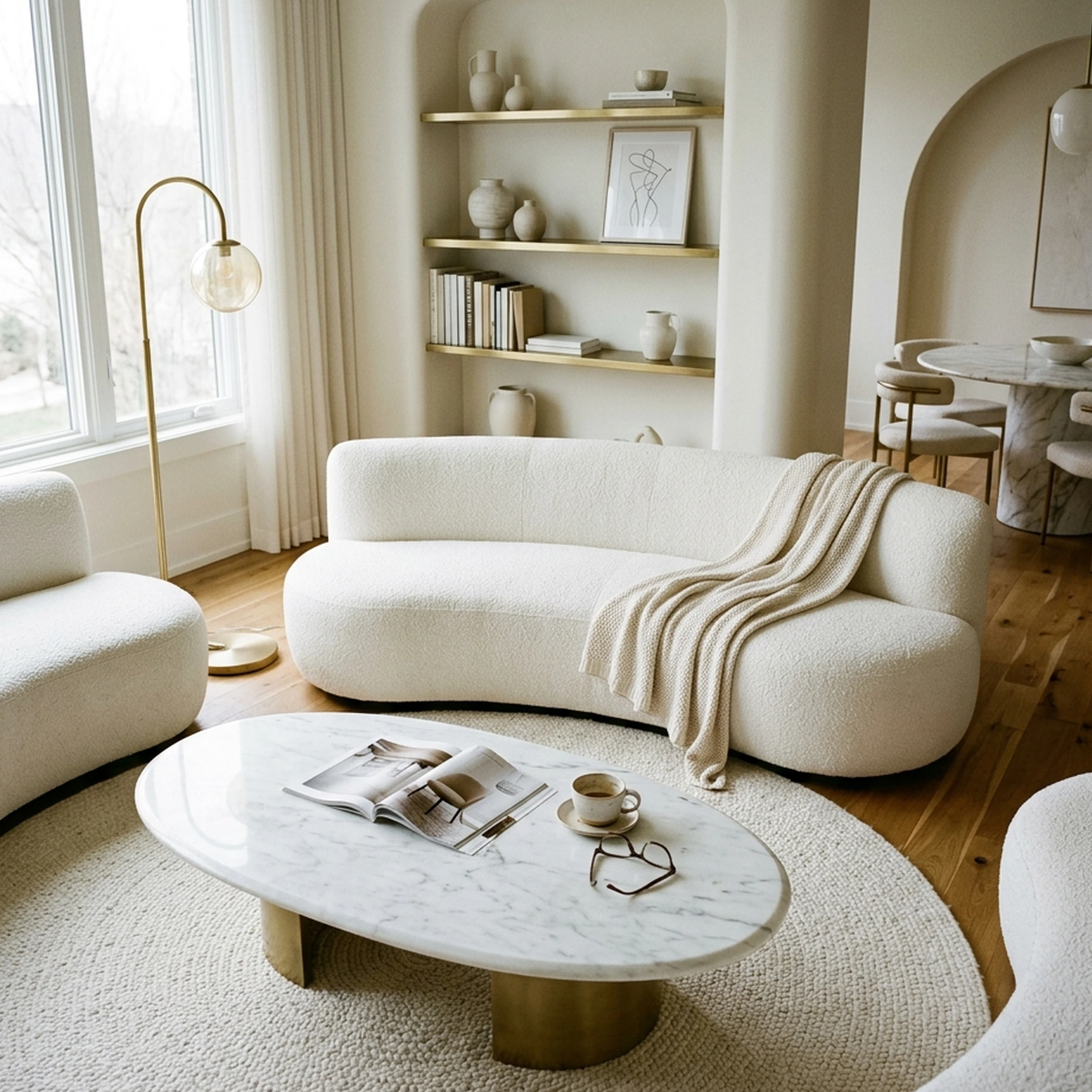
You just closed on your first place in Austin, and the living room is 16 feet of empty beige carpet with nothing in it but a folding chair and a stack of unopened boxes. You've been pinning the same five living rooms on Pinterest since the inspection. Eleven tabs are open across three retailers, and you still don't know if the sofa you like leaves enough floor clearance to walk to the kitchen. That gap between what you've saved and what actually ships to your door is where furniture shopping quietly falls apart. Furniture and home-goods purchases see one of the highest cart-abandonment rates of any retail category, with one analysis putting it at a 78.65% furniture abandonment rate, and once something does arrive, size and space mismatch alone causes 58% of furniture returns. A new wave of AI furniture shopping apps is built specifically to close that gap, some by generating a styled room from your photo, others by letting you place a single piece in AR before you buy. First Chair ties every piece it shows to a real, buyable product.
The roundup below tested eight apps people search for when furnishing a first home: what each one does, how it works mechanically, what it costs, and where its catalog comes from.
Key Takeaways
- Furniture and home-goods purchases abandon carts at some of the highest rates in retail, and size or space mismatch alone drives 58% of furniture returns, which is why seeing a piece in your actual room before buying matters more than it does for most categories.
- Not every app in this category sells you something real. Collov AI and Homestyler generate staged images and 3D renders, and the furniture shown isn't always tied to a product you can add to a cart.
- Retailer-locked apps like IKEA Kreativ and IKEA Place only show that retailer's own catalog, which is useful if you've already decided on the brand but limiting if you're still comparing pieces across stores.
- Human-designer services like Havenly add a real person to the process at a per-room or per-project price, which trades speed for a second set of eyes.
- First Chair combines a purchasable, multi-retailer catalog with member pricing shown directly against retail price in the app.
- Seeing furniture in room context before purchase has been tied to 40-64% fewer returns.
How Do AI Furniture Shopping Apps Actually Work?
Most of these apps do one of three things: generate a styled image of your room, let you drop a 3D model of a product into a photo using AR, or build a full 3D model from a floor plan. The difference that matters for shopping is whether the furniture shown is a real, orderable product or a generated approximation.
To test that, each app was evaluated on the same questions. Does it start from your own room or inspiration photo? Is the resulting furniture tied to a product page you can actually buy, and from how many retailers?
Is there a published price, and what does a first-time homeowner get for it? And does the app expect you to do the shopping yourself, or does something, or someone, help close that gap? Augmented-reality previews have been tied to 30% higher purchase confidence, which makes the visualization step less optional and more structural for getting a room purchase to close.
Top AI Furniture Shopping Apps for First-Time Homeowners in 2026
1. First Chair
First Chair starts with a photo: your own room, an inspiration image from a hotel lobby or cafe, or a screenshot from the Pinterest board you've been quietly adding to for months. You describe the direction in plain language (Scandi but Japandi, rustic but polished, brutalist but warm) and First Chair turns that into a curated room concept built from pieces that exist and ship, with estimated prices and suggested vendors attached.
Every piece connects to a real product page from multiple retailers including West Elm, CB2, Pottery Barn, and Lulu & Georgia, rather than one retailer's catalog. The app shows the standard retail price next to your price, since most pieces carry insider pricing built in.
What sets First Chair apart
First Chair shows insider pricing on most pieces side by side with the retail price, so the savings are visible before checkout rather than after a coupon hunt. A Design Concierge hunts for member savings and places the order on your behalf, a step none of the other apps in this roundup include. Designs and product searches are unlimited, so swapping the rug or finding the right lounge chair doesn't run against a monthly credit cap. Sourcing spans West Elm, CB2, Pottery Barn, Lulu & Georgia, and dozens of other retailers instead of one brand's inventory. For buyers working from an Architectural Designs house plan, First Chair delivers a full furnishing blueprint with room visuals and vendor suggestions for $49.99 in three days.
The idea is to upload a photo of a favorite cafe and get your living room in that exact vibe.
Who it's built for
First Chair is built for first-time buyers furnishing a whole house at once, especially from an Architectural Designs plan, and for renters or new homeowners who already have strong taste but keep reopening the same saved board without buying anything. It's the right fit for anyone navigating a big transition — a first home, moving in with a partner, a post-move reset — who wants a cohesive plan instead of forty open tabs.
How to join First Chair
First Chair is currently in early access. Membership runs $59.99 for 3 months or $99.99 for 6 months, renews automatically, and can be canceled any time before the next cycle. Try it with your own home.
2. Collov AI
Choose Collov AI if you're staging a listing or presenting design options to a client and need a fast, polished image rather than a purchasable room. Collov AI is built around real estate and design workflows: a room photo or floorplan goes in, and the system returns staged rooms, 3D tours, or virtual-staging images for a listing. For a first-time homeowner trying to actually buy furniture, the tradeoff shows up quickly: Collov's official materials describe virtual staging and visualization rather than a product-linked furniture catalog. A Trustpilot reviewer reported images with poor lighting and mismatched furniture that didn't resemble the reference photos they'd supplied, and because the furniture shown isn't linked to a product page, there is no direct path from the staged image to a cart. First Chair's furniture, by contrast, is tied to a real, shoppable product page for every piece it shows.
Key Features
Per Collov AI's own site, the plan includes AI virtual staging, AI multi-angle staging, AI chat edit, an AI listing agent, and AI 360-degree panoramas, with 3D tours capped at 20 images per project.
Pricing
Per Collov AI's pricing page, plans run from $19 a month (Standard, 60 photo credits) to $127 a month (Enterprise, 526 photo credits), with credits that reset every month and floorplan uploads limited to JPEG, PNG, and PDF files.
How it differs from First Chair: Collov AI generates staged images for listings and presentations; First Chair generates a room built from pieces you can actually order.
3. DecorMatters
Start with DecorMatters if you want to experiment with layout and color on your own room photo before committing to anything, almost like a sketchbook. You upload a photo of your real room, then use drag-and-drop tools, an AI room designer, and an AI edit tool to swap furniture, colors, or materials, with an AR preview to check scale. The tradeoff: DecorMatters' membership auto-renews and web purchases are non-refundable, including partially unused billing periods, per the app's own terms, and most of the useful tools sit behind that membership rather than the free download. First Chair doesn't require a membership to browse unlimited design concepts in the first place.
Key Features
Per DecorMatters' own site, membership includes room and decor uploads, AR view, an AR ruler, unlimited furniture, and unlimited templates, on top of the free app's drag-and-drop tools and design games.
Pricing
DecorMatters is free to download and offers paid membership features and add-on purchases.
How it differs from First Chair: DecorMatters edits a photo of your existing room with AI tools and a game-like community; First Chair builds a full room concept from your taste and ships it with real vendors attached.
4. Havenly
Choose Havenly if you want a person involved, not just software, and you're comfortable paying per room for that. Havenly pairs you with a human designer who works over messaging, text, or calls (or in person, for a higher fee) and delivers a shopping list alongside 3D renderings. Per Havenly's own pricing page, the Online Full package runs $199 per room and the In-Person package runs $699, with online designers typically delivering first concepts in three to fourteen days. Havenly's service connects to its own product marketplace, including brands like Interior Define and Burrow. The tradeoff is turnaround and per-room cost: a human designer takes longer than an instant app result, and there's no stated mechanism for member or insider pricing on the pieces they recommend. First Chair's Design Concierge plays a similar role, hunting for member savings and placing the order, without a per-room fee on top of membership.
Key Features
Per Havenly's own site, each package includes a personal designer, a final design concept with a shopping list, 3D renderings, a custom floor plan, and support ordering and tracking pieces.
Pricing
Online Full runs $199 per room; In-Person runs $699, per Havenly's pricing page.
How it differs from First Chair: Havenly puts a human designer between you and the shopping list, priced per room; First Chair's concierge works inside a membership built around insider pricing on every piece.
5. Homestyler
Use Homestyler if you're starting from a floor plan rather than a photo and want to see a full 3D model of the space before you furnish it. Upload a 2D floor plan or sketch, and Homestyler converts it into an editable 3D home in one click, then lets you furnish with branded furniture models and render the result in up to 4K. The tradeoff for a furniture shopper: Homestyler's free Basic plan requires buying each 4K render individually, and whether the 10 million branded furniture models are tied to purchasable listings isn't stated on the app's own pricing page. First Chair's concepts, by comparison, connect every piece shown to an actual retailer and price.
Key Features
Per Homestyler's own site, the platform includes custom lighting and environment editing, multi-floor DWG import, a 720-degree virtual tour, and AutoCAD integration for professional workflows.
Pricing
How it differs from First Chair: Homestyler builds a 3D model from your floor plan; First Chair builds a shoppable room from your taste and your photo, with no floor plan required.
6. Houzz Pro
Use Houzz Pro if you're also managing a renovation or a build-out, not just furnishing a room on its own. Houzz Pro bundles 3D floor plans, estimates, invoicing, and online payments into one system built for home builders, remodelers, and interior designers running client projects, with integrations for QuickBooks, Gusto, Gmail, and The Home Depot. The tradeoff for a first-time homeowner just trying to furnish a living room: the plans are priced and structured around running a design or construction business, not around a single afternoon of furniture shopping, and there's no insider pricing or concierge ordering built into the furniture side of it. First Chair skips the project-management layer entirely and focuses on getting real pieces into your cart at a price you can see upfront.
Key Features
Per Houzz's own pricing page, the Design and Pro plans include 3D floor plans, estimates and proposals, invoices, online payments, and AI note-taking, with five 3D model conversions included monthly.
Pricing
Design runs $99 a month and Pro runs $199 a month, each for one user; Teams starts at $399 a month for unlimited users, per Houzz's pricing page.
How it differs from First Chair: Houzz Pro is priced and built for running a design or remodeling business; First Chair is a straightforward shopping flow for one room at a time, no project management required.
7. IKEA Kreativ
Use IKEA Kreativ if you've already decided on IKEA and want to see a piece in your actual room, at true scale, before adding it to a cart. Per IKEA's own site, the app uses computer vision to scan your space, erase your existing furniture from the photo, and let you place IKEA products in the empty room, with matching-product suggestions and a direct add-to-cart step. A full 3D scan of the whole room requires a LiDAR-enabled iPhone Pro or iPad Pro, though photo-based scanning works on standard iOS and Android devices. The tradeoff is the catalog: every piece placed comes from IKEA alone. First Chair works from a regular room photo with no special hardware required, and sources from dozens of retailers rather than one.
Key Features
Per IKEA's own site, Kreativ supports interactive-room or own-room design, product manipulation, saved designs, shopping-bag additions, and sharing designs with family or friends.
Pricing
Free, per IKEA's own app.
How it differs from First Chair: IKEA Kreativ places pieces from one retailer's catalog into your room; First Chair builds a room concept across West Elm, CB2, Pottery Barn, Lulu & Georgia, and dozens of other brands, with insider pricing attached.
8. IKEA Place
Pick IKEA Place for a fast reality check on one piece, a sofa, a shelving unit, a chair, dropped into your room at true scale before you commit to the cart. Architectural Digest reported that IKEA Place scales products to room dimensions automatically, with the stated goal of increasing a shopper's confidence before buying, and connects that placement directly to a shopping basket on IKEA's own site. The tradeoff is scope: it's built for placing one IKEA piece at a time, not assembling a full room concept across styles and retailers. First Chair is built for the opposite job, generating a whole cohesive room in one pass rather than testing single pieces one at a time.
Key Features
Per IKEA's own app, Place supports live AR placement, automatic scaling to room dimensions, and a direct connection to IKEA's shopping basket.
Pricing
Free, per IKEA's own app.
How it differs from First Chair: IKEA Place checks whether one IKEA product fits; First Chair designs the whole room at once, across many retailers, and shows you the price before you buy.
AI Furniture Shopping Apps at a Glance: Comparison Table
Here's how the eight apps stack up on the dimensions that actually matter for furnishing a first home.
When Do You Need a Human Designer Instead of an App?
An app is the right call when you already have a style and just need help executing it: finding the sofa, checking the scale, getting a price. A human designer earns their fee when the room has real constraints an app can't see, an awkward layout, a piece you've inherited and need to build around, or a budget that needs active negotiating across vendors. First Chair's Architectural Designs partnership offers a full furnishing plan for an AD home for $49.99, delivered in three days.
For most first-time homeowners furnishing room by room, the app-only path works: you already know what you like, you just need a faster way from a saved photo to a finished room. Where it breaks down is structural work, a wall coming out, a layout that doesn't fit standard furniture dimensions, a kitchen renovation. That's a contractor and possibly a designer's job, not an app's.
How Do You Use AI Furniture Shopping Apps Effectively?
Start with your own room photo, not a generic inspiration shot, so the scale and light match what you're actually furnishing. Seeing furniture in room context before purchase has been tied to 40-64% fewer returns industry-wide.
A few habits make the biggest difference. Measure your actual doorway and room clearance before trusting an AR scale, since perspective can make two differently sized pieces look similar in a photo. Skip matched five-piece living room sets; a single well-scaled sofa, picked on its own, usually works better in a real room than a bundle picked for a showroom. Watch for rolled-arm sofas in tight rooms, as broader arms reduce clearance compared with track arms. And be wary of "small space" pieces from mass retailers with short-lived construction; a single piece with visible legs that keeps more floor in view usually does more for a small room than three flimsy ones.
Frequently Asked Questions About AI Furniture Shopping Apps
What is the best AI app for furniture shopping?
The best app depends on whether you want a styled image, a single-item AR check, or a full room built from real, orderable pieces. For furnishing an actual first home with purchasable furniture and insider pricing attached, First Chair covers that job most directly of the apps tested here.
Can AI interior-design apps use real furniture and real prices?
Some do and some don't. First Chair ties every piece shown to a real product page and price; Collov AI generates furniture that isn't linked to a purchasable product, and Homestyler's own pricing page doesn't state whether its branded 3D models connect to a store listing.
Are AI furniture shopping apps available on iPhone and Android?
Most of the apps in this roundup run on both iOS and Android, plus a web version for apps like Homestyler. A few features, like IKEA Kreativ's full whole-room 3D scan, require a LiDAR-enabled iPhone Pro or iPad Pro specifically.
Do AI interior-design apps reduce furniture returns?
Visualization tools generally do. Seeing a piece in room context before buying has been tied to a 40-64% fewer returns reduction, and size or space mismatch alone already accounts for 58% of furniture returns industry-wide, which is exactly the problem a good room preview is meant to catch before checkout.
Are uploaded room photos private?
Policies vary by app, so it's worth checking each one's own privacy terms before uploading a photo of your home. As a general rule, avoid uploading images that show anything you wouldn't want stored on a third-party server, and check whether the app lets you delete uploaded photos after you're done.
Which AI furniture app links directly to retailers?
First Chair connects every piece to a real product page, with insider pricing shown alongside the retail price, across West Elm, CB2, Pottery Barn, Lulu & Georgia, and dozens of other retailers. Havenly connects to its own marketplace of hundreds of brands, and IKEA Kreativ and IKEA Place both link directly into IKEA's own cart, just limited to IKEA's catalog.
What is the difference between AR furniture visualization and AI interior design?
AR visualization, like IKEA Place, places a 3D model of a specific product into a live camera view of your room so you can check scale and fit. AI interior design, like First Chair's room concepts, works from a photo and a style description to assemble a full room of coordinated, purchasable pieces rather than checking one piece at a time.
Ready to stop re-pinning the same living room and actually furnish it? Start with your own room at First Chair and see what a real, buyable version of your taste looks like.