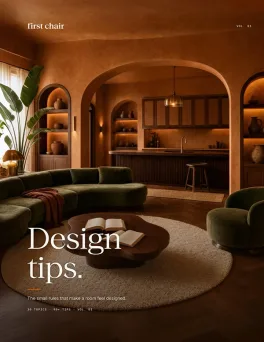
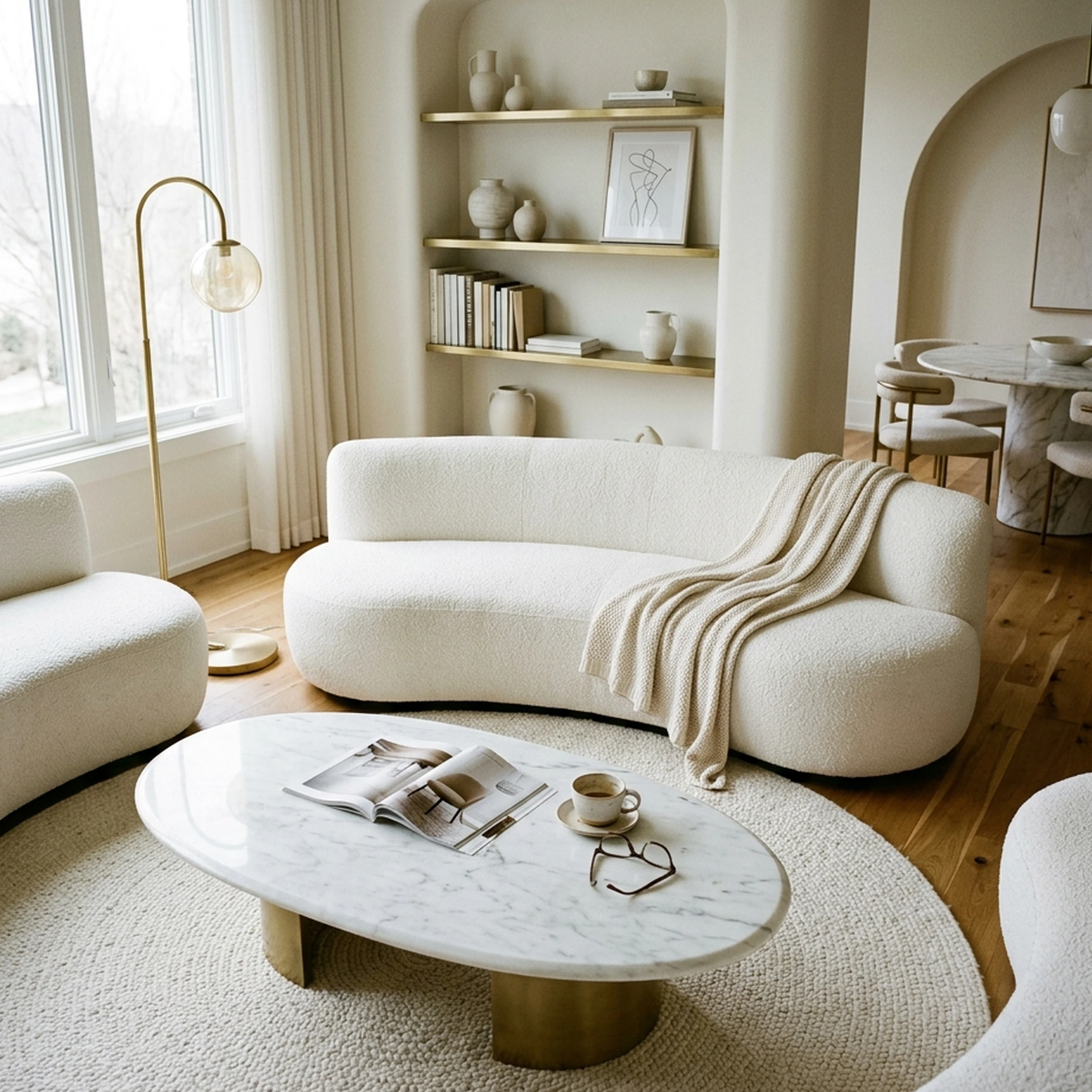
You've just moved into your first apartment together in Denver, Colorado, after spending the past few years living separately. The excitement of sharing a home quickly turns into a series of decorating decisions. Your partner prefers clean lines and mid-century furniture, while you're drawn to warm textures, vintage accents, and cozy spaces. Now you're staring at an empty living room, two very different Pinterest boards, and a shared furniture budget that needs to accommodate both styles.
Combining different design preferences isn't always straightforward, especially when you're trying to make a smaller apartment feel cohesive. You might agree on a sofa but disagree on the rug, or find a dining table you both love that doesn't fit the available space. As couples navigate different interior design styles, AI interior design apps can make those conversations easier by turning individual preferences into room concepts you can evaluate together.
This guide compares eight AI interior design apps for couples, from tools that help you experiment with layouts and combine decorating styles to platforms that connect your shared vision with real furniture you can purchase. The goal is to help you create a home that reflects both personalities without turning every furniture decision into a compromise.
Key Takeaways
- Apps for couples generally do one of two jobs well: restyling a photo for a quick gut check, or building a shared floor plan with real measurements. Few do both.
- Shared editing is rare. Among the apps on this list, Planner 5D lets two people view or edit the same project on every tier including free.
- Most render tools generate furniture that looks right but isn't tied to a specific, buyable product, which pushes the real shopping decision to after the app closes.
- First Chair starts the same way most of these apps do, with one photo, but every piece in the result is a real product with insider pricing shown next to the retail price.
- Couples who agree on a shared reference point before opening any app tend to argue less about what shows up in it.
AI interior design apps for couples help two people merge different style preferences into one shared room concept by generating photo-realistic previews from a single uploaded image. The most useful tools go further, connecting that preview to real, purchasable furniture with pricing attached, so the couple's agreement on a direction translates directly into something they can order.
Why Do Couples Need AI Interior Design Apps?

Couples need these apps because merging two aesthetics into one room is a negotiation, and a photo-realistic preview settles arguments faster than describing a sofa out loud.
That same instinct to see the thing before buying it is exactly what a room concept gives two people trying to agree.
Architectural Digest's reporting on couples with different styles found a recurring pattern: pairs starting from scratch often scoured Instagram, Pinterest, and magazines together and only bought a piece once both partners signed off on it. Others avoided the negotiation entirely by dividing rooms and giving each partner free rein over a specific space. An AI interior design app doesn't replace either habit. It gives the habit something concrete to react to, a real image of the actual room, instead of two people describing different mental pictures to each other.
How Do AI Interior Design Apps Work for Shared Decision-Making?
Most apps work the same basic way: upload a photo of the real room, pick or describe a style, and get a redesigned version back in seconds to minutes. The differences that matter for couples show up after that first render. Some apps, like Planner 5D, let a second person join the same project with view or edit access. Others generate a single image with no way to share the working file at all, which means you're both just texting screenshots back and forth.
None of that changes the core tradeoff below: a restyled photo is not the same thing as a shopping list.
Top AI Interior Design Apps for Couples
Each entry below covers what the app actually does, where it helps two people making one decision, and where the limits show up once you try to turn the result into a real room.
1. First Chair
First Chair starts with a photo, either the living room you're standing in Denver or a cafe booth you both liked in Tulum, and a few words about the direction you want: warm and grounded, mid-century with more texture, whatever actually matches how you described it to each other.
From there it builds a full room concept using pieces that exist and ship, not renders of furniture nobody sells. Every chair, rug, and side table in the concept connects to a real piece you can buy, and you can swap any single piece, the rug, the lamp, the sectional, without starting the whole room over.
That distinction matters more for two people than for one. For a couple splitting a lease and a budget, turning a shared direction into real, purchasable pieces is the difference between a shared decision and a shared mistake.
What sets First Chair apart
- Every piece shown is a real, purchasable product, not a rendered placeholder, so what you agree on in the concept is tied to a real product you can buy.
- Insider pricing appears next to the standard retail price inside each concept, so you can both see where the savings land before committing a shared budget.
- A Design Concierge can hunt down the insider pricing and place the order directly, which matters when neither of you wants to track six separate shipping confirmations.
- First Chair pulls across West Elm, CB2, Crate & Barrel, Pottery Barn, Lulu & Georgia, and brands you haven't shopped yet, rather than locking you into one retailer's house catalog.
- You can run through as many directions as it takes, Scandi-but-Japandi one night, rustic-but-elegant the next, until the one that makes you both stop scrolling shows up.
If you and your partner keep landing on two different Pinterest boards, First Chair is the tool that translates both of them into one finished room made of pieces you can actually order.
How to Start with First Chair
Visit First Chair for current membership pricing and to see what comes back from your own room.
2. Remodel AI
Start with Remodel AI when you want to settle a quick disagreement about color or style before anyone reaches for a credit card. Upload one photo of the room in question and it turns out a photorealistic redesign in about 10 seconds, so you can hold "warm minimalist" up next to "rustic elegant" on the same screen and just point. The free plan includes three free designs. The tradeoff shows up the moment you like what you see: the redesign is a finished image, not a parts list, so there's no built-in way to confirm whether that credenza in the render is a real product, and no cart waiting on the other side. First Chair starts from the same kind of single photo, but what comes back is already tied to specific, purchasable pieces, so the argument you just won has somewhere to go.
Key Features
- Interior, exterior, and landscape redesign from a single uploaded photo
- Virtual staging, floor replacement, wall paint, and object removal in one workflow
- Paid tiers generate up to 4, 8, or 16 rooms in parallel depending on plan
- Available on iOS, Android, and the web
How it differs from First Chair: Remodel AI changes how a room looks in a picture. First Chair helps you decide what's actually in the room, with real pieces and insider pricing attached to each one.
3. Planner 5D
Choose Planner 5D when you and your partner want to build an actual floor plan together instead of just restyling a photo. Every plan, including the free one, supports inviting a second person into the same project with view or edit access, so one of you can move the sofa three feet while the other watches it happen live. That's a real answer to the "I can't picture it" argument that photo-only apps can't solve. The catalog furniture in the free plan is also generic rather than tied to a specific retailer, so once the layout is settled, you're still shopping separately for the real version of what you placed. First Chair skips that second shopping trip: the pieces inside a concept are already real, priced, and ready to order.
Key Features
- 2D and 3D floor-plan tools with walls, doors, windows, and measurements
- Shared project editing with view or edit permissions on every tier, including free
- 4K rendering and 360-degree walkthroughs on paid plans
- Available on web, iOS, Android, Windows, macOS, and visionOS
How it differs from First Chair: Planner 5D helps you agree on a layout. First Chair helps you agree on a layout and hands you the real furniture to fill it, without a second shopping trip.
4. RoomGPT
Start with RoomGPT when you want a five-minute gut check on a color or theme before either of you commits to an opinion out loud. Upload one photo of the room in question, pick a theme, and get a restyled version back fast enough to settle it over coffee. RoomGPT's official page describes one-photo room transformation into a chosen theme, returning a styled image rather than an editable plan, so it works as a mood check, not a working plan. First Chair is built for what happens next: once you've settled on a direction, it turns that same kind of photo into a room made of pieces you can actually buy.
Key Features
- Single-photo room transformation into a chosen theme
- Preview of a style before committing to a full renovation
- Web-based, with no account required to try a first redesign
How it differs from First Chair: RoomGPT answers "what if this room looked different." First Chair answers "what do we buy to make it look different," with real pieces attached.
5. Interior AI
Choose Interior AI when one of you already has a reference photo you're both attached to, a hotel lobby or a friend's living room, and want the app to copy that exact look onto your own space. Its style-reference feature is built to copy an uploaded photo directly rather than making you describe it in words, which solves the classic "I can't explain it, just look at this" problem. Interior AI's own documentation notes that its prompt-based feature is experimental and can produce random results, so a copied style is a starting point, not a final answer. Its cited page does not promise named or purchasable products in its renders. First Chair takes the same kind of reference and resolves it into one room built from pieces that exist and ship.
Key Features
- Redesigns interiors, exteriors, and gardens from a single photo
- Reference-photo copying, so you can upload a style you already love
- Sketch and SketchUp file conversion into photorealistic renders
- Supports more than 55 interior styles and 30 room types
How it differs from First Chair: Interior AI copies a look you already love onto your room. First Chair builds that look out of furniture you can actually order.
6. Homestyler
Choose Homestyler when you want to build the room from the floor plan up rather than just restyling a photo of it. You can drag in furniture from a catalog of more than 10 million branded 3D models to see how a sectional sits against your real wall dimensions. That's useful when the disagreement is really about scale, whether a sofa that size even fits, not just color. The tradeoff: the shoppability of any single model inside a given render isn't confirmed, so you may still end up searching for the real version of what you built. First Chair starts from the same instinct, a photo of your actual room, but ties every piece in the result to a product that already exists.
Key Features
- One-click conversion of a 2D floor plan or sketch into an editable 3D house model
- Drag-and-drop furnishing from a catalog of more than 10 million branded 3D models
- AI restyling, AI staging, and AI floor-plan tools in one workspace
- 720-degree virtual tours and multi-floor DWG import
How it differs from First Chair: Homestyler fills a 3D model with furniture that looks right. First Chair fills a real room with furniture that is right, and that you can buy.
7. HomeByMe
Choose HomeByMe when you want a free way to rough out a floor plan together before spending anything. Its basic features are free for non-professional use, so you and your partner can draw your actual walls, doors, and windows, then furnish the layout from a catalog of 10,000 stock products to see how the space reads before buying a single thing. The tradeoff sits in that same catalog: the pieces are generic placeholders rather than specific products you could click and order, so once you like the layout, you're still off searching for the real sofa that matches the generic one you placed. First Chair removes that extra step: the sofa inside a concept is already a specific, purchasable product, often shown with insider pricing next to the retail price.
Key Features
- 2D and 3D floor-plan drawing with measured walls, doors, and windows
- Furnishing from a catalog of 10,000 generic products
- Realistic 3D renders and 360-degree views
- Free for non-professional, personal use
How it differs from First Chair: HomeByMe gets the layout right with placeholder furniture. First Chair gets the layout right with the actual furniture, already priced and ready to order.
8. ReimagineHome
Choose ReimagineHome when you want the redesign to point straight at specific products from a short list of named retailers. Upload the shared living room, describe the direction, and it surfaces real pieces from retailers including Amazon, Shopify, West Elm, IKEA, Target, and Wayfair, sized for that actual room, with a cart ready at checkout on Amazon or Shopify.
A structural lock keeps your real walls, windows, and ceiling lines in place while it swaps out furniture, which solves a real problem couples run into with other render tools. Five free designs are available with no card required.
The retailer list leans toward big, mass-market names rather than the more considered brands, Article, Rejuvenation, Lulu & Georgia, that tend to fit a shared, grown-up first apartment. First Chair pulls from that wider style tier and adds insider pricing and a concierge who can place the order, instead of leaving checkout to you.
Key Features
- Structural Lock preserves walls, windows, and ceiling lines during a redesign
- Real Products Discovery links generated designs to purchasable products with a cart ready at checkout
- Reference-photo control for matching an inspiration image's overall feel
- Batch processing of up to 50 photos for listing or multi-room use
How it differs from First Chair: ReimagineHome connects a redesign to mass-market retailers. First Chair connects it to a wider style tier of brands, with insider pricing and concierge ordering layered on top.
Tips for Couples to Get the Best Results from AI Design Apps
- Agree on three words before you open anything. Couples merging different styles build a shared mood board first and measure every suggestion against it, rather than reacting to each new render on its own.
- Upload the room as it actually is, clutter and all. These apps read the walls, windows, and light in the photo you give them, so a tidied-up stock photo of a similar room gets you a redesign for a room you don't have.
- Skip the matched five-piece living room set. It answers "do these go together" for you, but it also means neither of you makes a real choice, and replacing one damaged piece later means hunting down a discontinued set.
- Watch proportion before color. Track-arm and exposed-leg furniture generally keeps more floor visible along the wall than skirted, rolled-arm pieces, which matters in a one-bedroom.
- When choosing move-in furniture, compare construction quality and dimensions alongside price so you're not replacing pieces sooner than expected.
- Measure the doorway, the elevator, and the room itself before anyone falls for a credenza. The piece that looks small online can still get stuck in the hallway.
- Let each of you bring one veto that doesn't need justifying. Some couples take turns proposing options for the other to react to, which keeps the process from turning into one long negotiation.
Room-by-Room Design Ideas for Couples
Living room
Pick one anchor sofa with exposed legs, from West Elm or Article, rather than a skirted style, so more floor stays visible in a smaller room. Layer in a vintage-feeling rug from Lulu & Georgia under the front legs only, and add a floor lamp from Rejuvenation for warm light at night instead of relying on an overhead fixture. Skip a matched three-piece coffee table set; one substantial table reads more intentional than three small ones competing for attention.
Bedroom
Match nightstand heights to the mattress top, not to each other's taste in finish, so the room reads level even if one piece is from Pottery Barn and the other from Interior Define. Add a lamp on each side so neither of you has to reach across the bed to read.
Kitchen or dining nook
A counter-height table from Crate & Barrel with two different chair styles, pulled from the same wood tone, solves the "his chair, her chair" problem without a full matched set. A single pendant from Rejuvenation over the table does more for mood than brighter overhead lighting.
Home office
If you're sharing one room for two jobs, two smaller desks facing opposite walls beat one long shared desk, since it gives each of you a wall to put your own things on. If either of you is in a home-office chair eight hours a day, prioritize support and adjustability.
Frequently Asked Questions About AI Interior Design Apps for Couples
What is the best AI interior design app for couples?
First Chair ranks first for couples because it turns a shared style direction into one finished room built from real, purchasable furniture with insider pricing attached. Apps like Planner 5D and Homestyler help with layout and scale, but neither connects the result to specific products you can buy. ReimagineHome comes closest among the render tools, linking designs to real retailers and a checkout cart.
Can two people collaborate on an AI interior design app project?
Yes, a few apps support two people on one project, though it ranges from a shared link to full edit permissions. Planner 5D supports inviting a second person with view or edit access on every tier, including free. First Chair approaches shared decision-making differently: rather than a multi-seat editor, it builds one finished room concept from a shared photo and style direction, so both partners are reacting to the same real result instead of editing separate versions of a floor plan.
How can couples combine different interior design styles?
Couples generally combine styles by agreeing on a shared reference point before buying anything, whether that's a joint mood board or a single room where each partner has free rein. Several apps here let you upload two inspiration photos or describe a layered style direction, then generate a concept that blends both into one cohesive result.
Which AI interior design app lets you shop for the furniture shown?
ReimagineHome and First Chair both connect a generated design to real, purchasable products rather than generic renders. ReimagineHome links to retailers including Amazon, Shopify, and West Elm with a checkout cart, while First Chair attaches a wider style tier of brands with insider pricing shown next to retail price and a concierge who can place the order.
Can AI interior design apps preserve doors, windows, and room dimensions?
Yes, several tools are built to keep a room's actual architecture intact while changing the style around it. ReimagineHome's Structural Lock preserves walls, windows, and ceiling lines during a redesign, and floor-plan tools like Planner 5D and HomeByMe work directly from measured walls and openings.
Are AI interior design apps free for couples to use?
Several apps on this list offer a free starting point. RoomGPT requires no account for a first redesign, ReimagineHome offers five free designs with no card required, Planner 5D's free plan includes shared project editing, and HomeByMe's basic floor-plan tools are free for non-professional use. Apps with concierge ordering and insider pricing, like First Chair, operate on a membership model.