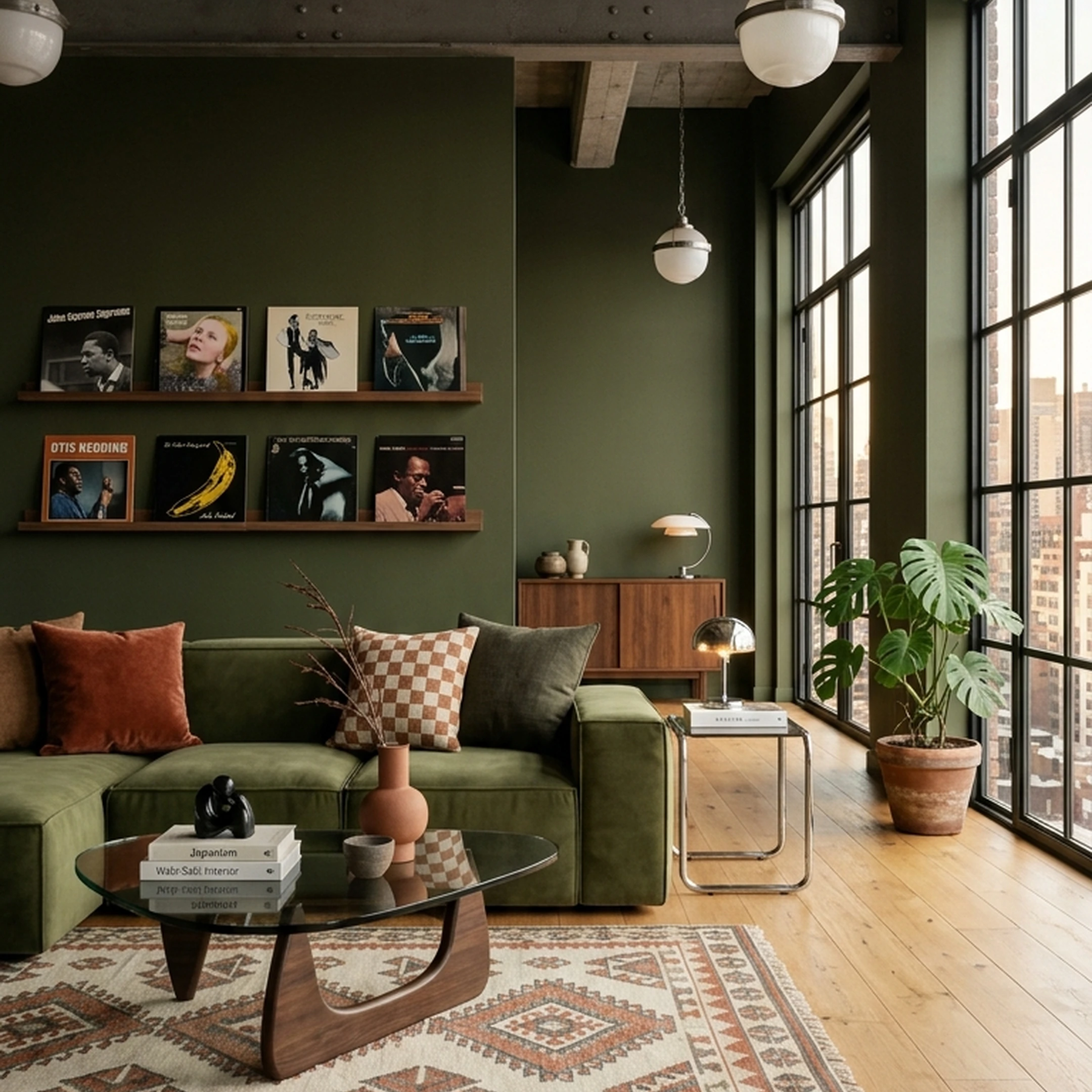

You’ve got the keys to your new place in NYC, a Pinterest board full of beautifully considered rooms, and about 20 furniture tabs open. The sofa is perfect. So is the rug. You're just not convinced they belong in the same room, or that either will fit.
Furnishing a home shouldn't require a design degree or six weekends of research. The right app can help you figure out what fits, what works together, and which pieces are actually worth buying.
These 12 home furnishing apps approach the job differently. Some are great for planning layouts, others for visualizing a finished room, and a few help you turn the whole concept into real furniture you can buy. Here's which ones are worth your time.
Key Takeaways
- Catalog size separates the apps that inspire from the apps that let you buy. First Chair's catalog spans 10+ million products across 100+ brands; no other tool in this roundup publishes a comparable figure.
- Shoppable pieces beat fantasy renders. First Chair pairs every concept with real products and insider pricing shown next to the standard retail price.
- Human judgment still matters. A tastemaker can refine a First Chair concept on request, without the cost or timeline of a traditional designer engagement.
- Floor-plan apps and shopping apps solve different problems. Tools built for drafting walls and dimensions aren't built for deciding what fills the room.
- A new home's furnishing budget benefits from seeing the finished room before buying, not after a return window closes.
Why People Look for an Alternative to a Single Home Design App

Most home furnishing apps solve one piece of the job: drawing a floor plan, rendering a room, or generating a style board. Few connect inspiration to a cart. An academic review of home-furniture technology noted this directly, describing a missing aggregator for thorough home and furniture design information tailored to different tastes and living spaces.
That gap shows up as a familiar pattern: a rendering tool produces a beautiful image of a sofa that was never manufactured, or a floor planner hands back a flawless 2D layout with no path to an actual purchase. Even in retail, adoption of visualization tools remained incomplete in 2025 despite most decision-makers linking 3D and AR tools to increased sales. People furnishing a new home are left stitching together a Pinterest board, a floor-plan app, and five retailer tabs just to finish one room. First Chair exists specifically to close that last mile, from a saved photo to pieces that ship.
1. First Chair
First Chair starts with a photo, either a shot of the actual room or an inspiration image pulled from a Pinterest board that's been sitting untouched for months. From there, it learns the taste behind the picture, whether that's warm woods and a performance-velvet sofa or brass accents and a rounded silhouette, then designs around the room's real dimensions, lighting, and budget rather than handing back a generic template.
The result is a concept built from real furniture and decor, pulled across retailers like West Elm, CB2, Crate & Barrel, Pottery Barn, and Lulu & Georgia, plus brands most shoppers haven't met yet. Members see insider pricing on most pieces, with the standard retail price and their price shown side by side before anything goes in a cart. Shop over 10+ million products in one place, sourced from 100+ brands, and every concept is built from that same catalog.
When a concept needs a tweak, a human tastemaker can refine it on request, swapping a rug or trying another sofa without starting the whole process over.
Key Features
- Learns your taste: interprets photos and layered style language, like "Scandi but Japandi" or "rustic but elegant."
- Designs around your real room: accounts for layout, lighting, and budget, not a one-size template.
- 10+ million shoppable products: real pieces from 100+ brands, not renders of furniture that doesn't exist.
- Insider pricing on most pieces: standard retail price and member price shown together.
- Human tastemaker refinement: ask for a swap or a tweak and get a revised concept back.
Why people choose First Chair
Members keep coming back because the room on the screen is the room that shows up at the door, not a rendering that dead-ends in a screenshot. Try it with your own home to see a concept built around a room that already exists, with pieces you can actually buy.
2. Houzz
Use Houzz when the job is running the business side of a renovation, not picking a sofa for a new bedroom. Houzz Pro is built for construction and design professionals, bundling 3D renderings, estimates, proposals, invoicing, and project management into one system, and that's a different job than furnishing a room someone already lives in. A contractor managing five active remodels needs the estimate and payment tools; someone furnishing a new apartment mostly needs furniture.
Key Features
- 3D Floor Planner with usage limits not published.
- Estimates, proposals, and invoicing built for client-facing project billing.
- CRM and online payments via credit card, debit card, or ACH.
- Integrations with QuickBooks Online, Gusto (Beta), Gmail, Google Drive, Zapier, and The Home Depot.
The tradeoff: Houzz Pro's pricing and tooling are built around billable client work, not a single household's furniture budget, so the monthly fee is overhead for someone who just needs to pick out a couch.
How it differs from First Chair: First Chair has no invoicing or client-management layer; it's built to generate and shop a single room, not manage a renovation business.
3. Homestyler
Choose Homestyler when the goal is a precise, editable 3D floor plan rather than a finished, shoppable room. Homestyler converts an uploaded image, floor plan, or DWG file, or a phone-based room scan, into an editable 3D model, then lets users furnish it with drag-and-drop furniture models. Someone mapping out a whole-apartment renovation with exact wall measurements would get real use out of this; someone just trying to decide between two sofas for an existing living room would find it more technical than necessary.
Homestyler's Scan Room feature and DWG/AutoCAD compatibility make it functional for people who need an accurate as-built floor plan before anything else.
Key Features
- One-click 2D-to-3D conversion from a photo, floor plan, or DWG file.
- Over 1,000,000 furniture models and materials for drag-and-drop furnishing.
- Photorealistic renders, panoramas, and virtual tours, with cloud-based rendering.
- AutoCAD compatibility and custom API integration.
The tradeoff: Homestyler's depth is in floor-plan precision and rendering, not in connecting the finished look to a cart you can check out from.
How it differs from First Chair: First Chair skips floor-plan drafting entirely and designs around the room a user already has, using real, purchasable pieces instead of 3D models.
4. RoomSketcher
Start with RoomSketcher when the task is turning an existing floor plan, photo, or scan into an accurate, editable 2D or 3D drawing. Its AI Convert feature takes a PDF, image, or scan and produces a fully editable RoomSketcher project, which is useful for anyone who needs a to-scale floor plan for a lease, a renovation permit, or a mover's quote.
RoomSketcher's Measurement Wizard calculates total area, Gross Living Area, and Gross Internal Area automatically.
Key Features
- AI Convert turns a PDF, image, or scan into an editable project.
- 3D Floor Plans, 3D Photos, and Live 3D walkthroughs generated from the 2D design.
- Measurement Wizard for walls, rooms, and total living area.
- LiDAR capture support on supported iOS and Android devices.
The tradeoff: RoomSketcher is strong at documenting a space precisely, but it doesn't recommend or sell the furniture that goes inside it.
How it differs from First Chair: First Chair assumes the room already exists and focuses entirely on what fills it, rather than on producing a to-scale drawing of the room itself.
5. Coohom
Use Coohom for fast, free 3D visualization of a room concept before committing to anything. Coohom lets users build a 2D floor plan, drawn, uploaded, or chosen from a template, then furnish it in real-time 3D using a large model library, with renders generated in as fast as ten seconds.
Coohom lets someone iterate through several furniture arrangements in one sitting.
Key Features
- Photorealistic real-time rendering with no software installation needed.
- Virtual walkthrough capability of the finished design.
- Free design templates for bedrooms, living rooms, and kitchens.
The tradeoff: Coohom's catalog is large but made up of 3D models for visualization, not confirmed purchasable products tied to retailer checkout pages.
How it differs from First Chair: First Chair's catalog is built from real, buyable pieces with pricing attached, not a model library meant for rendering alone.
6. HomeByMe
Pick HomeByMe for a quick, free floor plan and 3D furnishing pass, especially on mobile. Developed by Dassault Systèmes, HomeByMe lets users draw walls, windows, and doors, then furnish the space from an in-app catalog, with the mobile app able to scan a real room and automatically generate a 2D and 3D version of it.
The mobile room-scan feature is a practical shortcut for anyone who wants a rough 3D layout of an actual room without manually drawing a single wall.
Key Features
- 2D and 3D floor plans drawn directly in the app.
- Room scanning on mobile that auto-generates a layout.
- A catalog of 10,000 products from major furniture and home brands.
- 360º views and HD image sharing.
The tradeoff: a 10,000-product catalog covers a reasonable range of styles, but it's a fraction of what's needed to match a specific, already-established taste across every category a room needs.
How it differs from First Chair: First Chair's 10+ million product catalog across 100+ brands gives a much wider range to match a specific aesthetic, with insider pricing included.
7. Sweet Home 3D
Choose Sweet Home 3D when the budget is zero and the comfort level with manual drafting is high. It's an open-source application for drawing a house plan, arranging furniture on it, and viewing the results in 3D, available on Windows, macOS, Linux, iOS, Android, and any browser that supports WebGL.
It is free and open source under the GNU General Public License, and it supports 29 languages.
Key Features
- Draw walls with precise dimensions, including sloped and rounded walls.
- Simultaneous 2D and 3D viewing while editing.
- A searchable, extensible furniture catalog organized by category.
- Photorealistic images and videos with customizable lighting and sunlight.
The tradeoff: Sweet Home 3D is a drafting and visualization tool, not a shopping tool, and it isn't a full BIM solution for structural or HVAC planning.
How it differs from First Chair: First Chair skips manual drafting entirely and goes straight from a photo or inspiration image to a buyable room.
8. Spacejoy
Start with Spacejoy when a fully human-designed room, delivered as a finished package, matters more than speed or price. Spacejoy pairs a style quiz, a stated budget, and optional Pinterest-board inputs with a 3D rendering from a human designer, built from a drawing of the actual space.
According to a description from a Reddit user in the r/InteriorDesign community, Spacejoy's process includes an app for swapping products, revisions, and purchasable product lists once the rendering is delivered, which gives buyers a clear path from concept to cart.
Key Features
- A style quiz plus budget and Pinterest-board inputs to guide the design.
- Human-designed 3D renderings of the actual room.
- Purchasable product lists tied to the rendering.
- Revisions included as part of the package.
The tradeoff: a per-project package price of $399 to $799 is a meaningful commitment for a single room, and turnaround for a human-designed rendering runs on a multi-week timeline rather than same-day.
How it differs from First Chair: First Chair's concepts come back fast and span a 10+ million product catalog across 100+ brands, with a human tastemaker available for refinements rather than a full outsourced design package.
9. ReimagineHome
Use ReimagineHome for AI-based virtual staging on a listing or rendering project, not for furnishing a home you actually live in. It's categorized across review sites as an AI virtual staging tool, generating styled room images from existing photos.
Key Features
- AI virtual staging of existing room photos.
- Credit-based monthly plans rather than a flat subscription.
- Five free designs for all new users, with no credit card required.
The tradeoff: without a confirmed official price list, it's hard to know what a plan will actually cost before signing up.
How it differs from First Chair: First Chair publishes what it can confirm and keeps pricing structured around a single furnishing blueprint rather than staging credits.
10. Roomellow
Pick Roomellow for a low-commitment, pay-per-render way to test a few room concepts without a subscription. Roomellow generates AI room redesigns for individual users through one-time credit packs, and offers separate monthly subscription plans for retailers who want to generate AI room designs at scale for their own customers.
The one-time credit model has no subscription and no expiration date, so users can try a handful of renders without an ongoing bill.
Key Features
- A free tier with one render to start.
- One-time credit packs: Starter at $4.99 for 10 renders, Pro at $14.99 for 35 renders, Ultimate at $29.99 for 75 renders.
- Credits never expire, with no subscription required.
- Separate retailer plans for businesses generating designs at scale.
The tradeoff: credit packs are priced per render, so testing several furniture combinations in one room adds up quickly.
How it differs from First Chair: First Chair isn't metered by render count; a concept is built once from a user's room and refined by a human tastemaker on request.
11. ShoppableSpaces.ai
Choose ShoppableSpaces.ai when you want to move from a room concept to furniture you can find at a retailer. Rather than stopping at a styled image, it connects photo-based room inspiration with product listings, giving shoppers a starting point for finding pieces that recreate the look.
It's most useful when you've found a style you like but don't want to spend the afternoon searching for a similar sofa, rug, and coffee table across multiple stores.
Key Features
- Photo-based room concepts to help visualize a furnished space.
- Shoppable product links connecting room inspiration to retailer listings.
- Retailer-based purchasing so shoppers can review products and prices before buying.
The tradeoff: shopping still happens through individual retailer pages, where pricing and availability may change. Finding the pieces is easier, but comparing prices and coordinating purchases across stores remains part of the process.
How it differs from First Chair: First Chair builds cohesive room concepts from a catalog of 10+ million real products across 100+ brands, with insider pricing shown alongside standard retail prices. ShoppableSpaces.ai connects inspiration to retailer listings, while First Chair brings more of the design and shopping process together.
12. airender.ai
Start with airender.ai to test a couple of full-room redesigns for free before deciding whether to pay for more. airender.ai generates AI room redesigns, offering two free full room redesigns without requiring a credit card.
No credit card requirement for the two free redesigns lowers the bar for a first look at the output quality.
Key Features
- Two free full room redesigns, no credit card needed.
- One-time Room Plan for $19.
- One-time Whole Home plan for $75.
- An Unlimited monthly subscription and a Lifetime one-time plan, with pricing not yet published for either tier.
The tradeoff: the free tier and one-time plans are priced per redesign, not per ongoing access, so repeated experimentation adds cost each time.
How it differs from First Chair: First Chair's concepts are built around an actual buying path, with real pieces and member pricing, rather than priced per rendered image.
How Do You Choose the Right Home Furnishing App for Your Needs?
The right choice depends on whether the job is drafting a floor plan, rendering a concept, or actually buying furniture, since most apps are built for only one of those three steps.
Start by naming the actual job. If the task is documenting exact wall measurements for a lease or a contractor, a floor-plan tool like RoomSketcher or Homestyler earns its complexity.
If the task is testing a style direction before committing, a rendering tool helps visualize options. For furnishing a new home with real pieces, the deciding factor is whether the app connects a finished look to a cart. First Chair's style quiz, a 60-second color quiz with no account needed, is a low-friction way to identify a palette before shopping begins. A tool that only renders a room still leaves the harder work, choosing and buying the actual pieces, undone.
Workflow Tips for Planning a Room from Start to Finish
A room comes together faster when the steps happen in the right order instead of all at once.
A practical sequence that avoids most expensive mistakes:
- Measure first: know the room's actual dimensions, doorway widths, and ceiling height before falling in love with anything.
- Settle the anchor piece: pick the sofa, bed, or dining table first, since everything else scales around it.
- Confirm scale before color: a correctly sized piece in the wrong color is an easy fix; an oversized piece is not.
- Check clearance space: leave at least 30 to 36 inches of walking path around major furniture so the room doesn't feel cramped.
- Buy the big pieces from a single cohesive concept, then layer in smaller decor afterward rather than the reverse.
Furniture with visible legs keeps more floor in view, which makes a small room read larger even before anything else changes. That single adjustment often does more work than adding another accent piece.
Small-Space and Budget-Friendly App Strategies
Small apartments and tight budgets both benefit from the same discipline: fewer, better-scaled pieces instead of more furniture.
Skip the matched five-piece living room set. It fills a room fast but rarely fits an actual layout, and it locks in a style decision for every piece at once. An apartment-scale sectional or a deep-seat sofa with track arms, which preserve more usable width than rolled arms in a tight room, usually does more for a small living room than several smaller chairs competing for the same floor space. IKEA is a reference for budget basics, while a single piece from a brand like Article or West Elm can anchor a room instead of using a full suite of inexpensive pieces.
Avoid "small space" branded furniture from mass retailers when the construction feels short-lived; a smaller room shows wear faster, not less.
What Should You Watch for When Apps Start to Overlap?
Watch for duplicate work: a floor-plan app, a rendering app, and a shopping tab each solving one piece of the same room without talking to each other.
The most common overlap problem is using three or four apps that each do one step well, then losing track of which version of the room is current. A floor plan gets finalized in one app and a style direction gets tested in another. The actual shopping then happens across a dozen browser tabs that reflect neither.
The fix isn't more apps. Pick the smallest set of tools that covers measuring, deciding, and buying, in that order.
The Best App to Start With
Most of the apps in this roundup are strong at one piece of furnishing a new home: a floor plan, a render, a staging image. First Chair is built around the piece that actually finishes the job, turning a photo or a style description into a room made of real, buyable furniture, sourced across 100+ brands and 10+ million products, with insider pricing shown next to retail price before checkout.
That's a different kind of tool than a rendering app or a floor planner. It's closer to a friend with good taste who already narrowed the field, then handed over the invoice. No fake furniture, no dead-end screenshots, and a human tastemaker on hand when a concept needs a second look.
For drafting exact measurements, a floor-plan tool earns its place. For staging a listing photo, a virtual staging tool does that one job. But for furnishing a new home with pieces that actually arrive, First Chair is built around the step every other tool in this list leaves unfinished: turning a concept into a real, shoppable room. The catalog spans 10+ million products across 100+ brands, insider pricing shows up before checkout, and a human tastemaker is available when a concept needs a tweak. Start the quiz to find a color palette in 60 seconds, no account required.
Frequently Asked Questions
What is the best app for home interior design?
The strongest option depends on whether the goal is drafting, rendering, or actually furnishing a room with real pieces. For turning a photo or inspiration image into a room built from buyable furniture, First Chair is built specifically for that last step, pairing a 10+ million product catalog with insider pricing that other tools in this category don't publish.
What app lets you see furniture in your room?
First Chair lets users build a room concept from a photo of their actual space, with real furniture scaled to the room's dimensions. For placing individual 3D product models in a photographed space, IKEA Place and Homestyler both offer room-scanning features that preview how a piece fits before buying.
What app can measure a room with my phone?
RoomSketcher supports LiDAR-based room capture on compatible iOS and Android devices and can convert a scan into an editable 2D and 3D floor plan. First Chair takes a photo of the actual room as its starting point and designs around the space's real dimensions without requiring a separate measurement step.
Can I buy furniture directly through an interior design app?
Yes, several apps connect directly to purchasing. The Houzz app offers furnishings, accessories, and lighting with Apple Pay purchasing, and Spacejoy includes purchasable product lists with its design packages. First Chair is built around this step specifically, showing real products from 100+ brands with insider pricing shown next to the standard retail price inside the app.
Which app is best for planning a room layout?
For drawing walls, doors, and exact dimensions, tools like RoomSketcher, Homestyler, and Floorplanner are built specifically for floor-plan drafting. First Chair is built differently: rather than drafting a layout from scratch, it designs around a room you already have, using a photo of the actual space as the starting point.
Are home furnishing apps available on both iPhone and Android?
Most major home furnishing apps support both platforms. HomeByMe, Homestyler, RoomSketcher, and Planner 5D all offer iOS and Android apps, and Houzz's mobile app is available on both as well, so platform availability generally isn't a limiting factor when choosing one.