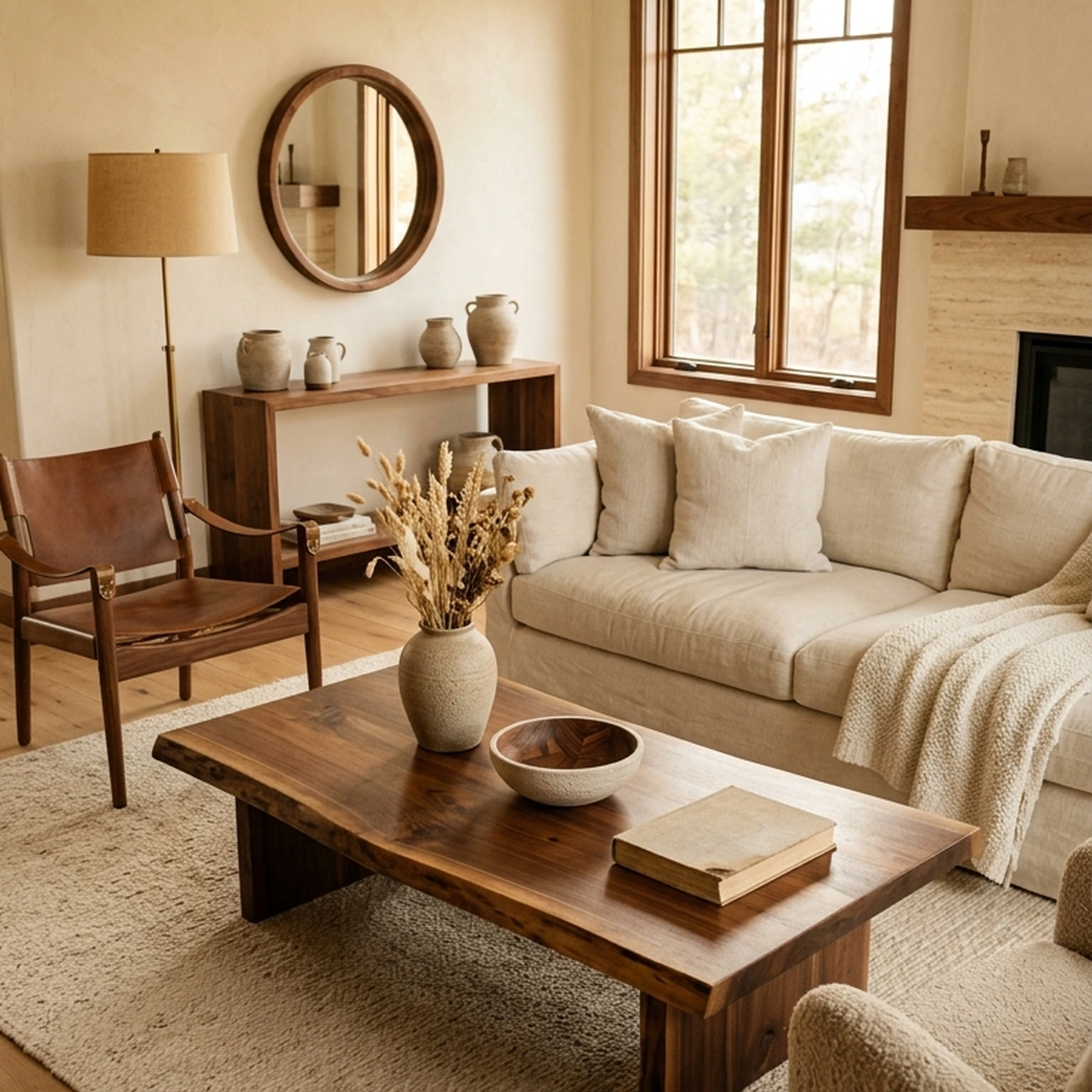
Moving in together sounded romantic until two apartments’ worth of furniture landed in one Chicago living room. Your sofa is staying. His coffee table is apparently staying. Neither works with the rug. So now you’re on the sofa with your iPad open, dragging furniture around a floor plan while your iPhone holds 300 saved rooms that all seem more resolved than the one in front of you.
That’s the appeal of interior design apps on iPhone and iPad. The best ones let you work where the decisions actually happen. Measure a wall with your phone. Test a layout from the sofa. Hold a piece up to the room in AR before ordering it. The problem is that plenty of apps still give you more inspiration when what you really need is a decision.
The useful ones earn their screen time by doing one job particularly well. Some are excellent for floor planning on iPad. Some turn your iPhone camera into a genuinely useful measuring or AR tool. Others help take the room you’ve been imagining and turn it into real, shoppable pieces.
Below are the 12 iPhone and iPad interior design apps worth knowing in 2026, organized around what each one actually helps you get done. Because the best app isn’t the one with the longest feature list. It’s the one that gets the room off your screen and into your home.
Key Takeaways
- First Chair turns inspiration into real, purchasable rooms from retailers like West Elm, CB2, Crate & Barrel, and Lulu & Georgia, not AI-generated fantasy furniture
- Most design apps create a new problem by adding more inspiration when the real challenge is execution and confidence
- AR visualization tools work best for single-piece decisions like checking if a sofa fits, but they won't help you pull a whole room together
- Free tiers vary wildly in usefulness, with some limiting you to two projects and others restricting export quality
- Floor plan apps solve a different problem than furnishing apps, so pick based on whether you need measurements or product recommendations
- Retailer-locked apps like IKEA Place only work if you've already decided on that brand, which most people haven't
1. First Chair

Skip everything else if your actual problem is the gap between saved inspiration and a finished room. First Chair exists specifically for people who already have taste but get stuck translating that taste into furniture decisions.
Upload a photo of a room you love, whether that's a hotel lobby in Copenhagen, a cafe in Austin, or something you saved from Domino six months ago. Describe what you want in plain language: "Scandinavian with walnut warmth" or "minimalist but not cold." First Chair generates curated room concepts using real furniture from West Elm, CB2, Crate & Barrel, Pottery Barn, Lulu & Georgia, Article, and brands you haven't met yet.
What it does well:
- Every piece shown is real and purchasable, not a render of furniture that doesn't exist
- Pulls across multiple retailers instead of locking you into one catalog
- Interprets nuanced style direction like "mid-century with rounded arms and warm leather"
- Insider pricing on most pieces
Key features:
- AI-assisted room interpretation from photos or descriptions
- Multi-retailer product sourcing
- Cohesive concepts designed to work together
- Direct purchase links for every recommended piece
First Chair works for the person who's tired of having 40 browser tabs open and nothing in their cart.
2. Planner 5D
Choose Planner 5D if you need to visualize an entire home layout before you start shopping. With a catalog of over 6,000 pieces, it's the most full-featured free option for drawing floor plans and placing furniture in 3D.
The learning curve takes a few hours. You're essentially building a digital model of your space from scratch, which is useful for renovations or new construction but overkill for most furnished apartments.
What it does well:
- 2D and 3D floor planning with drag-and-drop controls
- Cross-platform syncing between iPad, iPhone, and desktop
- Photorealistic rendering for presentations
- Available on Apple Vision Pro for spatial visualization
Key features:
- AI-powered layout suggestions
- 6,000+ catalog pieces from real brands
- Export options for floor plans and 3D images
- Free tier with premium upgrades available
How it differs from First Chair: Planner 5D focuses on spatial planning and layout visualization. First Chair focuses on furniture discovery and purchase. If you need to figure out where walls go, use Planner 5D. If your walls are fine and you need furniture that fits, First Chair gets you there faster.
3. Homestyler
Consider Homestyler if AR features matter most to you. Point your phone at a room and place furniture in real time with accurate scaling. The room scanner can generate a floor plan automatically using your device camera, which saves the tedious step of measuring everything yourself.
The free tier is more generous than most competitors. You get access to AR placement and basic 3D design without paying, though premium features like higher-resolution exports require a subscription.
What it does well:
- Room scanning that creates floor plans from your camera
- AR placement with realistic lighting and shadows
- Large catalog of products from real brands
- Community features with shared designs
Key features:
- Free tier includes substantial functionality
- Real-time AR furniture visualization
- Design sharing and community inspiration
- Multiple export options
How it differs from First Chair: Homestyler excels at showing you how a single piece looks in your space. First Chair excels at recommending which pieces belong together in the first place. Use Homestyler to check scale; use First Chair to decide what to check.
4. Houzz
Visit Houzz if you're starting from zero and need to figure out what you even like. With over 3 million professionals and 25 million professional interior photos, it's been the default inspiration destination for over a decade.
The problem is that Houzz adds to the inspiration pile without helping you execute. You'll save more photos, create more Ideabooks, and still not know which sofa to buy. The "View in My Room" AR feature works, but the app is better suited for finding contractors and architects than for furnishing decisions.
What it does well:
- Massive library of professional interior photography
- Direct access to designers, contractors, and architects
- Product shopping with verified reviews
- Ideabooks for organizing saved inspiration
Key features:
- Pro network for hiring professionals
- AR product visualization
- Free for consumers
- Community discussion forums
How it differs from First Chair: Houzz is where you go to find more inspiration. First Chair is where you go when you're done collecting inspiration and ready to buy. Skip Houzz if you already have 800 saved images and zero purchased furniture.
5. SketchUp for iPad
Adopt SketchUp if you're an architect or professional designer who needs precise measurements and technical accuracy. The iPad version supports Apple Pencil for detailed work and syncs with the desktop version through cloud storage. Used by over a million industry professionals, it's the industry standard for technical 3D modeling.
This is serious software with a serious learning curve. If you're furnishing a rental apartment, SketchUp is overkill. If you're designing a custom build or working with an architect, it's essential.
What it does well:
- Industry-standard 3D modeling for professionals
- Precise measurements for technical drawings
- Massive library of free 3D models
- Touch-optimized iPad interface with Apple Pencil support
Key features:
- Cloud syncing between iPad and desktop
- Professional-grade precision
- Community-contributed model library
- Free version available with professional upgrades
How it differs from First Chair: SketchUp is for building technical models. First Chair is for deciding what furniture goes in those models. Different problems entirely.
6. Live Home 3D
Try Live Home 3D if you want to "walk through" a designed space in augmented reality before anything gets built or bought. On iPad Pro with LiDAR, the room scanner captures dimensions automatically. The Metal-powered graphics engine produces some of the best real-time rendering on iOS.
The walkthrough feature is genuinely useful for understanding how a layout feels at human scale, something flat floor plans can't communicate.
What it does well:
- LiDAR-based room scanning for automatic floor plans
- Real-time AR walkthrough of unbuilt spaces
- 2,100+ included materials for customization
- Metal graphics for smooth rendering on iPad
Key features:
- Featured by Apple multiple times
- Elevation view for vertical placement
- Cross-platform compatibility
- Free version with premium in-app purchases
How it differs from First Chair: Live Home 3D visualizes spaces you design yourself. First Chair recommends the furniture to fill those spaces. The walkthrough is impressive, but you still need to know what to put in the room.
7. MagicPlan
Pick MagicPlan if you need accurate room measurements without a tape measure. Point your camera at a room and the AR captures dimensions automatically. You'll have a usable floor plan in minutes instead of hours.
The focus is on measurements and cost estimation, not design. Contractors and real estate professionals love it for quick property documentation.
What it does well:
- AR-powered room scanning with automatic measurements
- Cost estimation for materials and labor
- Instant PDF and 3D floor plan exports
- Quick and reliable measurement capture
Key features:
- Free for limited projects
- Optimized for contractors and real estate
- Multiple export formats
- Cloud backup and syncing
How it differs from First Chair: MagicPlan tells you room dimensions. First Chair tells you what furniture works in those dimensions. Use MagicPlan if you need to know your living room is 14 by 18 feet; use First Chair to find a sofa that fits.
8. Home Design 3D
Start with Home Design 3D if you've never used a design app before and want to experiment without frustration. The interface switches between 2D and 3D views in real time, so you can see how changes look immediately. The 2025 update added AI-powered suggestions that help beginners make better layout decisions.
The learning curve is the gentlest of any serious design app on this list.
What it does well:
- Extremely intuitive interface for non-designers
- Real-time 2D/3D preview while editing
- AI-powered design suggestions
- Full exterior and landscaping tools
Key features:
- Featured in Apple's "Apps We Love"
- Available on iOS, Android, Windows, and macOS
- Cloud syncing across devices
- Premium features available
How it differs from First Chair: Home Design 3D teaches you to create layouts. First Chair curates furniture for layouts that already exist. If you want to learn design software, use Home Design 3D. If you want a furnished room without learning software, use First Chair.
9. RoomSketcher
Use RoomSketcher if you need the cleanest, most professional floor plans for client presentations or documentation. Trusted by 10 million professionals and homeowners, it produces output polished enough to print. Real estate agents and interior designers rely on it because the results look sharp.
The focus is on creating presentation-quality documentation, not quick room furnishing.
What it does well:
- Industry-leading floor plan accuracy
- Live 3D walkthrough mode
- Custom branding for professionals
- Professional redraw service available
Key features:
- iPad app syncs with web version
- Available in 150+ countries
- Multiple view options
- Export in various formats
How it differs from First Chair: RoomSketcher creates presentation-quality floor plans. First Chair fills those floor plans with purchasable furniture. RoomSketcher is for professionals who need documentation; First Chair is for anyone who needs a furnished room.
10. Havenly
Select Havenly if you want real interior designers to create personalized room concepts based on your style quiz and photos. Over 2 million room designs completed. It's the most affordable way to get professional guidance without typical hourly designer rates.
The tradeoff is timeline. You're working with a human designer, so expect days rather than minutes between submissions and feedback.
What it does well:
- Access to professional interior designers
- AI-powered designer matching based on your style
- Personalized 3D renderings
- Complete project management through the app
Key features:
- Multiple package options available
- Curated shopping integration
- Design revision rounds included
- Direct messaging with your designer
How it differs from First Chair: Havenly pairs you with a human designer. First Chair gives you curated concepts instantly. If you want someone to tell you what to do, use Havenly. If you want direction you can act on immediately, use First Chair.
11. DecorMatters
Explore DecorMatters if you enjoy design as a hobby and want social features. The app gamifies interior design with challenges, competitions, and community voting. You earn coins and badges for participating, which makes the app stickier than pure design tools. The AR features let you place furniture in your actual space using your camera.
The social features are fun if you enjoy design as a hobby. They're less useful if you just want to furnish your apartment and move on with your life.
What it does well:
- Gamified design challenges and community voting
- AR furniture placement in your actual room
- Strong community features with design sharing
- Earn coins and badges for participation
Key features:
- Free with subscription for premium features
- Works on iPhone and iPad
- Community competitions
- Social sharing features
How it differs from First Chair: DecorMatters makes design a social game. First Chair treats it as a problem to solve. If you want to compete and collect badges, use DecorMatters. If you want a finished room, use First Chair.
12. IKEA Place
Download IKEA Place if you've already decided to shop at IKEA and need to check how their furniture looks in your space. It does one thing well: showing you exactly how IKEA furniture looks in your space with accurate dimensions and colors. It's completely free with no ads or subscriptions.
The limitation is obvious. You can only visualize IKEA products. If you're not already committed to shopping at IKEA, the app doesn't help you decide what to buy.
What it does well:
- 100% accurate product dimensions and colors
- Free with no ads or premium tiers
- Instant purchase of visualized pieces
- True-to-scale 3D models via AR
Key features:
- Industry pioneer in AR furniture placement
- Direct integration with IKEA shopping
- Enhanced AR accuracy in 2025 update
- Complete IKEA catalog coverage
How it differs from First Chair: IKEA Place shows you IKEA furniture. First Chair shows you furniture from dozens of retailers. If you've already decided to buy from IKEA, use IKEA Place to check fit. If you haven't decided where to shop, First Chair helps you find the right piece from anywhere.
The Real Problem These Apps Solve (and Don't Solve)
Most interior design apps add to the inspiration pile without helping you actually buy furniture. Floor planners help you understand dimensions. AR tools help you check if a piece fits. Inspiration platforms help you save more images.
What most people actually need is confidence that a room will come together, plus real furniture they can purchase without opening 40 browser tabs. That's the gap First Chair fills. You upload what you love, describe what you want, and get back a cohesive room made of pieces that actually exist.
The other apps on this list are useful for specific tasks. But if you've been stuck between inspiration and execution for months, start with First Chair.
Why First Chair Works When Other Apps Don't
You don't need another mood board. You don't need to learn 3D modeling software. You don't need to spend hours comparing sofas across twelve different retailer websites.
First Chair solves the actual problem: translating taste into purchase decisions. Upload a photo from a hotel, a restaurant, or an Instagram save. Describe your style in plain language. Get back real furniture from real retailers that work together as a cohesive room.
Every other app on this list either gives you more inspiration, helps you check measurements, or locks you into a single brand's catalog. First Chair is the only one that turns "I love this vibe" into "here's the exact sofa, rug, and side table you should buy."
If you're tired of saving photos and never buying furniture, start with First Chair.
Frequently Asked Questions
What's the best free interior design app for iPad in 2026?
Homestyler offers the most useful free tier, with AR placement and basic 3D design included without payment. Planner 5D's free version is also solid for floor planning. For purchasing actual furniture, First Chair provides curated room concepts with real, buyable pieces.
Can any app help me visualize furniture in my actual room?
Homestyler, Live Home 3D, DecorMatters, and IKEA Place all offer AR placement using your device camera. Live Home 3D works best on iPad Pro with LiDAR for automatic room scanning. The AR shows how individual pieces fit, but won't tell you which pieces work together stylistically.
Which app is best for creating accurate floor plans on iPhone?
MagicPlan captures room dimensions fastest using AR, generating usable floor plans in minutes. RoomSketcher produces the most professional-looking output for presentations. Both require you to know what furniture you want; they don't recommend pieces.
How do AI interior design apps differ from traditional floor planners?
Traditional floor planners like Planner 5D and SketchUp let you build and visualize spaces manually. AI-assisted options like First Chair interpret your style preferences and recommend specific furniture, handling the curation that floor planners leave to you.
Do these apps connect to actual furniture retailers?
First Chair connects to multiple retailers including West Elm, CB2, Crate & Barrel, Pottery Barn, and Lulu & Georgia. Houzz and Havenly have shopping integrations. IKEA Place connects only to IKEA. Most floor planning apps don't connect to retailers at all.