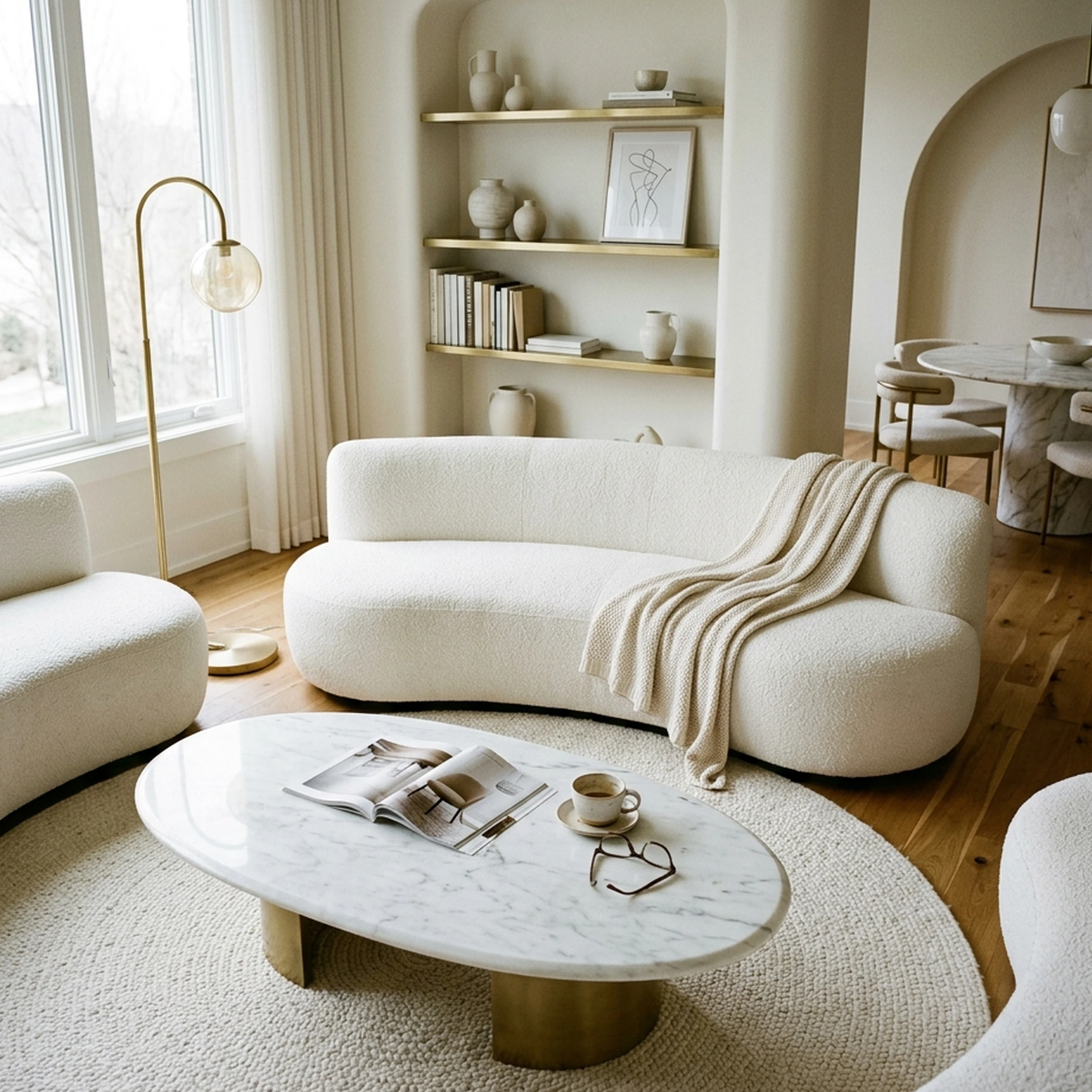
Moving into your first apartment in Brooklyn, New York, comes with a new kind of design challenge. You've finally secured a one-bedroom rental, but the living room is barely furnished, the windows let in less natural light than expected, and your Pinterest board is filled with ideas that seem better suited to larger homes. Between finding a sofa that fits through a narrow doorway and choosing decor that won't violate your lease, turning an empty apartment into a comfortable home takes more planning than you anticipated.
You want a space that reflects your style without spending thousands on furniture or making permanent changes. But browsing multiple retailers, comparing dimensions, and imagining how everything will look together can quickly become overwhelming. As interior design apps simplify furniture shopping, you can explore different layouts, test renter-friendly decorating ideas, and visualize your apartment before committing to a purchase.
The global AI interior design market was valued at $3.3 billion in 2025 and is projected to reach $15.0 billion by 2033. With more tools now designed for homeowners and renters, finding the right app comes down to what you actually need: realistic room visualizations, furniture planning, or real products you can purchase. This guide compares nine AI interior design apps to help you decorate your first rental with fewer compromises.
Key Takeaways
- The AI interior design market is on pace to roughly quintuple between 2025 and 2033, which means more apps competing for your photo and your attention, not fewer, and that growth has not made most of them better at turning a render into a room you can actually buy.
- Capterra describes the category's typical workflow as a three-step process using structure-aware technology that preserves room geometry, doors, and windows while swapping in a new style, which matters when you can't touch the walls.
- A third-party review of the category splits it into three buckets: general home design and visualization, professional virtual staging for real estate, and floor-plan and architectural tools. Most renters only need the first.
- Furniture and home goods carry one of the higher cart abandonment rates online, reported at 78.65%, which tracks with how often a saved inspiration photo never turns into a finished room.
- A 2025 renter survey found 72% of renters are sticking to minimalist styles with clean lines and warm neutrals rather than bold, hard-to-undo choices.
- Apps that lock down structural features while swapping furniture are the renter-friendly route, since nothing about the lease has to change for the room to look different.
AI interior design apps for renters are tools that take a photo of an existing room and generate a restyled concept while preserving walls, windows, and floors. The best options connect generated designs to real, purchasable furniture with accurate pricing. First Chair goes furthest by pairing unlimited room concepts with insider-priced pieces and a concierge who places orders.
What Makes an AI Interior Design App Worth Using as a Renter?

A tool is worth your time as a renter if it meets three conditions: it leaves your walls, windows, and floors alone, it connects to furniture you can actually buy rather than only a flattering image, and it fits a renter's budget instead of a professional design firm's. Capterra's definition of the category backs up the first point: these apps are built to preserve room geometry, perspective, doors, and windows while changing the style around them, which is exactly what a no-structural-changes lease requires.
A separate review of the category breaks it into general home design and visualization, professional virtual staging for real estate, and floor-plan and architectural tools. Most first-time renters only need the first bucket. A 2025 renter survey backs up why timing matters here: 87% of renters said they'd rather stay in and curate their spaces to fit than go out, which is a lot of people opening a design app on a Tuesday night instead of a furniture showroom on a Saturday.
The 9 Best AI Interior Design Apps for Renters in 2026
1. First Chair
First Chair starts with the room you already have, not a style quiz full of presets. Upload a photo of your rental living room, or a cafe, hotel lobby, or Pinterest reference you love, describe the direction you want in your own words, and it builds a room concept out of furniture pieces that exist and ship, with estimated prices attached. Ryan Hoover, founder of Product Hunt, said: "This feels like the simplest way to bring a room idea to life." and Burrow's CEO Stephen Kuhl said uploading a photo of his favorite cafe produced a living room concept in that exact vibe.
Rather than sourcing from a single retailer's catalog, First Chair pulls real, purchasable pieces from retailers like West Elm, CB2, and Article, so a recommendation is matched to the room rather than to whatever one warehouse happens to stock. Instead of browsing dozens of preset style tiles, First Chair figures out your taste through your own uploads and descriptions, then curates accordingly.
What sets First Chair apart
First Chair shows the standard retail price next to your member price inside the app, so savings are visible before anything ships, not discovered later on a retailer's site. When a piece needs tracking down, the Design Concierge handles the search and places the order. Because design and product searches are unlimited with membership, testing a collected-vintage direction (mixed woods, worn leathers, open shelving) against a warm-minimalist one (oatmeal linens, light oak, clean silhouettes) costs nothing extra. First Chair is built to connect room concepts with purchasable pieces and ordering help.
Membership runs $59.99 for three months or $99.99 for six, renews automatically, and cancels anytime before the next renewal.
Furniture carries one of the higher cart abandonment rates online, at 78.65%, which lines up with how often a saved idea stalls out before it ever becomes a finished room. Showing a real price next to a real piece, instead of another image to screenshot, is the part of that gap First Chair is built to close.
How to Start with First Chair
Start with the 60-second style quiz, which needs no account to try.
2. ReimagineHome
Choose ReimagineHome when you want a redesign that links straight to a retailer cart instead of just a picture. ReimagineHome locks a room's walls, windows, and ceiling lines in place during a redesign, then matches generated furniture to products actually sold by West Elm, IKEA, Target, Wayfair, Amazon, and Shopify, per the company's own site. Upload a photo of a rented living room, describe the outcome you want, and swap in real sofas you can add straight to a cart.
What it does well
ReimagineHome's Structural Lock keeps walls, windows, and ceiling lines unchanged, which matters when a landlord cares about what shows up in a before-and-after photo. Its Real Products Discovery connects generated furniture to pieces at multiple retailers rather than one, and reference photo upload lets you steer a redesign toward a specific inspiration image instead of a generic template.
The tradeoff: credits split between "visualization only" at one credit and "visualization plus real products" at two credits, so the free five-design trial runs out fast once you start chasing real matches rather than just pictures.
Key Features
- Structural Lock that keeps walls, windows, and ceiling lines unchanged
- Real Products Discovery and Visualization across Amazon, Shopify, West Elm, IKEA, Target, and Wayfair
- Reference Photo Control for matching a specific inspiration image
- Incremental editing that keeps context between revisions
How it differs from First Chair: ReimagineHome links out to external retailer carts; First Chair shows insider pricing next to the standard retail price in the app and can have its Design Concierge place the order.
3. RoomGPT
Pick RoomGPT when all you want is a fast look at a new style, not a shopping list. It turns one photo into a themed image in seconds, with no furniture matching involved, which makes it a quick way to preview a direction before committing to anything physical.
What it does well
RoomGPT is designed to turn a single photo into a redesigned space, and it delivers that quickly across multiple themes.
The tradeoff is accuracy. Reviewers on Trustpilot have reported that a generated image came back fuzzy rather than as a real transformation, and another reviewer said the AI completely distorted the room's architecture, changing the size and shape of the room and moving windows. A separate review noted that built-ins can warp and openings can shift slightly, since furniture proportions are plausible rather than measured.
Key Features
- One-photo redesign across multiple themes
- Credit-based access with promotional discounts
How it differs from First Chair: RoomGPT is centered on transforming a room photo, while First Chair uses real purchasable pieces in its concepts.
4. Interior AI
Use Interior AI when you want more style range than a typical photo-to-render tool offers. It covers more than 55 interior styles and 30 room types from a single photo, plus exteriors and gardens, so a renter testing a direction can compare it against a dozen other presets in one sitting.
What it does well
A verified G2 reviewer said uploading a photo lets the tool find suitable interior matches from a wide variety of templates, which is useful for style exploration. It also accepts sketches and SketchUp files, not just photos.
The tradeoff shows up in accuracy. A separate review warned that it is not a CAD suite and not a retailer catalog, and that results can include illogical furniture, occasional construction weirdness, and inconsistent performance across room types.
Key Features
- 55+ interior design styles and 30+ room types from one photo
- Sketch2Image for converting sketches into photorealistic renders
- Virtual Staging AI for filling an empty room with furniture
- Turns a rendered design into a 3D flythrough video
How it differs from First Chair: Interior AI is built for breadth of style exploration; First Chair narrows the field to pieces already scaled and sourced to fit the room instead of another render to sort through.
5. DecorMatters
Choose DecorMatters when you want to try furniture arrangements yourself instead of waiting on one generated image. It is built around drag-and-drop editing of a real room photo plus augmented reality placement, with a community of shared designs for inspiration.
What it does well
DecorMatters lets you drag a sectional into your actual living room photo, then use AR, including an AR ruler, to see how a piece fits before buying anything. It also has an AI Room Designer for generating a full room concept in seconds and an AI Edit tool for swapping furniture, color, or material on command, plus a community of more than 21 million shared designs for inspiration.
The tradeoff is the subscription structure. Charges can be weekly, monthly, or annual with taxes and other charges added, and accounts renew automatically unless canceled before the renewal date, per the company's own terms.
Key Features
- Drag-and-drop editing directly on a photo of your real room
- Augmented reality preview, including an AR ruler for checking fit
- AI Room Designer for generating a full room concept in seconds
- Unlimited furniture and templates on paid membership tiers
How it differs from First Chair: DecorMatters is a hands-on editor you drive yourself; First Chair generates the full concept around your room and taste, then narrows it to pieces worth buying.
6. Homestyler
Start with Homestyler when the project is really a floor plan, not just one room's photo. It converts a 2D floor plan sketch into an editable 3D model with built-in cloud rendering, which is useful for mapping out a whole apartment before anything gets moved.
What it does well
A verified G2 reviewer praised the intuitive interface and extensive furniture catalog with real brands, adding that drag and drop is easy even for beginners and rendering is fast for basic designs.
The tradeoff shows up with complexity. The same reviewer noted that full 3D functionality needs desktop Chrome and the learning curve for detailed measurements takes a few minutes to start, and other G2 reviewers said rendering speed can be slow with complex designs, with some features locked behind premium plans.
Key Features
- Converts a 2D floor plan sketch into an editable 3D model in one click
- Drag-and-drop furniture catalog with branded 3D pieces
- Built-in cloud rendering and a 720-degree virtual tour feature
- AI Planner, AI Stager, and AI Moodboard tools for different project stages
How it differs from First Chair: Homestyler is built for planning a floor plan in 3D; First Chair skips the modeling step and goes straight to furniture you can buy for the room you already have.
7. DecorAI
Pick DecorAI when budget-friendly photo redesigns across a wide style library matter more than shopping integration. It covers interiors, exteriors, kitchens, and gardens with 175 style presets, so you can run the same rental photo through four or five directions in one sitting.
What it does well
DecorAI generates up to 4 photorealistic variations per run, which makes side-by-side comparison easy. It also publishes renter-specific guidance recommending that flooring and wall color remain untouched and that users state in free text that no structural changes are allowed; the same constraints can be stated in any app.
The tradeoff is the free tier. The trial runs one day and includes only 3 designs, so most of the style library sits behind a paid plan.
Key Features
- 175 design styles across 135 spaces, covering interiors, exteriors, kitchens, and gardens
- Generates up to 4 photorealistic variations per run
- 4K output with commercial usage rights included
- Private generation mode for keeping uploads off a public feed
How it differs from First Chair: DecorAI's style library is for exploring looks; First Chair's concepts arrive already matched to pieces sized and priced for the room.
8. Remodel AI
Use Remodel AI when you want a mobile-first app that also handles exteriors and landscaping, not just the inside of a rental. It redesigns interiors, exteriors, landscapes, and furniture from one photo in about 10 seconds, with native iOS and Android apps alongside the web version.
What it does well
Remodel AI covers 30+ interior styles, 11 exterior styles, and 10 landscape styles, plus tools for floor replacement, wall paint previews, and object removal. A renter testing a patio refresh can use the same app that redesigned the living room instead of switching tools.
The tradeoff is volume on the free tier. It includes only 3 designs, which can disappear quickly once you start testing more than one room.
Key Features
- Interior, exterior, and landscape redesign from a single photo in about 10 seconds
- Object removal and furniture swap tools
- Floor replacement and wall paint previews
- Parallel generation of multiple rooms on paid tiers
How it differs from First Chair: Remodel AI's style range spans indoor and outdoor spaces; First Chair stays focused on the room in front of you and the real furniture it takes to finish it.
9. Dehome
Stop at Dehome when a project spans more than one room, such as a full apartment plus a renovation mood board. It bundles interior, exterior, landscape, architecture, and floor-plan generation into one platform with more than 20 tools.
What it does well
Dehome accepts architectural drawings, sections, and aerial views in addition to room photos, and its Point and Edit and Brush-Based Auto Edit tools allow local changes rather than a full regeneration. Credits never expire once purchased, which helps if you work through a project slowly.
The tradeoff is the floor plan editor, which allows only 3 changes, and the fact that credit packs are one-time purchases rather than a subscription, so heavier use means planning which pack covers a whole apartment's worth of generations.
Key Features
- More than 20 design tools covering interiors, exteriors, landscapes, and floor plans
- Accepts architectural drawings, sections, and aerial views
- Point and Edit and Brush-Based Auto Edit for local changes
- HD, watermark-free export
How it differs from First Chair: Dehome's breadth spans rooms, exteriors, and architecture; First Chair stays narrow on purpose, turning one room into a shoppable concept rather than a toolkit to learn.
Side-by-Side Comparison: AI Interior Design Apps for Renters
Designing a Rental Without Losing Your Deposit
Treat anything an app generates as a shopping list for movable pieces, not a plan to repaint or drill. When you prompt any of these apps, state outright that flooring and wall color should stay as photographed and that only furniture and textiles can change, which mirrors the renter guidance DecorAI itself publishes for exactly this situation.
Lean on pieces that do the visual work without touching the structure: a good rug, a floor lamp instead of a hardwired fixture, mirrors to bounce light around a dim corner, and plants in place of built-in shelving, which keeps vertical wall space free and the room reading lighter. A 2025 renter survey backs this instinct, finding that among renters planning a refresh, 38% planned to spend between $101 and $500, which is a textile-and-lighting budget, not a renovation budget. Photograph the room's existing condition before you move anything, and keep every retailer's return window and measurements on hand before a piece ships.
What Not to Buy for a First Apartment
Skip the matched five-piece living room set. It fills a small rental fast and leaves no room to add anything with real character later, and most of these sets are scaled for a house, not a one-bedroom. Skip rolled-arm sofas in tight rooms too. A track-arm or slim-arm silhouette from a brand like Crate & Barrel or Interior Define can save four to six inches on each side, which matters when a sofa has to clear a doorway on delivery day.
Be careful with "small space" branded pieces from mass retailers promising a complete room for one low price. Construction quality on these runs short-lived, and a well-proportioned sofa from Pottery Barn or Lulu & Georgia (track arm, legs that lift the base off the floor) lasts through two more leases and keeps the room from feeling anchored to the ground. Furniture with visible legs, rather than a skirted base, also keeps more floor in view, which makes a small room read larger regardless of which app helped you choose it.
Frequently Asked Questions
Can AI furnish my living room?
An app can generate a styled room concept from a photo, but whether that concept turns into real furniture depends entirely on whether the pieces shown are purchasable. Apps like ReimagineHome and First Chair connect generated concepts to real, buyable pieces, while others mainly produce an image to reference while you shop separately.
Can AI interior design apps keep my walls, floors, windows, and furniture unchanged?
Yes, several apps use structure-aware technology built specifically to preserve a room's geometry, doors, and windows while swapping in new furniture and decor, which Capterra describes as a core part of the category's typical workflow. Always state that requirement directly in your prompt, since results vary by app.
Do AI room design apps recommend real furniture that I can buy?
Some do and some don't. ReimagineHome and First Chair are built around connecting a generated concept to real, purchasable pieces, while other tools on this list, such as RoomGPT, Interior AI, and Homestyler, are presented in this article primarily for visual redesign or planning.
Can renters use AI to preview paint colors before asking a landlord?
Yes, several apps let you test a wall color virtually before proposing the change to a landlord, which is a reasonable way to make the case for a repaint. If the lease forbids any wall changes at all, keep the preview as a reference only and furnish around the existing color instead, as DecorAI's own renter guidance recommends.
Start with the 60-second style quiz to discover your home's color palette.