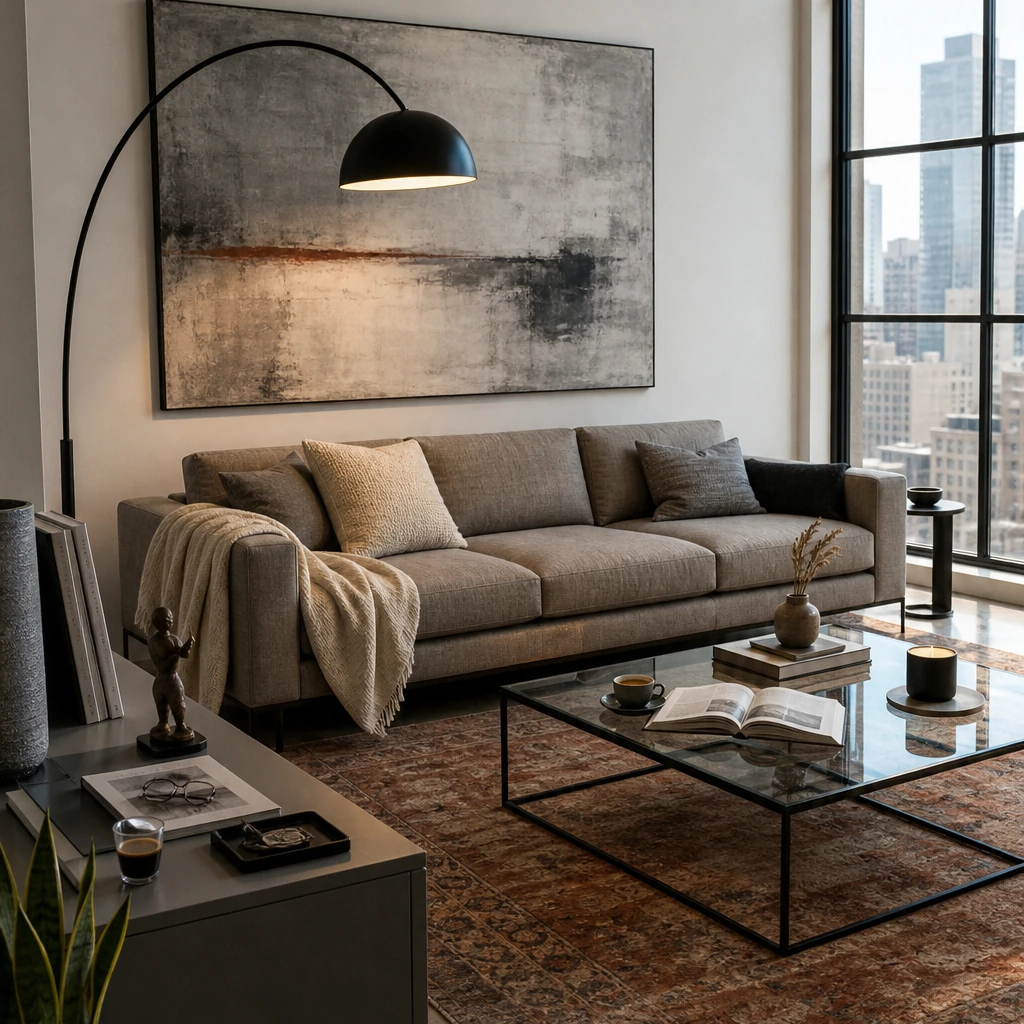

You and your husband just moved into your new place in Chicago, and the living room has become your first real design negotiation. You want the low, cream sofa you’ve had saved for months. He’s attached to the leather chair he’s owned since before you met. You like warm woods and softer shapes. He keeps sending you black metal coffee tables. Somehow, every piece looks good on its own and slightly wrong next to the others.
So you do what most couples do. Open more tabs. Send each other screenshots. Save another room you both agree you like, without being able to explain why. Three weeks later, the boxes are gone, but the living room still feels like two apartments pushed together.
AI room design tools promise to help with exactly this kind of decision. Most of them don’t. They generate beautiful renders filled with furniture that doesn’t exist, in rooms that don’t really match yours. The result is more inspiration when what you actually need is a room you can both agree on, and pieces you can actually buy.
Key Takeaways
- "Actually works" means buyable furniture. The tools in 2026 now show real, purchasable pieces, not AI-generated fantasy objects.
- Free tiers vary wildly. Some platforms offer generous free designs with no watermark. Others give you one blurry render and ask for your credit card.
- Photo redesign and 3D planning serve different needs. Quick style exploration requires different tools than full layout planning.
- Shoppable design is the new standard. Tools that bridge visualization and checkout save hours of tab-hopping and second-guessing.
- First Chair fills the gap most tools miss. It turns inspiration into curated room concepts using real furniture from West Elm, CB2, Article, and other retailers you actually want to buy from.
Beyond the Render: Why "Actually Work" Matters for AI Room Design in 2026

AI room design tools do one thing well: they make pretty pictures. Upload a photo of your living room, select "mid-century modern," and you'll get a render that looks like it belongs in Architectural Digest. The problem is that the sofa in that render doesn't exist. Neither does the lamp, the rug, or the coffee table.
This is the gap between inspiration and execution that leaves so many rooms unfinished. You've got the vision. You've got the saved pins. What you don't have is a clear path from that Pinterest board to furniture sitting in your actual apartment.
The tools that "actually work" in 2026 solve different parts of this problem:
- Photo redesign tools let you see your existing room in different styles quickly
- 3D planning tools help you test layouts before buying anything
- Shoppable design tools connect the render to real products you can purchase
The nine tools below represent different approaches to this challenge. Some excel at speed. Others prioritize precision. A few finally bridge the gap between seeing a room and buying the furniture to fill it.
1. First Chair
First Chair takes a different approach than photo redesign or 3D planning tools. Instead of generating fantasy renders, it interprets your style preferences and curates room concepts using real, purchasable furniture from multiple retailers.
Upload a photo of a cafe interior you love, a hotel lobby that caught your eye, or the living room you've saved forty times on Pinterest. First Chair interprets that inspiration and builds a cohesive room concept using furniture from West Elm, CB2, Article, Lulu & Georgia, Crate & Barrel, and other retailers. Every piece shown is real, available, and buyable.
Key Features
- Real, purchasable furniture from multiple retailers
- Style matching from any inspiration image
- Curated room concepts that work together
- Multi-retailer sourcing across West Elm, CB2, Article, Lulu & Georgia, Crate & Barrel, Rejuvenation, and others
Why It Made the List
First Chair solves the problem other tools don't: turning inspiration into a room you can actually buy. The platform generates room concepts you can purchase, and every recommendation uses real furniture from retailers you know. The multi-retailer approach means you're not locked into one store's inventory.
Ideal For: Design-minded people ready to turn saved inspiration into a finished, purchasable room
2. Spacely AI
Spacely AI is one of the better picks here if you care about the render itself. Its free tier gives you 40 credits with no watermark and commercial usage rights, which makes it unusually practical for designers, stagers, and anyone producing client-facing visuals.
If you’re furnishing your own living room, though, the value drops off quickly. Spacely can show you what the room could look like. It won’t tell you where to buy the sofa in the image.
Key Features
- 40 free credits with no watermark
- Commercial usage rights
- SketchUp integration
- Photo redesign and floor plan tools
- 30+ design styles
- Generation time around 60 seconds
What to Consider
Skip Spacely if your real question is, “What should I actually buy?”
The render may give you a cream bouclé sofa, a smoked-glass coffee table, and a sculptural floor lamp that look perfect together. But those pieces are visual references, not a shopping list. You’re still left opening CB2, Lulu & Georgia, West Elm, and Article in separate tabs trying to recreate the room yourself.
That’s the exact point where inspiration turns back into work.
Why It Made the List
Spacely earns its place because it takes visualization seriously. The free commercial rights and SketchUp integration make it more useful for professional design work than most quick-render competitors.
How It Differs From First Chair: Spacely generates styled renders but doesn't connect you to purchasable furniture. First Chair shows you real pieces from retailers like CB2 and Lulu & Georgia that you can actually buy.
Ideal For: Designers and homeowners who want high-quality output without paying upfront
3. RoomGPT
RoomGPT is great for a 30-second gut check. If you’re staring at your living room wondering whether warmer woods, lighter upholstery, or a more minimal direction would suit the space, it gives you something visual to react to fast.
Upload a photo, choose a style, and get a redesigned version back almost immediately. That simplicity helped it attract more than 2 million users, and it’s still the reason to use it. Just don’t mistake the render for a room plan.
Key Features
- More than 2 million users served
- Pay-per-credit model rather than an ongoing subscription
- 30+ design styles
- Fast generation
- Minimal setup
What to Consider
Stop at RoomGPT if all you want is inspiration. Keep going if you actually want to furnish the room.
The sofa, rug, lamp, and coffee table in the render are there to communicate a look. They’re not pieces you can tap, compare, or buy. If you love the result, your next move is still opening retailer tabs and trying to reverse-engineer it yourself. That makes RoomGPT useful for choosing a direction, but much less useful once you’re ready to commit.
Why It Made the List
RoomGPT deserves a spot because it makes visual experimentation almost frictionless. You can test a few directions without learning a complicated design program or committing to a monthly plan.
How It Differs From First Chair: RoomGPT helps you decide what kind of room you like. First Chair helps you decide which actual pieces belong in it. Instead of recreating a generated sofa from memory, First Chair pulls together real, shoppable pieces across retailers like West Elm, CB2, Article, and Lulu & Georgia.
Ideal For: First-timers who want quick style exploration with zero learning curve
4. Remodel AI
Remodel AI is the one to use when the question is bigger than furniture.
If you’re debating a darker exterior, new kitchen flooring, a different patio layout, and whether the living room should lose that built-in, Remodel AI lets you test all of it in one place. It bundles eight design modes covering interiors, exteriors, staging, floors, paint, landscapes, object removal, and furniture swaps.
You can photograph the living room and test warmer floors, move outside and try a new facade color, then see what the backyard looks like with a different landscaping direction. That makes it especially useful before a renovation conversation, when you and your partner are still trying to agree on what you actually want.
Key Features
- 8 design modes covering interiors, exteriors, paint, floors, landscaping, staging, object removal, and furniture swaps
- 3 free full-quality designs
- No watermark on free designs
- 30+ interior styles
- iOS and Android access with web sync
What to Consider
The furniture, lighting, and finishes in its renders are there to illustrate the idea. If the concept shows a deep oatmeal sofa, travertine coffee table, and aged-brass floor lamp that you both love, you’ll still need to go find those pieces yourself across West Elm, CB2, Article, Lulu & Georgia, or wherever else you shop.
Why It Made the List
Remodel AI earns its spot because it handles more of the house than most room-design products. If you’re making decisions that cross from paint to flooring to landscaping, using one visual system is much easier than bouncing between separate tools.
But breadth is the point. Furniture sourcing isn’t.
How It Differs From First Chair: Remodel AI helps you visualize what you might change across the home. First Chair helps you furnish the rooms once you’re ready to commit.
Ideal For: Homeowners exploring interior, exterior, and landscape changes
5. Interior AI
With more than 40 design styles, you can take the same living room from pale woods and linen upholstery to darker walnut, sculptural lighting, and richer color in a few rounds. It’s useful when you and your partner agree the room feels wrong, but can’t yet agree on what “right” looks like.
Once you find the direction, though, Interior AI has mostly done its job.
Key Features
- 40+ interior design styles
- Flux model for sharper renders
- Hyper Realism mode on Ultra plans
- Professional virtual staging capabilities
- Useful for real estate listing imagery
What to Consider
Use Interior AI to settle the style debate. Don’t expect it to settle the shopping list.
You might finally agree that the room wants a deep-seat cream sofa, a darker walnut coffee table, an aged-brass lamp, and a textured wool rug. Interior AI can help you see that combination. It won’t necessarily tell you which real sofa from Article, which lamp from Rejuvenation, or which rug from Lulu & Georgia gets you there. At that point, generating another style variation usually adds more noise. You need to start choosing pieces.
Why It Made the List
Interior AI earns its place because it gives you enough visual range to pressure-test your taste before spending money. If you’re genuinely undecided between two very different directions, seeing both in your actual room is more useful than building another Pinterest board.
How It Differs From First Chair: Interior AI helps you answer, “What should this room feel like?” First Chair takes that answer and turns it into a cohesive concept using real, shoppable pieces from retailers like Article, Rejuvenation, Pottery Barn, CB2, and Lulu & Georgia.
Ideal For: Design-minded homeowners, couples working through different aesthetic preferences, and real estate professionals who need polished visual concepts.
6. Planner 5D
Planner 5D is the one to open before either of you says, “I think the sectional will fit.”
With 2D and 3D floor planning, it lets you model the room, place furniture at scale, and see whether your layout actually leaves enough space to walk around it. That makes it much more useful for solving dimensions than debating aesthetics.
If your living room is 11 feet wide and your husband is lobbying for the oversized sectional, this is where you settle it.
You can build the room to scale, test different furniture arrangements, and see how much floor space remains once the sofa, coffee table, dining table, or bed is in place. The Smart Wizard can also help with furniture placement when you’re not sure where to start.
Key Features
- More than 100 million users
- 2D and 3D floor plan building
- Smart Wizard for furniture placement
- Large library of furniture models
- Mobile apps available
What to Consider
Use Planner 5D to decide where the sofa goes and how big it can be. Don’t expect it to decide which sofa belongs there.
The furniture models are useful stand-ins for testing scale and placement, but they’re not necessarily the exact West Elm sofa, CB2 chair, or Article coffee table you’re deciding between. Once you know the room can handle a 78-inch sofa and still keep the walkway clear, you’ll need to source a real piece with the right dimensions, material, and look.
Why It Made the List
Planner 5D earns its spot because bad geometry ruins good taste.
If you’re furnishing a tight apartment, planning an open living-dining space, or arguing over whether one more chair can fit, modeling the room first can save you from a costly mistake.
How It Differs From First Chair: Planner 5D helps you plan layouts. First Chair helps you fill those layouts with curated, purchasable furniture that matches your taste.
Ideal For: Homeowners and renters who need to plan furniture placement before buying
7. Homestyler
Homestyler is for the person who wants to build the room herself, piece by piece, and actually enjoys doing it.
Its biggest advantage is the size of the 3D library. With more than 100,000 free models and materials, including real brand products, you can get much closer to a believable finished room than you can with generic sofa-and-table placeholders.
You can place the sofa, adjust the rug, swap the dining chairs, change materials, move the lamp six inches, and keep refining until the room feels right. For someone who likes tinkering with layouts and comparing combinations, that level of control is the point.
Key Features
- 100,000+ free 3D models and materials
- Real brand products in the furniture library
- Generous free rendering
- Detailed manual room building
- Mobile access
What to Consider
You’re still deciding whether the bouclé chair works with the walnut table, whether the rug is too small, whether the room needs another lamp, and whether the five pieces you picked actually belong together.
That can be fun if you enjoy designing. It can also turn into another version of the 27-tab problem, just inside a 3D room instead of a browser.
And while the library is large, you’re still choosing from what’s available inside Homestyler rather than freely sourcing across all the retailers you might normally shop.
Why It Made the List
Homestyler earns its place because it gives hands-on users a lot of room to experiment without requiring a big upfront spend.
How It Differs From First Chair: Homestyler lets you manually build 3D rooms piece by piece. First Chair generates curated concepts from your inspiration, saving hours of model-hunting.
Ideal For: Detailed 3D room building with real brand products
8. HomeDesigns AI
HomeDesigns AI is for the person who wants to see a lot of possibilities before choosing a direction.
With more than 160 styles and coverage across interiors, exteriors, gardens, and patios, you can take the same space through dozens of looks in minutes. Its Furniture Finder also tries to connect what appears in a render to real products, which makes it more practical than a visualization tool that leaves you with nothing but an image.
Maybe you and your husband agree the living room needs to feel warmer, but that’s where the agreement ends. One of you keeps leaning toward walnut, linen, and quieter shapes. The other keeps saving darker rooms with sculptural lighting and heavier furniture. HomeDesigns AI gives you enough visual range to put both ideas on the screen and react to them quickly.
Key Features
- 160+ design styles
- Furniture Finder connects renders to products
- Interiors, exteriors, gardens, and patios in one platform
- Generation time under 30 seconds
- Daily free credits available
What to Consider
The phrase to pay attention to is similar product.
If the render shows the perfect low cream sofa, veined stone coffee table, and oversized wool rug, Furniture Finder may surface pieces that resemble them. That doesn’t mean those pieces were chosen to work together in your room.
You can still end up comparing three almost-right sofas, five rugs in slightly different tones, and a coffee table whose proportions don’t work with either.
Why It Made the List
HomeDesigns AI earns its place because it pushes visualization closer to shopping than most render-first products. If you love experimenting with different looks and want help tracking down similar furniture afterward, it’s a useful middle ground.
How It Differs From First Chair: One helps you recreate a render. The other helps you furnish the room.
Ideal For: Homeowners who want variety and the ability to shop the render
9. House AI
House AI is one of the more interesting tools here because it’s trying to solve the right problem: what happens after you like the render.
Its Shop from Image feature scans a generated room and looks for real products that resemble the furniture shown. That’s a meaningful step beyond saving a pretty image and then spending two hours trying to identify the sofa yourself.
You can generate interiors, exteriors, gardens, wall treatments, and flooring ideas in roughly 15 to 25 seconds, then use Shop from Image to start translating the look into real products.
That’s especially useful when you and your husband finally agree on a render and immediately ask the obvious next question: “Okay, where do we actually buy this?” Instead of starting from a blank Google search, House AI gives you somewhere to go.
Key Features
- Shop from Image feature (beta) for finding real products
- Daily free generation
- 35+ design styles
- 15-25 second generation time
- Mobile apps available
What to Consider
Shop from Image is still in beta, and that’s the part of House AI that matters most if you actually want to furnish the room.
The workflow also starts with a generated object, then searches for something similar in the real world. If the render gives you a curved camel sofa, smoked-oak coffee table, and oversized linen pendant, the products it surfaces may capture the look without necessarily matching the exact proportions, materials, or relationship between those pieces.
That distinction sounds small until you’re spending real money.
Why It Made the List
House AI earns its place because it pushes past pure visualization. It recognizes that a render is much more useful when there’s a path toward buying what you see.
How It Differs From First Chair: House AI generates a room, then looks for real products that resemble what’s in the image. First Chair works in the opposite direction. It builds the concept from real, shoppable pieces across retailers like West Elm, CB2, Crate & Barrel, Article, and Lulu & Georgia from the start. No recreating the render afterward.
Ideal For: Users who want to move from render to shopping in one platform
Why First Chair Stands Out
The gap between inspiration and execution is where most rooms stay stuck. You know what you like. You've saved hundreds of examples. But translating that into actual furniture purchases requires navigating dozens of retailer sites, second-guessing every choice, and hoping it all works together.
First Chair closes that gap. It takes your inspiration, whether that's a Pinterest board, a photo of your favorite restaurant, or a vague description like "Scandinavian with walnut warmth and deeper seats," and turns it into a cohesive room concept using furniture you can actually buy.
The interior design technology trends are clear: people want to move from saved inspiration to finished rooms faster. First Chair is built for exactly that moment when you're done scrolling and ready to commit.
Frequently Asked Questions
What makes an AI room design tool "actually work" in 2026?
A tool "actually works" when it moves you closer to a finished room, not just another saved image. That means showing furniture that exists, that you can purchase. The tools in 2026 that work bridge visualization and shopping rather than generating fantasy spaces.
Can I really buy the furniture shown in these AI design renders?
It depends on the tool. Many AI room design apps generate renders with furniture that doesn't exist or isn't identified. Tools like HomeDesigns AI and House AI are adding features to find similar real products. First Chair takes a different approach, building room concepts using real furniture from the start, with direct links to purchase.
How do AI room design apps compare to hiring an interior designer?
AI tools excel at quick style exploration and visualization. They can show you your room in twenty different styles in an hour. What they often miss is the curation and decision-making that designers provide. First Chair aims to bridge this gap by offering tastemaker-style guidance with real, purchasable recommendations rather than endless options.
What kind of photos work well with these AI room design tools?
Photo redesign tools work well with well-lit photos showing the full room from a corner angle. Empty or nearly empty rooms generate cleaner results. For style matching, any inspiration image works, including cafe interiors, hotel lobbies, or saved Pinterest rooms. First Chair specifically interprets these inspiration images to create room concepts that match the aesthetic.