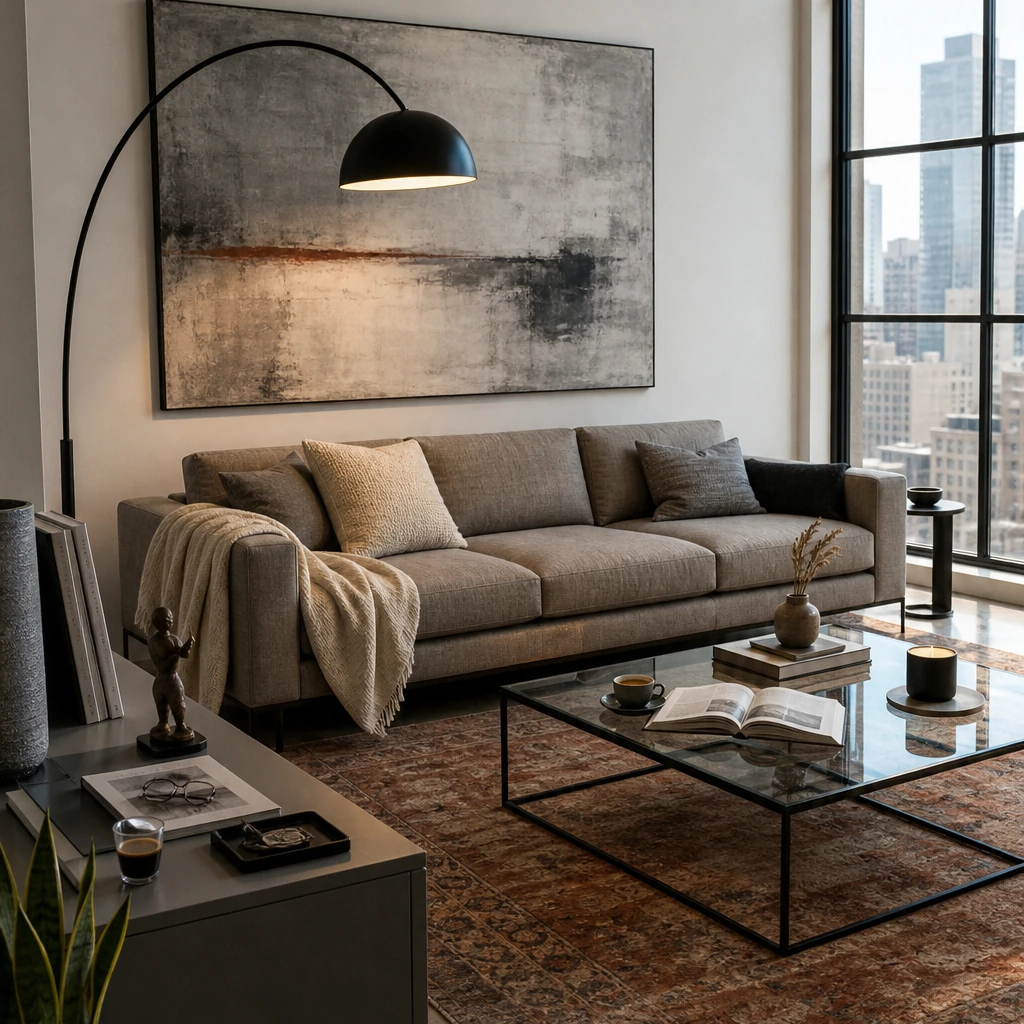

You just got the keys to your first place in Brooklyn, and the living room is still completely empty. Before spending thousands on a sofa, rug, lighting, and a coffee table, you upload a photo to a few virtual staging apps to see what the space could actually become.
One render finally clicks. The proportions feel right, the palette works, and you can picture yourself living there. Then you try to shop it and realize the sofa, lamp, and rug in the image may not exist anywhere. That’s the line between virtual staging and actually furnishing a room. One helps you see the possibility. The other has to help you make it real with pieces you can actually buy.
Virtual staging apps are useful for visualization. But if your goal is to actually furnish the apartment, not just imagine it, you need to know where these tools stop and where shoppable design begins.
Key Takeaways
- Virtual staging apps generate renders, not shopping lists. Most tools show furniture that looks good but can't be purchased anywhere.
- Realism varies wildly. Some apps produce photorealistic results; others look like video game screenshots from 2015.
- Free tiers exist but come with limits. Watermarks, low resolution, and restricted style options are common tradeoffs.
- If buying furniture is the goal, staging apps are step one, not the finish line. You'll still need something that connects the vision to actual pieces.
What Virtual Staging Actually Does

Virtual staging fills empty rooms with digital furniture. Real estate agents use it to help buyers visualize potential. Homeowners use it to test layouts before committing. The best apps produce renders that look nearly indistinguishable from photographs.
But staging apps are built for visualization, not commerce. The sofa in that render might be a composite of three different styles, generated on the fly. It looks convincing, but you can't buy it because it doesn't exist.
That's fine if you're selling a house. It's a problem if you're trying to furnish one.
The apps below are ranked by two things: how realistic the output looks, and what you'll get for your investment. Each one has a clear use case. None of them will hand you a shopping cart at the end.
1. First Chair
First Chair isn't a virtual staging app. It's a furniture curation platform that generates room concepts using real, purchasable furniture from actual retailers. Every piece shown exists and can be ordered. That's fundamentally different from rendering fantasy furniture.
If you need renders for a real estate listing or want to test 47 different furniture arrangements, a staging app serves that purpose. First Chair is built for the moment when you're ready to buy.
What It Does Well
- Generates room concepts with real furniture from West Elm, CB2, Crate and Barrel, Pottery Barn, Lulu and Georgia, Article, and other quality retailers
- Every piece in the concept is purchasable with direct links to buy
- Interprets your style preferences and room requirements to curate cohesive concepts
- Includes insider pricing on most pieces
- Pulls from multiple retailers instead of pushing a single catalog
Ideal For
People who need to actually furnish a room, not just visualize possibilities. If you're moving into a space and need real furniture delivered, First Chair gives you curated concepts where every item is ready to purchase.
How It Works Differently: Staging apps show you what could be. First Chair shows you what to buy. One is visualization. The other is execution.
2. Homestyler
Homestyler is a robust 3D floor planning tool built for people who want granular control over room design. It offers extensive furniture libraries and detailed editing capabilities. But it requires significant time investment to master.
What It Does Well
- Upload a floor plan or sketch and convert it to an editable 3D model
- Access to hundreds of pre-made templates across multiple styles
- Weekly design challenges with an active community
- ISO 27001 certified for data security
Ideal For
Designers and serious hobbyists who want to build floor plans from scratch and place furniture with precision. If you're planning a renovation or working with exact measurements, Homestyler provides the depth.
What to Consider
The learning curve is steep. This is CAD-adjacent software built for people who move walls and adjust dimensions. If you want a quick answer about what your living room could look like, Homestyler will slow you down. It's a planning tool first, an inspiration tool second.
How It Differs From First Chair: Homestyler helps you design the room yourself. First Chair interprets your style and hands you a curated concept with real purchasable pieces.
3. Interior AI
Interior AI produces polished renders quickly. It's built for professionals who need staging images for listings or design presentations. The output looks professional. But it's still fantasy furniture with no path to purchase.
What It Does Well
- 55+ interior design styles from Scandinavian to Luxury
- Sketch2Image feature converts rough drawings to photorealistic renders in about 30 seconds
- Creates 3D flythrough videos from static images
- Virtual staging mode specifically for empty spaces
Ideal For
Real estate agents and designers who need professional-looking renders for presentations or listings. If the render itself is the deliverable, Interior AI produces clean results fast.
What to Consider
The output is impressive, but it's purely visual. You'll get a beautiful image of a room that doesn't exist, filled with furniture you can't order. That works for selling a house. It doesn't help you furnish one.
How It Differs From First Chair: Interior AI generates beautiful images. First Chair generates rooms you can actually furnish with real furniture from established retailers.
4. DecorMatters
DecorMatters takes a gamified approach to interior design. You upload photos, drag furniture into place, and share results with a community for feedback. If you enjoy the exploration process, DecorMatters builds that into the experience.
What It Does Well
- Upload real room photos and drag-and-drop furniture into place
- AI Room Designer generates complete concepts quickly
- Augmented reality preview mode
- Active social community for sharing work and getting feedback
Ideal For
People who enjoy the process of decorating and want community input. If playing with layouts and getting feedback from other designers sounds appealing, DecorMatters leans into that.
What to Consider
The gamification element is either helpful or distracting depending on your goals. If you're overwhelmed by options and need someone to narrow the field, a community of millions offering competing opinions will make decisions harder, not easier. The AR feature helps with scale, but the furniture shown is still digital inventory that doesn't map to real products.
How It Differs From First Chair: DecorMatters is built around exploration and community. First Chair is built around confidence and shoppable outcomes. One gives you more options. The other narrows the field.
5. RoomGPT
RoomGPT does one thing: it takes a photo and redesigns the room instantly. Upload, pick a style, get a result in seconds. It's fast and satisfying in the way any instant transformation feels satisfying.
What It Does Well
- Single photo upload for instant redesign
- Multiple theme options before you commit
- Simple interface with almost no learning curve
Ideal For
Quick gut checks and initial inspiration. If you want to see what a room could look like in a different style without any setup, RoomGPT delivers that.
What to Consider
Speed comes at the cost of depth. The renders spark ideas but don't provide enough detail for serious planning. And like every other staging app, the furniture shown exists only in the render. You'll still need to figure out what to actually buy.
How It Differs From First Chair: RoomGPT shows you a possibility. First Chair shows you what to buy to make it real. One is a quick hit of inspiration. The other is a path to a finished room.
6. Paintit.ai
Paintit.ai offers multiple use cases including interior design, virtual staging, and sketch-to-image conversion. It includes a "Real Furniture" feature that attempts to match rendered pieces to similar products from retailers.
What It Does Well
- Multiple use cases: interior design, virtual staging, sketch-to-image, SketchUp integration
- AI-powered furniture recommendations with e-commerce links
- Commercial usage license included
- GDPR compliant with Stripe-secured payments
Ideal For
Professionals who need staging renders with some connection to purchasable products. The matching feature attempts to bridge the visualization-to-shopping gap, even if imperfectly.
What to Consider
The e-commerce integration is a step forward, but it's still a matching feature rather than a curated recommendation. You get links to similar pieces, not a considered selection that works together as a room. The difference is between "find something like this" and "buy this specific piece."
How It Differs From First Chair: Paintit.ai matches rendered furniture to similar purchasable products. First Chair starts with real furniture and builds the concept from there. The difference is between approximation and precision.
7. Spacely AI
Spacely AI focuses on speed and simplicity for real estate professionals who need to stage vacant properties quickly. The interface prioritizes getting from empty room to staged photo with minimal friction.
What It Does Well
- Fast turnaround on virtual staging renders
- Clean interface built for real estate workflows
- Multiple style presets for different buyer demographics
Ideal For
Real estate agents who need listing photos staged quickly. If you're selling a property and need professional-looking images fast, Spacely AI streamlines that workflow.
What to Consider
This is a staging tool for selling houses, not for furnishing them. The renders serve their purpose for listing photos but won't help you figure out what to actually put in the room after you move in.
How It Differs From First Chair: Spacely AI stages photos to sell a property. First Chair helps you furnish the space once you own it.
8. Planner 5D
Planner 5D is a floor planning tool that happens to include staging features. It's powerful for people who want to draw rooms, test furniture arrangements, and export technical layouts.
What It Does Well
- Draw floor plans with exact measurements
- Large furniture catalog for placement testing
- Export options for professional use
- Works across devices
Ideal For
People planning renovations or working with contractors who need technical floor plans with precise measurements. If you're making structural changes or need to communicate layouts to professionals, Planner 5D provides the technical depth.
What to Consider
The learning curve is real. This is CAD-adjacent software, not a quick visualization tool. If you just want to see what your living room could look like, Planner 5D is overkill. If you're planning a renovation, it has value.
How It Differs From First Chair: Planner 5D helps you plan the space. First Chair helps you fill it with furniture you can buy.
When Virtual Staging Isn't Enough
Virtual staging solves a specific problem: showing people what an empty room could look like. That's valuable for real estate agents, renovation planners, and anyone trying to communicate spatial potential.
But if you're trying to furnish a room you actually live in, staging apps leave you exactly where you started. You have a beautiful image and no idea where to buy the sofa.
The gap between visualization and execution is where most people get stuck. You've seen the render. You've saved the Pinterest boards. You've opened 27 furniture tabs. Nothing gets purchased because nothing connects the vision to a decision.
Why First Chair Works Differently
First Chair doesn't generate fantasy rooms. Every concept uses real furniture from real retailers: West Elm, CB2, Crate and Barrel, Pottery Barn, Lulu and Georgia, Article, and brands you haven't discovered yet. The pieces shown are purchasable because they exist.
Upload your room or inspiration photo. Describe the direction you want, whether that's Scandinavian with walnut warmth, modern with softer textiles, or minimalism with weight. First Chair interprets your style and returns a curated concept with furniture that works together and links to buy it.
Insider pricing on most pieces means you're not paying retail. And because First Chair pulls across multiple retailers instead of pushing a single catalog, the recommendations fit the room, not the inventory.
Start with your room and see what's actually possible when every piece in the concept can come home with you.
Frequently Asked Questions
Can virtual staging apps help me buy furniture?
Most staging apps generate renders with AI-created furniture that can't be purchased. A few offer matching features that link to similar products. But the furniture in staging renders is typically fictional.
Which virtual staging app has the most realistic output?
Homestyler and Interior AI produce the most photorealistic results. Homestyler's extensive 3D model library creates specific, branded looks. Interior AI's Sketch2Image feature generates polished renders in about 30 seconds.
Are free virtual staging apps worth using?
Yes, for visualization. Homestyler offers robust free tools if you're willing to learn the interface. DecorMatters is free with in-app purchases. Free tiers usually come with watermarks or resolution limits.
What's the difference between virtual staging and interior design apps?
Virtual staging fills empty rooms with digital furniture for visualization, often for real estate purposes. Interior design apps help with style exploration and, in some cases, connect you to purchasable products. Most staging apps stop at the render.
Is First Chair a virtual staging app?
No. First Chair generates room concepts using real, purchasable furniture from multiple retailers. The goal is a finished room you can actually buy, not a render to look at. That's a fundamentally different job than virtual staging.