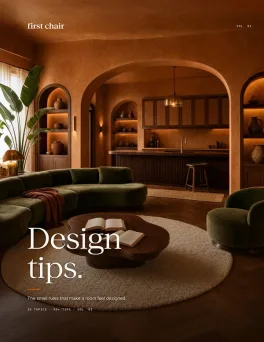
You're turning the spare room in your Seattle home into a nursery. One corner still holds exercise equipment. Another is filled with storage bins. You upload a photo to HomeDesigns AI hoping it can help you picture the room's next chapter.
The render comes back beautiful. Then you try to recreate it.
The crib exists. The dresser doesn't. The reading chair tucked into the corner isn't sold anywhere. The floor lamp that somehow makes the room feel complete turns out to be generated.
This is the central problem with AI room design tools. They show you what could exist, not what you can actually buy. You get inspiration, but you're still left figuring out how to turn it into a real room. And in a market projected to grow rapidly through 2035, a new generation of design tools is finally focusing on the part that matters most: helping you furnish the room, not just imagine it.
Key Takeaways
- Real furniture changes everything: First Chair shows you actual, purchasable pieces from brands like West Elm, CB2, and Crate & Barrel rather than AI-generated renders you'll never find in stores
- Free tools exist for quick experiments: RoomGPT offers free daily designs if you just want to test an idea before committing
- HomeDesigns AI has hidden limitations: The tool creates beautiful visualizations but leaves you hunting for furniture across dozens of browser tabs
- Professional tools serve different needs: Some platforms target designers with technical workflows, not homeowners trying to furnish a living room
- The inspiration-to-purchase gap is real: Beautiful renders are everywhere. The challenge is finding what goes in the actual room.
1. First Chair: Real Furniture You Can Actually Buy

You can skip this if you want another Pinterest board. First Chair exists for the moment when you're ready to stop saving inspiration and start furnishing.
The difference is that every piece First Chair shows you is real, available, and purchasable. Upload a photo of a cafe interior you love, describe what you're going for and get a curated room concept using furniture from actual retailers. Not AI-generated renders. Not fantasy pieces. Real sofas, real tables, real lighting you can order this week.
What It Does Well
- Curates across West Elm, CB2, Crate & Barrel, Pottery Barn, Lulu & Georgia, and brands you haven't found yet
- Interprets nuanced style direction instead of forcing you into generic categories
- Offers insider furniture pricing on real pieces
- Connects directly to purchasing so you're not left hunting across 47 browser tabs
Who's It For
People who already know what they like but need help turning that taste into a finished room. Especially useful for renters, new homeowners, and anyone tired of bouncing between Pinterest, retailer sites, and endless furniture tabs.
The Real Value
Furnishing a home is expensive. But it's especially expensive when you buy pieces that don't fit or match. First Chair solves this by showing you exactly how pieces work together before you buy. The room concept isn't a fantasy. It's a shopping list that actually makes sense together.
For anyone who's exhausted by the gap between inspiration and execution, First Chair closes it. This is the only tool on this list designed to get furniture into your actual space, not just generate another image to save.
2. RoomGPT
Use RoomGPT when you're still figuring out if you even like mid-century modern or if you've just been looking at it so long it feels familiar.
The tool runs entirely free for basic use, offering daily free designs without requiring payment. Upload a room photo, select a style preset, and see what that space might look like in a different aesthetic.
If you're still in the "what do I even want" phase, RoomGPT is fine for quick visual experiments. Zero barrier to entry. Simple interface. Good for testing whether a style direction feels right before committing.
What It Does Well
- Zero barrier to entry for quick visual experiments
- Simple interface with minimal learning curve
- Good for testing whether a style direction feels right before committing
Who's It For
People at the very beginning of the process who want to experiment with different styles before making any purchasing decisions.
How it differs from First Chair: RoomGPT generates fictional rooms for inspiration. First Chair shows you real furniture you can purchase today.
3. Interior AI
Interior AI focuses on one thing: fast renders. The platform generates visualizations quickly, making it useful for people who want to see many variations in a short time.
But speed means nothing if you can't find the furniture. Interior AI creates beautiful images using AI-generated pieces that don't exist. You're left doing the actual work of sourcing everything yourself. The render becomes a reference image, not a plan.
Who's It For
People who want quick visual inspiration and enjoy exploring multiple design directions before narrowing down their preferences.
What It Does Well
- Fast generation times
- Multiple style options
- Straightforward upload-and-render workflow
How it differs from First Chair: Interior AI optimizes for render speed. First Chair optimizes for helping you actually furnish the room.
4. Spacely AI
Spacely AI targets interior designers and architects, not homeowners furnishing their first apartment. The platform offers CAD integration with SketchUp and Revit, professional workflow features, and tools designed for client presentations.
This makes sense if you're a working designer with specific technical needs. You already use SketchUp or Revit. You need professional-grade visualization for client-facing work with advanced editing capabilities for fine-tuning renders.
What It Does Well
- Professional-grade visualization for client-facing work
- Integration with industry-standard design software
- Advanced editing capabilities for fine-tuning renders
Who's It For
Interior designers, architects, and design professionals who already work in tools like SketchUp and Revit and need client-ready visualizations.
How it differs from First Chair: Spacely AI serves professional designers with technical workflows. First Chair serves people furnishing their own homes who want to buy real pieces.
5. ReimagineHome
ReimagineHome started in virtual staging and still feels strongest there. Upload a room photo, choose a direction, and it generates polished redesign concepts in seconds. Over time, it has expanded into product sourcing, adding shoppable furniture recommendations tied to room designs.
That's also the tradeoff. ReimagineHome begins with visualization and then moves toward shopping. If your biggest challenge is figuring out what a room could look like, that's useful. If your biggest challenge is choosing the actual sofa, rug, lighting, and storage pieces that make the room work, you'll likely spend more time in the furnishing phase than the visualization phase.
What It Does Well
- Connects some renders to purchasable products
- Offers multiple design modes
- Targets the inspiration-to-purchase gap
Who's It For
Homeowners exploring renovation ideas, room refreshes, or different design directions before deciding what furniture and finishes to buy.
How it differs from First Chair: ReimagineHome is a strong choice if you're still exploring directions for a space. First Chair is the stronger fit when you're ready to turn a room into a list of real pieces from brands like West Elm, CB2, Crate & Barrel, Pottery Barn, Lulu & Georgia, and Article
6. Homestyler
Homestyler approaches home design from a planning perspective. Instead of starting with taste or furniture recommendations, it starts with layouts, dimensions, and room geometry. You can create detailed 2D and 3D floor plans, experiment with furniture placement, and test how different room configurations work before making purchases.
That's also the problem. If you're comparing sofa sizes, checking walkway clearance, or figuring out whether a sectional blocks a doorway, it does the job well. If you're still trying to decide between a CB2 apartment-scale sectional, an Article leather sofa, or a Crate & Barrel slipcovered option, the design decisions are still yours to make.
What It Does Well
- Detailed floor planning with accurate measurements
- Large library of furniture pieces for spatial planning
- Useful for understanding traffic flow and clearance
Who's It For
People who already have furniture in mind and need to confirm layouts, dimensions, traffic flow, and room functionality before purchasing.
How it differs from First Chair: Homestyler focuses on spatial planning and measurements. First Chair focuses on curating real furniture that works together aesthetically.
7. DecorMatters
DecorMatters leans into community and social features, letting users share designs and get feedback from other members. If you want opinions from strangers on the internet about your room choices, this is the place.
But more opinions rarely solve decision fatigue. If you're already overwhelmed by Pinterest, adding a social layer of comments and votes from strangers probably won't help you commit to the CB2 sectional versus the Article alternative. It might actually make decisions harder.
What It Does Well
- Community feedback on design concepts
- Social sharing and inspiration browsing
- Gamified design challenges
Who's It For
People who enjoy collaborative design, community feedback, and sharing concepts with others before making decorating decisions.
How it differs from First Chair: DecorMatters offers community opinions. First Chair offers opinionated curation from a design perspective.
Why People Look For HomeDesigns AI Alternatives
HomeDesigns AI is a toolkit for AI room design, covering interiors, exteriors, and gardens with style options. The renders generate quickly. On paper, it sounds useful.
The Fundamental Problem
Beautiful renders that aren't actionable. HomeDesigns AI creates images. It doesn't help you buy furniture. You're left doing the actual work of finding real pieces that match what the AI imagined. The tool generates inspiration you already have too much of.
Quality Issues
Some users report the AI placing multiple TVs in a living room with no way to correct it. Others describe outputs that look beautiful but contain physically impossible layouts or furniture arrangements that wouldn't work in real life. The tool prioritizes speed over practical usability.
When HomeDesigns AI Makes Sense
For exterior and garden design where you're not buying furniture, the breadth might matter. If you're redesigning a backyard or planning landscaping, the tool's visualization capabilities could be useful. For interior furnishing where you need to actually purchase sofas, tables, and lighting, the gap between render and reality becomes the entire problem.
Making the Right Choice
Some tools help you visualize possibilities. Others help you plan layouts and dimensions. First Chair focuses on the part that comes next: helping you choose real furniture that works together, fits your taste, and comes from brands you'd actually shop, like West Elm, CB2, Crate & Barrel, Pottery Barn, Lulu & Georgia, and Article.
Instead of leaving you with another room render to reverse-engineer, First Chair helps you move from inspiration to purchase with a cohesive room built from real, shoppable pieces.
Skip HomeDesigns AI if you've already experienced the frustration of beautiful renders that don't translate to purchasable furniture. Skip it if you need more than just another image.
The room you've been imagining for six months? It can exist. The furniture just needs to be real.
Frequently Asked Questions
What makes First Chair different from HomeDesigns AI?
First Chair shows you real, purchasable furniture from actual retailers like West Elm, CB2, and Crate & Barrel. HomeDesigns AI generates AI renders using fictional furniture you'll need to source yourself. The practical difference: First Chair gives you a shopping list. HomeDesigns AI gives you another image to add to the Pinterest board.
Is there a free HomeDesigns AI alternative that actually works?
RoomGPT offers free daily designs for basic visualization. For free access to real, purchasable furniture recommendations, First Chair early access provides design tools at no cost.
Why do people look for HomeDesigns AI Alternatives?
The core issue is beautiful renders that aren't actionable. You get images, not shopping plans. The furniture doesn't exist in stores, so you're left hunting for approximations across multiple retailer sites. For exterior or garden design, this might be acceptable. For interior furnishing where you need to buy actual pieces, it's frustrating.
Can any AI interior design tool help me buy furniture, not just visualize it?
First Chair is built specifically to bridge inspiration and purchasing, curating real pieces from multiple retailers. Most other AI room tools generate fictional renders that leave you with the work of sourcing furniture yourself.
Should I use a professional tool like Spacely AI for my apartment?
No. Spacely AI targets interior designers with CAD integration and professional workflows. If you're furnishing your own space and don't use SketchUp or Revit professionally, you'll find tools like First Chair more practical for actually buying furniture.