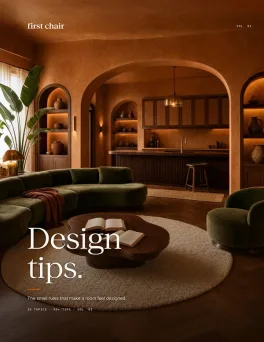
You moved into your San Francisco apartment nearly a year ago and promised yourself you'd tackle the living room later. Later arrived. The walls are still blank. The lighting is whatever came with the unit. The room works, technically, but it doesn't feel like you. Wayfair Decorify tries to help with product suggestions, yet the results often feel disconnected from the room you're actually trying to build. Fortunately, there are better alternatives. Some excel at visualization. Some focus on shopping. And one, First Chair, turns saved inspiration into a room filled with real, shoppable pieces sourced across multiple retailers like West Elm, CB2, and Lulu & Georgia.
Key Takeaways
- The real problem isn't inspiration. It's execution. Furniture shoppers seek inspiration online constantly, but most never complete purchases. Most alternatives pile on more inspiration without helping you actually buy anything.
- Wayfair Decorify locks you into one catalog. Want a CB2 coffee table with a West Elm sofa and an Article accent chair? Decorify can't help you.
- Most AI room tools generate fantasy furniture. InteriorAI, RoomGPT, and others show beautiful rooms filled with pieces you literally cannot purchase anywhere.
- First Chair is the only multi-retailer alternative. It sources from 50+ brands and shows real, shoppable pieces in every concept.
- The home and furniture industry has a 78.65% cart abandonment rate. The second highest in retail. The right tool should reduce that paralysis, not add to it.
1. First Chair
Skip everything else if you're actually trying to furnish a room.
First Chair exists for people who already have taste but keep stalling on execution. You upload a photo of your room or an inspiration image, describe what you're going for ("mid-century with walnut tones and a deep-seat sofa"), and get back curated concepts with real furniture from West Elm, CB2, Crate & Barrel, Pottery Barn, Lulu & Georgia, Article, and dozens of other brands.
What it does well:
- Every piece shown is real and purchasable. No fantasy furniture, no "inspired by" lookalikes.
- Sources across 50+ retailers, so you're not locked into one catalog's aesthetic.
- Understands layered style prompts. "Scandinavian with walnut warmth" actually means something here.
- Room concepts, not just individual pieces. The sofa, rug, coffee table, and lighting work together.
Why it works:
Shoppers aged 30-39 use design tools regularly. But most tools stop at inspiration. First Chair picks up where the Pinterest board ends and closes the gap between "I love this vibe" and "I own this room."
Join the early access waitlist if you're serious about finishing your space.
2. Wayfair Decorify / Muse

Wayfair Muse replaced Decorify in early 2025, adding open-ended style prompting and faster browsing. It's free, unlimited, and fast. If you already know you want to shop Wayfair's catalog exclusively, it works. The biggest limitation: everything shown is Wayfair-only.
What it does well:
- Completely free with no limits on browsing or generations.
- Accepts nuanced style prompts like "coastal Spanish revival" and generates mood-aligned scenes.
- Designs created since the 2023 Decorify launch show strong user adoption.
- Good for early-stage inspiration when you're still figuring out what you want.
Who should use it:
People already committed to shopping at Wayfair who want free inspiration before browsing. Skip it if you care about sourcing from multiple retailers or want furniture from brands like CB2, Rejuvenation, or Lulu & Georgia.
How it differs from First Chair: Wayfair Muse locks you into one retailer. First Chair sources across 50+ brands, including premium options Wayfair doesn't carry.
3. InteriorAI
InteriorAI generates room renders fast. Upload a photo, pick from presets, and get back a transformed version of your space in under 15 seconds.
The problem? Every piece of furniture in the render is AI-generated. You can't buy the sofa, the rug, or the coffee table because they're not real products. This makes InteriorAI useful for style exploration but useless for actual furnishing.
What it does well:
- Design style presets, more than most competitors.
- Fast generation times (5-15 seconds).
- Better structural accuracy than most. Walls, windows, and doors stay where they belong.
Who should use it:
Designers or homeowners exploring style directions before committing. Skip it if you're ready to buy, since nothing it shows is purchasable.
How it differs from First Chair: InteriorAI shows fantasy furniture. First Chair shows real pieces from real retailers. If you want to actually buy what you see, First Chair is the option.
4. RoomGPT
RoomGPT has the simplest workflow. Upload a photo, pick a style, get a render. No account required for the first few generations.
The tradeoff is that quality is softer, less photorealistic. And like InteriorAI, everything shown is fantasy furniture.
What it does well:
- Lowest barrier to entry. Free tier available, no login required initially.
- Fast generation times among AI render tools.
Who should use it:
Casual experimenters testing styles for fun. Skip it if you're actually trying to furnish a room in the next few months.
How it differs from First Chair: RoomGPT generates quick "what if" renders. First Chair generates room concepts with real furniture you can add to cart. If you're past the daydreaming phase, RoomGPT won't help you execute.
5. REimagineHome
REimagineHome targets real estate professionals. It features virtual staging options and batch processing. It's the most commercially-focused AI render tool.
It also has option to see real products with purchase links. But product links don't cover all furniture types. Style quality varies across presets. And while it has shopping links, catalog coverage is incomplete compared to a dedicated multi-retailer solution.
What it does well:
- Professional virtual staging for empty rooms and listing photos.
- Exterior and landscaping support, unlike interior-only competitors.
- Shoppable furniture links on some renders.
- High-volume batch processing for agents with multiple listings.
Who should use it:
Real estate agents and property managers staging empty spaces for sale. Skip it if you're furnishing your own apartment and want complete product coverage across premium brands.
How it differs from First Chair: REimagineHome optimizes for staging listings for sale. First Chair optimizes for people furnishing their own homes with pieces they'll actually live with.
6. Homestyler
Giving credit where it’s due, Homestyler is a powerful 3D design tool on this list. It's built for people who want to model entire floor plans and produce photorealistic renders.
The problem? It’s hard to learn, especially on mobile.Requires a powerful computer for best results. And while it shows brand furniture models, there's no direct purchasing path.
What it does well:
- Advanced 3D modeling with CAD-adjacent capabilities.
- Photorealistic rendering quality, the best visual output in the category.
- Large library of brand furniture models from real manufacturers.
- Generous free tier for basic projects.
Who should use it:
Interior design professionals and serious hobbyists building complete floor plans. Skip it if you just want help picking furniture for an existing room.
How it differs from First Chair: If you want to draw floor plans and model lighting, use Homestyler. If you want to buy a sofa that works with your existing rug, use First Chair.
7. Planner 5D
Planner 5D is genuinely useful for figuring out room flow, testing furniture footprints, and answering practical questions like whether a sectional blocks a walkway or if a dining table fits between two windows. The AI Floor Plan Scanner is one of the better features in the category, turning a phone photo into a usable floor plan in minutes.
The problem is that once the layout is solved, Planner 5D has less to offer. Larger projects can feel sluggish, advanced features sit behind paywalls, and the furniture catalog is mostly generic 3D models rather than real pieces you can actually buy.
What it does well:
- Easy 2D and 3D floor plan creation.
- AI Floor Plan Scanner that auto-generates plans from your phone camera.
- Cross-platform syncing between devices.
- Solid free tier for basic room layouts.
Who should use it:
People renovating or reconfiguring layouts before buying. Skip it if you already know your room's dimensions and just need help picking pieces.
How it differs from First Chair: Planner 5D helps you arrange a floor plan. First Chair helps you fill that floor plan with real furniture. Different problems, different solutions.
8. IKEA Kreativ
If you've already decided you're buying IKEA, use IKEA Kreativ. It's probably the best free tool available.
The room scanning is genuinely impressive. Point your phone at a room, and Kreativ creates a 3D version you can furnish with real IKEA products at accurate scale. For someone furnishing a first apartment or planning an IKEA-heavy refresh, it's one of the most practical visualization tools on the market.
The catch is that IKEA is both the feature and the limitation.
What it does well:
- Advanced room scanning that captures your actual space.
- Every product shown is real and available to order.
- Completely free.
- Perfect execution for IKEA's single-retailer model.
Who should use it:
Budget-conscious shoppers committed to IKEA's aesthetic. Skip it if you want to mix brands or access higher-end pieces.
How it differs from First Chair:
IKEA Kreativ is great if you've already decided to furnish exclusively from IKEA. First Chair sources across 50+ brands including premium options like Lulu & Georgia, Rejuvenation, and Crate & Barrel.
The Bottom Line
Most Wayfair Decorify alternatives help you visualize a room. Very few help you furnish one.
Some generate beautiful concepts filled with furniture that doesn't exist. Others keep you inside a single retailer's catalog, whether that's the right fit for your room or not.
First Chair starts with your taste, your space, and the room you're actually trying to create. Instead of pushing you toward one store, it pulls from brands like CB2, Crate & Barrel, West Elm, Lulu & Georgia, Rejuvenation, and dozens more to create cohesive, shoppable concepts built around real pieces.
If you're tired of collecting inspiration and ready for a room that feels finished, join the early access waitlist.
Frequently Asked Questions
What's the main difference between Wayfair Decorify and First Chair?
Wayfair Decorify (now Muse) only shows furniture from Wayfair's catalog. First Chair sources across 50+ retailers including West Elm, CB2, Crate & Barrel, Pottery Barn, Lulu & Georgia, and Article. If you want to mix pieces from multiple brands, First Chair is the only option.
Can I actually buy the furniture shown in AI room design tools?
It depends on the tool. InteriorAI and RoomGPT show AI-generated furniture that doesn't exist and can't be purchased. Wayfair Muse and IKEA Kreativ show real products, but only from their own catalogs. First Chair shows real, shoppable pieces from multiple retailers.
Which alternative is best for someone on a tight budget?
IKEA Kreativ is completely free and shows real IKEA products with actual pricing. Avoid paying for AI render tools that show fantasy furniture you can't buy anyway.
Do I need design experience to use these tools?
No. First Chair, Wayfair Muse, and IKEA Kreativ are built for regular homeowners. Homestyler and Planner 5D have steeper learning curves and work better for people comfortable with design software. RoomGPT and InteriorAI are simple but show non-purchasable furniture.
How long does it typically take to furnish a room using these tools?
Millennials researching furniture spend weeks before purchases. First Chair aims to compress that timeline by showing curated concepts with real pieces you can buy immediately. AI render tools often extend the research phase because you still have to manually find real versions of the fantasy furniture they show.